
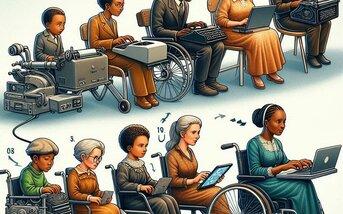
10 Assistive Technologies Transforming Learning Experiences in Modern education
As education continues to evolve, assistive technologies have become essential tools in creating inclusive, adaptive, and engaging learning environments. Thes innovations remove barriers, support diverse learning needs, and ensure every student has the possibility to thrive. In this complete guide,we’ll explore the 10 assistive technologies transforming learning experiences in modern education,along with their benefits,practical tips,and inspiring real-world examples.
what Are Assistive Technologies?
Assistive technologies (AT) refer to devices, software, or equipment specifically designed to support students with disabilities or learning differences. However,their reach goes beyond accessibility—they offer flexible learning experiences for all,fostering creativity,autonomy,and equal educational opportunities.
- They address various needs: physical, cognitive, sensory, or emotional.
- They bridge gaps for students with dyslexia, ADHD, visual or hearing impairments, autism, and more.
- They empower educators to personalize learning and track progress effectively.
10 Assistive technologies Revolutionizing Education
Here are the top assistive technologies in education making a remarkable impact:
-
1. Text-to-Speech (TTS) Software
TTS applications like Kurzweil 3000, NaturalReader, and read&Wriet convert written content into spoken words. Designed for students with dyslexia or visual impairments, TTS improves reading comprehension and helps multitasking.
- Boosts engagement for auditory learners.
- Enhances learning for students with reading challenges.
- Enables access to digital course materials anytime,anywhere.
-
2. Speech-to-Text (Dictation) Tools
Dragon NaturallySpeaking and built-in features in Google Docs Voice Typing let students verbally dictate notes, essays, and assignments. These tools support those with dysgraphia, motor challenges, or writing difficulties.
- Boosts productivity and self-expression.
- Helps overcome physical barriers to writing.
- Improves accessibility for students learning English as a second language.
-
3. Audio Books and Bookshare
Platforms like Bookshare and Learning Ally provide a vast library of audiobooks and accessible reading materials for students with print disabilities.They allow self-reliant exploration of literature and textbook content.
- Facilitates broader engagement with curriculum content.
- Reduces frustration with conventional books.
-
4. Augmentative and Option Communication (AAC) Devices
AAC devices such as Tobii Dynavox or various mobile AAC apps give a voice to students with speech or communication disorders. Utilizing symbols, pictures, and text, they enable effective classroom participation.
- Promotes confidence and active classroom engagement.
- Customizable to user needs, supporting a wide range of communication abilities.
-
5. Screen Readers
JAWS (Job Access With Speech), NVDA, and VoiceOver (for Mac) help students with visual impairments navigate digital content by reading aloud text, describing images, and providing keyboard shortcuts for efficient browsing.
- Makes web content, eBooks, and software accessible.
- Empowers students to participate in virtual classrooms.
-
6. Closed Captioning and Transcription services
Integration of automatic or manual closed captioning in educational videos, lectures, and live sessions is a boon for students with hearing loss or auditory processing challenges. Tools like Otter.ai offer real-time transcription.
- Reinforces under-standing through text and audio together.
- Supports note-taking and revision for all students.
-
7. Interactive Whiteboards and Smartboards
SMART Board and Promethean ActivPanel create engaging, hands-on learning experiences for all students, including those with physical or learning disabilities. Features like touch sensitivity and software integration support differentiated instruction.
- Visually reinforces concepts.
- Enables simultaneous group interaction and collaborative learning.
-
8. Video Modeling and Visual Schedules
Video modeling apps like Model Me Kids help students—especially those with autism or social communication difficulties—learn social skills, routines, and academic tasks through demonstration and repetition.
- Builds independence through visual cues.
- Can be customized for classroom and home use.
-
9. Adaptive Keyboards and Mice
Adaptive input devices, such as big-key keyboards, one-handed keyboards, and trackballs, make typing and computer navigation accessible for students with physical or motor challenges.
- Supports fine motor skill development.
- Improves independence on classroom technology tools.
-
10. Learning Management Systems with Accessibility Features
Canvas, Moodle, and Google Classroom are embracing accessibility. Built-in features such as adjustable font sizes, color contrast, and accessible discussion forums support global design for learning (UDL).
- Fosters inclusive digital classrooms.
- Enables access across diverse devices and learning needs.
Benefits of Assistive Technologies in Education
- Increased independence: Empowers students to learn and demonstrate understanding in their preferred ways.
- Enhanced engagement: Interactive and adaptive tools boost motivation and participation.
- Personalized learning: AT supports differentiated instruction to meet each student’s needs.
- Equal opportunities: Breaks down barriers and fosters a more equitable classroom habitat.
- Improved academic outcomes: Reduces frustration, improves comprehension, and bolsters confidence.
Practical Tips for Implementing Assistive Technology in the Classroom
- Start with needs assessment: Evaluate each student’s strengths, challenges, and learning goals with input from specialists.
- Provide training for staff and students: Offer hands-on exercises to build familiarity and comfort with new devices or apps.
- Foster collaboration: Involve families, therapists, and ed-tech professionals for holistic support.
- Encourage feedback: Regularly collect user feedback to refine technology use and ensure ongoing effectiveness.
- Respect privacy and security: Choose reputable solutions and adhere to data protection best practices.
Real-World Impact: Case Study
lincoln middle School implemented a comprehensive assistive technology program, providing iPads with TTS apps, adaptive keyboards, and AAC devices for students with a range of learning needs. Consequently, reading proficiency levels jumped by 27% within a year, and student participation in group projects increased substantially. Teachers reported higher student engagement, and parents observed significant boosts in confidence and independence at home.
Conclusion
The integration of assistive technologies in modern education is redefining what it means to learn, teach, and succeed. By embracing these powerful tools, schools can create truly inclusive classrooms—where every student is empowered to reach their full potential. As technology evolves, so too will the ways we break down learning barriers and unleash creativity in education. Investing in assistive technology is not just a commitment to accessibility—it’s a promise of brighter,more equitable futures for all learners.
Ready to implement assistive technology in your school or classroom? Start small, stay curious, and let the journey toward inclusive and innovative learning begin!