
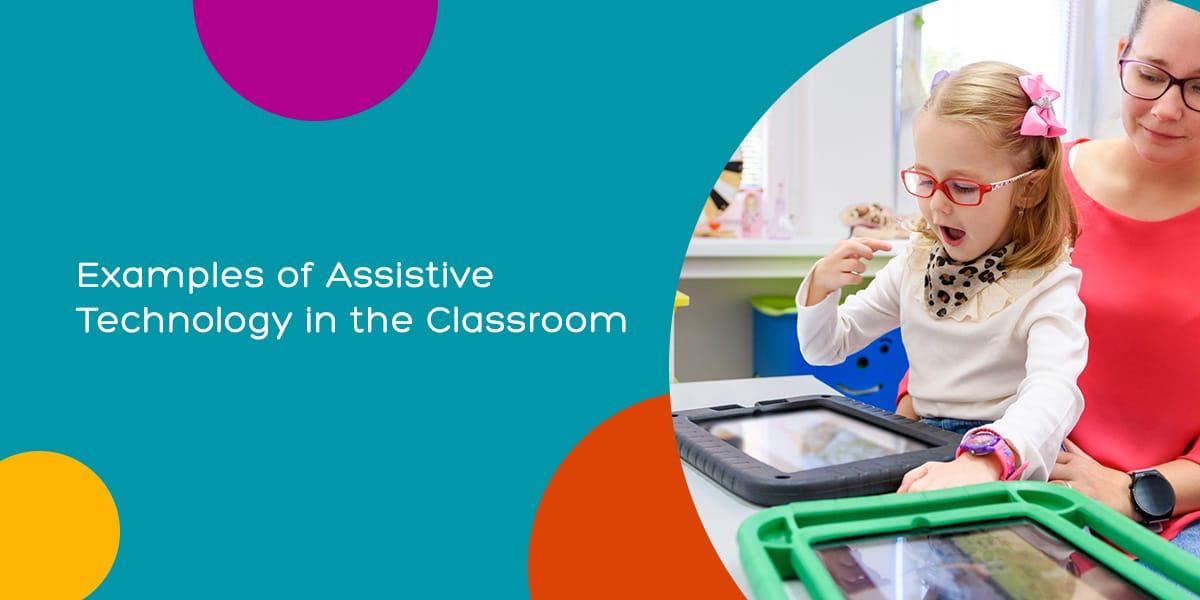
10 Assistive Technologies Transforming Learning Experiences in Today’s Classrooms
embracing classroom technology to create inclusive,engaging,and personalized learning journeys for every student.
Introduction
Education is evolving at a phenomenal pace, with assistive technologies playing a pivotal role in shaping modern learning environments. These digital innovations are no longer a futuristic vision—thay’re actively redefining accessibility, personalization, and engagement in today’s classrooms. From speech-to-text applications to interactive whiteboards, assistive tech is empowering students with disabilities, learning challenges, and diverse needs to access education like never before. Let’s explore the top 10 assistive technologies that are transforming learning experiences for every student, teacher, and classroom.
What are Assistive Technologies in education?
Assistive technologies encompass any device, software, or equipment that aids students in overcoming barriers to learning, dialog, and participation. These tools cater to a wide range of needs—supporting students with visual, auditory, motor, or cognitive disabilities, as well as those who benefit from personalized learning approaches.
- increase inclusivity and equity in the classroom
- Enhance student autonomy, confidence, and academic success
- Empower educators to address diverse learning styles and challenges
10 Game-Changing Assistive Technologies in Today’s Classrooms
-
Text-to-Speech (TTS) software
Text-to-Speech technologies, like Kurzweil 3000 and NaturalReader, convert written text into spoken words. These tools greatly aid students with dyslexia, visual impairments, or reading challenges by enabling auditory learning.
- Boosts reading comprehension and focus
- Supports multilingual learners
-
Speech-to-Text (Dictation) tools
Software such as Dragon NaturallySpeaking or built-in dictation features on Chromebooks allow students to speak and have their words automatically transcribed to text. This is a game-changer for students with motor disabilities, dysgraphia, or those who struggle with conventional writing.
- Reduces physical strain and frustration
- encourages creative expression
-
Augmentative and option Communication (AAC) Devices
AAC devices like Tobii Dynavox or Proloquo2Go provide alternative means for non-verbal or speech-impaired students to communicate effectively using symbols, text, or voice output.
- Fosters independence and social participation
- Supports individualized communication needs
-
Screen Readers
Screen readers such as JAWS, NVDA, or built-in options on iOS/Android devices read out on-screen text and elements, enabling visually impaired students to navigate digital content independently.
- Makes learning materials accessible to all
- Supports web browsing, e-books, and classroom apps
-
Adaptive Keyboards and Mice
Specialized hardware like big-key keyboards, one-handed keyboards, and trackball mice help students with limited dexterity or motor impairments participate in computer-based tasks with greater ease.
- Customizable to student needs
- Encourages IT literacy and engagement
-
Closed Captioning and Real-Time Transcription Services
Tools such as Google Meet Live captions and Otter.ai provide real-time transcription and captioning for live and recorded lessons. This greatly benefits students who are deaf or hard of hearing, as well as English language learners.
- Fosters inclusivity during lectures and discussions
- Aids note-taking and review
-
Interactive Whiteboards and Smartboards
Devices like SMART Board and Promethean Board bring multimedia content and touch-based interaction to the classroom, making lessons more engaging and accessible for students with various learning preferences.
- Supports visual, auditory, and kinesthetic learning
- Facilitates collaborative group work
-
Reading and Writing Support Applications
Tools like Grammarly, Co:Writer, and Ginger Software provide spelling, grammar, and composition assistance for students with learning disabilities or language difficulties, helping them produce clearer and more accurate writing.
- Improves confidence in written tasks
- Offers real-time feedback and suggestions
-
visual Aids and magnification Software
Applications such as ZoomText or built-in visual accessibility features allow users to magnify text, change color contrast, and adjust font sizes, giving visually impaired students equal access to digital curriculum.
- Reduces eye strain and enhances comprehension
- Customizes each user’s visual experience
-
Educational Apps with global Design for Learning (UDL)
Inclusive apps like Khan Academy, Bookshare, and Seesaw are intentionally designed to support diverse learners by offering multiple methods for content delivery, participation, and assessment.
- Flexible, personalized learning paths
- Accessible multimedia resources (audio, visual, interactive)
Benefits of Implementing Assistive Technologies in the Classroom
- Increased accessibility: Learning materials and activities become available to all students, nonetheless of ability or background.
- Enhanced engagement: Interactive and adaptable technology makes lessons more stimulating and interactive.
- Personalized learning: Tools adapt to individual needs and paces, promoting ownership of learning.
- Reduced barriers: Physical and cognitive obstacles are minimized, enabling equitable educational opportunities.
- Boosted confidence: Empowering students to achieve their best fosters self-esteem and motivation.
Practical Tips for Integrating Assistive Technologies
- Start small: Identify specific needs in your classroom and trial one or two relevant tools.
- Involve students: Encourage feedback to find wich tools best support individual and group learning.
- Provide training: Host skill-building sessions for students and staff to maximize effectiveness and confidence.
- Stay updated: regularly research emerging technologies and best practices in educational accessibility.
- Promote inclusivity: Ensure all students feel supported—not just those with diagnoses or IEPs.
Case Study: Assistive Tech Success in Action
Greenwood Elementary School implemented a combination of speech-to-text apps and interactive whiteboards in classrooms with students who have learning disabilities. Teachers noted a 35% increase in students’ written output and a dramatic jump in classroom participation. Students who once struggled with handwriting now express their ideas freely, using dictation, while interactive whiteboards make lessons visually rich and engaging for all learners. This blend of assistive technology not only boosted academic results but also created a more inclusive, confidence-building environment.
First-Hand Experience: A Teacher’s Outlook
“Introducing screen readers and real-time captions transformed how my visually impaired and deaf students engaged with lessons. Suddenly, they were raising hands, collaborating, and taking charge of their learning. Assistive technology isn’t just a tool—it’s a bridge to equity and possibility for every student in my care.”
Conclusion: The Future of Inclusive Learning
The impact of assistive technologies in education is undeniable. By embracing tools that foster access, inclusion, and engagement, schools are opening doors to lifelong learning for every student. As technology advances, so too does our ability to recognize and nurture diverse talents, transforming challenges into opportunities for growth. Today’s classroom is no longer limited by barriers—it’s propelled by innovation, compassion, and the promise of a brighter, more equitable future.
Ready to transform your classroom? Start with one of these assistive technologies and unlock the full potential of every learner.