
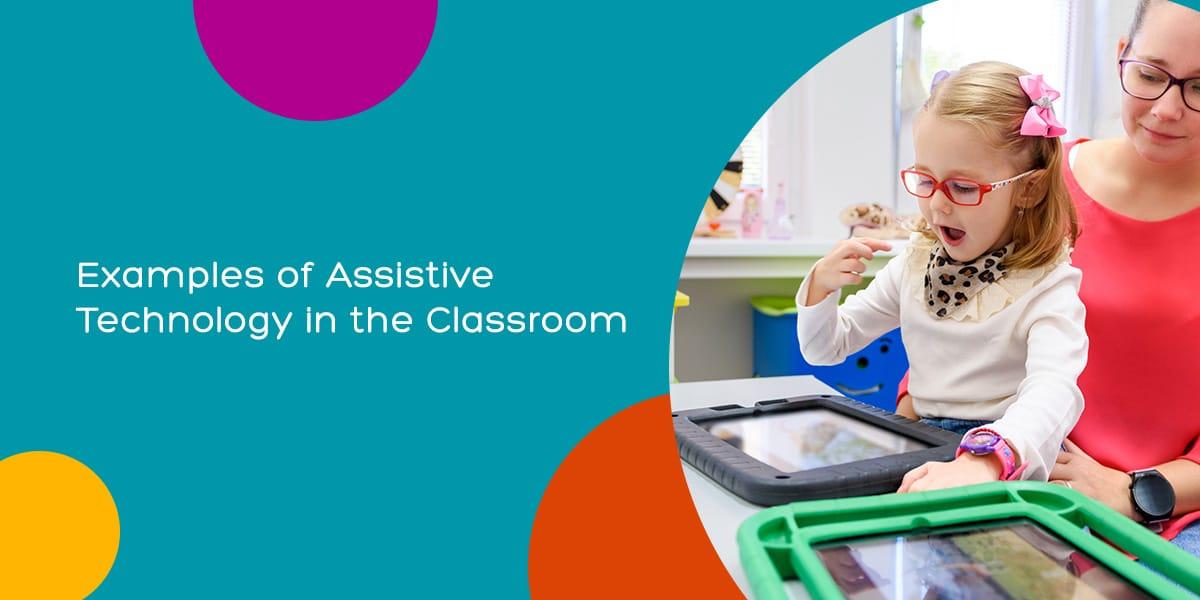
10 Revolutionary Assistive Technologies Transforming Learning experiences Today
In today’s rapidly evolving educational landscape, assistive technologies are driving unprecedented changes, making learning more accessible and engaging for students of all abilities.From AI-powered tools to immersive sensory devices, revolutionary innovations are empowering educators and learners, breaking barriers, and creating inclusive environments where everyone benefits. This article delves into the top 10 assistive technologies transforming learning experiences,complete with benefits,practical tips,and real-world examples that showcase how technology is reshaping the future of education.
What Are Assistive Technologies?
Assistive technologies refer to products, systems, and tools designed to enhance, maintain, or improve the learning capabilities of individuals with disabilities. By bridging gaps in customary education, these technologies support students with diverse needs, enabling equitable access, personalized instruction, and improved outcomes for all. In recent years, the integration of educational assistive technology has become essential for inclusive classrooms and distance learning alike.
Top 10 Revolutionary Assistive Technologies
Here’s an in-depth look at the ten most impactful assistive technologies making waves in modern education:
-
1. Speech-to-Text Software
Speech-to-text solutions like Dragon NaturallySpeaking and Google Voice Typing allow students with dyslexia, mobility challenges, or visual impairments to transcribe spoken words into written text, removing obstacles to note-taking and essay writing.
- Enhances participation for students with difficulties in writing and typing.
- Enables hands-free note-taking in live classes and lectures.
- Supports remote learning and collaborative projects.
-
2. Text-to-Speech Readers
Text-to-speech readers such as Kurzweil 3000 or Read&Write read digital content aloud, aiding students with reading disabilities, ADHD, or visual impairments. These tools foster independence and boost comprehension.
- Improves understanding of complex materials.
- Facilitates multi-tasking during study sessions.
- Accessible across devices and platforms including WordPress websites.
-
3. Screen Readers
Screen readers like JAWS and NVDA make digital content navigable for students with blindness or low vision. They interpret on-screen elements, converting them into speech or Braille.
- Promote digital accessibility for all students.
- Essential for browsing educational websites and learning management systems.
- Integrate seamlessly with WordPress accessibility plugins.
-
4. Closed Captioning & Transcription Tools
Automatic closed captioning services,such as Otter.ai and Zoom Transcription, convert spoken language in videos and live streams into written captions, fostering inclusive communication for students with hearing impairments.
- Enhances accessibility in virtual classrooms and webinars.
- Supports language learners and students with auditory processing disorders.
- Easy implementation on WordPress-based online courses.
-
5. Option Input Devices
Innovative hardware like adaptive keyboards, trackballs, and even eye-gaze systems cater to learners with physical disabilities, offering alternative pathways to interact with computers and digital content.
- Customizable for individual mobility needs.
- Improves access to computer-based learning activities.
- Supports hands-free navigation for those unable to use traditional input devices.
-
6. Augmentative and Alternative Communication (AAC) Devices
AAC devices—including speech-generating tablets and communication boards—help non-verbal students or those with speech disorders express ideas, participate in discussions, and collaborate more freely in the classroom.
- Breaks down communication barriers.
- Promotes engagement in group activities.
- Facilitates better teacher-student interaction.
-
7. Learning Management System Accessibility Plugins
Tools like WP accessibility and AccessibleWP enhance WordPress-based online learning platforms with keyboard navigation, screen reader compatibility, and customizable fonts for students with sensory or cognitive challenges.
- Boosts site usability for all visitors.
- Ensures compliance with web accessibility standards (e.g., WCAG).
- Simple installation for course creators and educators.
-
8. Educational Apps with Accessibility Features
Customizable mobile apps like ModMath (for dysgraphic students) and Magnifier (for low vision) offer tailored tools,helping learners overcome challenges in real time—inside and outside the classroom.
- Supports independent learning and problem-solving.
- Available for iOS and Android devices.
- Enhanced with features like voice commands and screen magnification.
-
9. Virtual Reality (VR) & Augmented Reality (AR) Learning Environments
VR and AR technologies are redefining experiential learning for students with special needs. Solutions like VirtualSpeech and Google Expeditions offer immersive simulations for safe exploration, social skills development, and enhanced engagement.
- Improves information retention and motivation.
- Facilitates experiential learning, from history to science.
- Inclusive for diverse abilities through adaptable controls and scenarios.
-
10. Smart Pens and Interactive Tablets
Smart pens such as Livescribe and interactive tablets make note-taking, annotation, and content sharing more accessible for students with fine motor skill challenges or cognitive disabilities. They sync handwritten notes with digital devices.
- Combine handwriting and audio recording for complete study aids.
- Ideal for blended and remote learning settings.
- Allows collaboration and personalized feedback.
Benefits of Assistive Technologies in Education
- Enhanced Accessibility: Empowers students with disabilities to take part in mainstream education.
- Personalized Learning: Adjusts resources and teaching methods to suit individual needs.
- Increasing Engagement: Makes learning interactive, memorable, and fun through multimedia, sensory input, and gamification.
- Promoting Independence: Students can learn, communicate, and participate with greater autonomy.
- Building Inclusive Communities: Fosters understanding,empathy,and collaboration among all learners.
Practical Tips for Integrating Assistive Technology
- Start with Needs Assessment: Evaluate each student’s unique requirements before selecting tools.
- train staff and Students: Provide ongoing training and support for the effective use of technologies.
- Pilot and Gather Feedback: Trial new tools and seek input from students and educators.
- Leverage Funding: explore grants, community resources, and government initiatives to support purchase and implementation.
- Maintain and Update: Ensure tools are maintained and updated to remain effective and secure.
Case Study: Real impact in the Classroom
At westfield High School, teachers introduced speech-to-text software and AAC devices as part of their inclusive education strategy. Students with language and mobility challenges reported a marked increase in active participation and academic performance. By integrating screen readers with the school’s WordPress-based portal, all students could interact with lesson materials and submit assignments independently. Collaboration across grades and abilities flourished, demonstrating how assistive technology fosters genuine inclusion.
First-Hand Experiance: A Student’s Perspective
“Using text-to-speech and a smart pen has changed the way I study. I can review notes at my own pace, listen to readings when I need a break from screens, and share my ideas more confidently during group work—even when I feel anxious about writing. It’s opened so many new doors for me.”
— Jamie L., 10th grade student
Conclusion: The Future of Inclusive Learning
The evolution of assistive technologies in education is transforming learning experiences for millions around the globe. By empowering students of all abilities to participate, communicate, and thrive, these revolutionary tools are laying the groundwork for a more equitable and dynamic future. Weather enhancing accessibility in WordPress-based websites or creating immersive VR classrooms, integrating innovative assistive technology is now essential for educators, administrators, and families. Ready to add these game-changing solutions to your learning environment? The possibilities are endless—and the benefits are profound.