
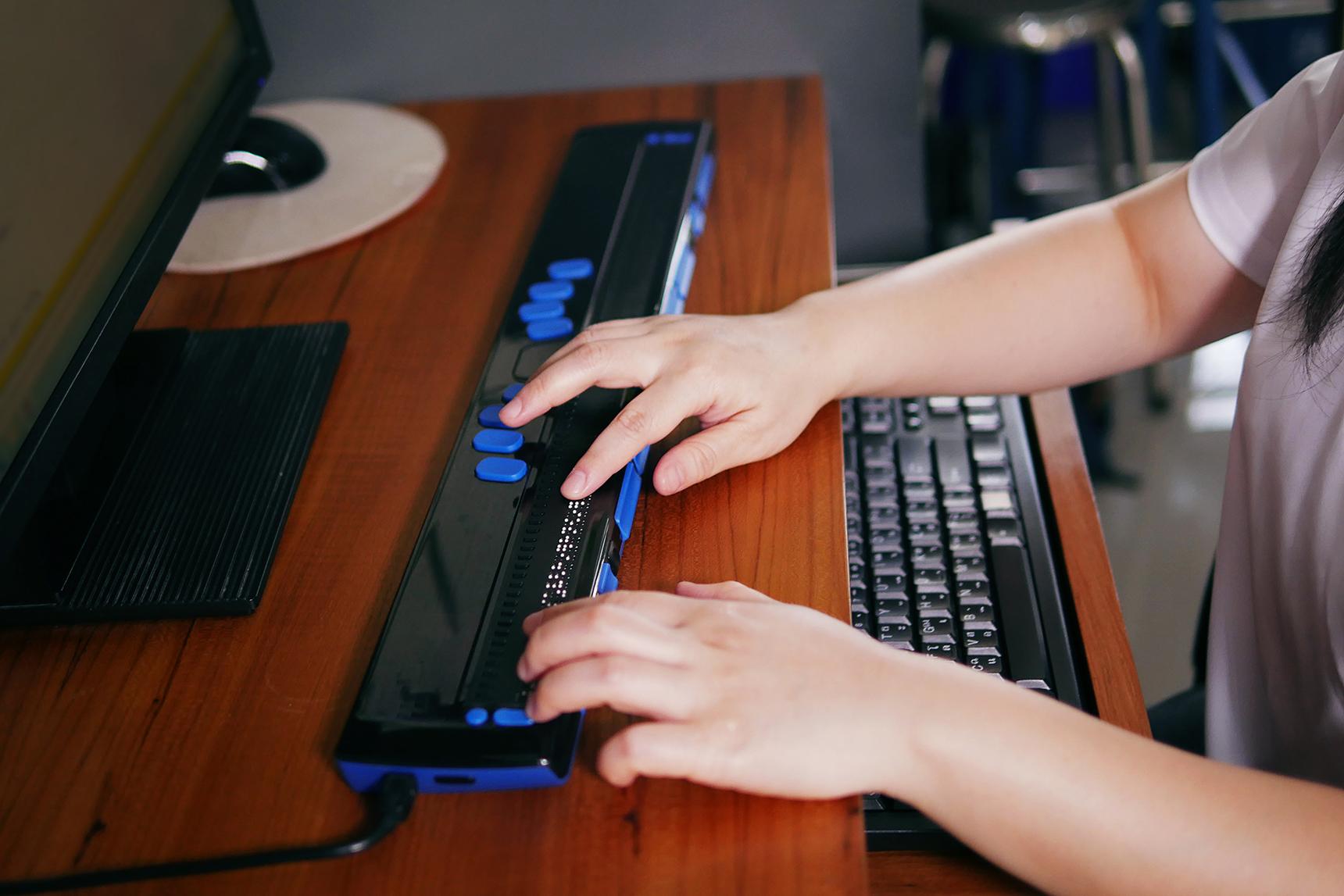
Accessibility Specialist – Top Learning Tools for Inclusive Education Jobs in EdTech
In today’s rapidly evolving education landscape, technology has opened up new possibilities for accessible and inclusive learning.For talented professionals seeking meaningful roles in education technology, becoming an Accessibility Specialist offers an exciting opportunity to drive positive change in universities, colleges, and schools. This comprehensive guide explores the responsibilities, top learning tools, and essential skills required to thrive in this impactful career.
What is an Accessibility Specialist in education Technology?
An Accessibility Specialist is a vital team member within educational institutions. They ensure that digital resources and learning tools are accessible to all students, including those with disabilities or diverse learning needs. By collaborating with educators, instructional designers, and IT professionals, Accessibility Specialists help foster a fair and inclusive learning environment for everyone.
- Analyse educational platforms to identify accessibility gaps.
- Test and implement learning tools with accessibility features.
- Advocate for inclusive practices within curriculum design.
- Train staff on the use of accessible technologies.
Why Accessibility matters in Inclusive Education
Equal access to educational opportunities is a essential right. Higher education institutions and schools recognize that students come from a variety of backgrounds and abilities. Inclusive learning tools and accessible digital environments empower students to overcome barriers, participate fully, and achieve their academic potential. Accessibility is more than compliance; it’s about creating a culture of belonging.
Top Learning Tools for Inclusive education
EdTech companies are developing innovative tools that improve accessibility for students with visual, auditory, motor, and cognitive disabilities. As an aspiring Accessibility Specialist, it’s vital to stay updated with the latest learning tools and technologies.
1. Screen Readers
- JAWS (Job Access With Speech): One of the leading screen readers, helps students with visual impairments navigate course content and digital platforms.
- NVDA (NonVisual Desktop Access): A free, open-source screen reader popular in both academic and professional settings.
- VoiceOver (Apple): A built-in tool for Macs and iOS devices that reads aloud text and interface elements.
2.Speech Recognition and Dictation Software
- Dragon NaturallySpeaking: Allows students with motor or cognitive disabilities to control computers and compose assignments by voice.
- Microsoft Dictate: Integrated into MS Office, this tool provides speech-to-text functionality for diverse learning needs.
3. alternative Input Devices
- Switch Access: Hardware and software solutions let users with mobility impairments control computers and tablets through switches or adaptive interfaces.
- Eye-tracking Technology: Enables hands-free navigation, critical for students with severe physical disabilities.
4. assistive Learning Software and Apps
- Kurzweil 3000: Multisensory software for reading, writing, and study support, making text accessible to students with dyslexia and other learning disabilities.
- Read&Write: Offers support like text-to-speech, picture dictionaries, and screen masking for a wide range of learners.
- ghotit Real Writer: designed for students with dysgraphia and dyslexia, providing advanced spelling and grammar support.
5. Accessible Learning Management Systems (LMS)
- Canvas: widely used in higher education with robust accessibility features such as screen reader compatibility and alternative text support.
- Moodle: An open-source LMS customizable for WCAG (Web Content Accessibility Guidelines) compliance.
6. Closed Captioning and Transcription Tools
- Otter.ai: Provides real-time transcripts of lectures and meetings, improving access for students with hearing impairments.
- Automatic Captioning in Zoom: Ensures videos and live classes are accessible to all attendees.
Core Responsibilities of Accessibility Specialists in edtech
If you’re looking to land a career as an Accessibility Specialist in universities,colleges,or schools,understanding the job role is key. Common responsibilities include:
- Conducting accessibility audits on digital content and platforms
- Consulting with faculty and staff on best practices in inclusive education
- Reviewing course materials for compatibility with assistive technologies
- Providing training and support for accessible learning tools
- Documenting accessibility policies and procedures
- Keeping up with accessibility regulations like ADA, Section 508, and WCAG
Benefits of Being an Accessibility Specialist in Education Technology
Pursuing this rewarding EdTech career offers numerous advantages:
- Meaningful impact: Directly support students with disabilities and enable equal access to education.
- Professional growth: Work at the intersection of technology, pedagogy, and social inclusion.
- High demand: Educational institutions are actively seeking skilled accessibility professionals as digital learning expands.
- Collaboration opportunities: Engage with diverse teams including IT,instructional design,and student services.
- Continuous learning: Stay on the cutting edge of assistive technologies and EdTech trends.
Essential Skills and Qualifications for Accessibility specialist Jobs
Prosperous accessibility Specialists combine technical expertise with a passion for inclusive education. Here are the key skills and qualifications employers seek:
- Knowledge of accessibility standards: WCAG, ADA, Section 508
- Technical proficiency: Familiarity with assistive technology, web advancement, and digital learning environments
- Understanding of user needs: Empathy and experience working with students with disabilities
- Communication and training skills: Ability to explain complex tools and concepts to nontechnical audiences
- Project management: Organize, prioritize, and execute institutional accessibility initiatives
- Relevant education: Degrees or certifications in education, instructional design, computer science, human-computer interaction, or related fields
desirable Certifications
- Certified professional in Accessibility Core Competencies (CPACC)
- IAAP Web Accessibility Specialist (WAS)
- Atlassian Accessibility Advocate Badge
Practical Tips for Job Seekers Aspiring to Become Accessibility Specialists
Landing a role as an Accessibility Specialist in EdTech requires preparation and commitment. Follow these steps to enhance your prospects:
- Build foundational skills: Strengthen your understanding of accessibility standards and assistive technologies through online courses, webinars, or workshops.
- Gain practical experience: Volunteer, intern, or participate in accessibility audits at your local college or school.
- Showcase your expertise: Develop a portfolio featuring real accessibility projects, audits, or accessible course designs.
- Network: Join EdTech and accessibility professional organizations, attend conferences, and connect with current Accessibility Specialists.
- Stay informed: Follow the latest advances in EdTech,especially accessibility features,tool updates,and legal requirements.
- Customize your resume: Highlight relevant skills, achievements, and certifications. Demonstrate impact in previous roles.
- Prepare for interviews: Be ready to discuss real-world accessibility challenges and your approach to solving them.
Interview Questions to Prepare For
Here are common questions you may encounter when applying for Accessibility Specialist positions:
- How do you assess the accessibility of a new digital learning platform?
- Describe a time you advocated for accessibility improvements in a team environment.
- What strategies do you use to stay updated with legislation and accessibility standards?
- How do you collaborate with educators to ensure course materials meet accessibility requirements?
- Can you provide examples of accessibility issues you’ve personally resolved?
Future Trends in Educational Accessibility
The world of EdTech is constantly evolving. As universities, colleges, and schools increasingly blend virtual and on-campus learning, the need for Accessibility Specialists continues to grow. future trends include:
- AI-powered accessibility solutions: Automated captioning, personalized learning pathways, and adaptive interfaces.
- Global design for learning (UDL): Creating flexible curricula for diverse needs from the outset.
- Expanded use of virtual and augmented reality: New accessibility considerations for immersive learning environments.
- Mobile accessibility: Optimizing learning tools for smartphones and tablets.
Conclusion: Building a Career as an Accessibility Specialist in EdTech
Accessibility Specialists serve as catalysts for change, ensuring all students have equitable access to quality education. With the rise of digital learning in universities, colleges, and schools, these professionals are in high demand. By mastering top learning tools for inclusive education, honing your skills, and staying proactive in your job search, you’ll be well-positioned to build a meaningful EdTech career. Whether your passion lies in technology, teaching, or advocacy, the role of Accessibility Specialist offers endless possibilities to shape the future of inclusive education—one accessible tool at a time.