
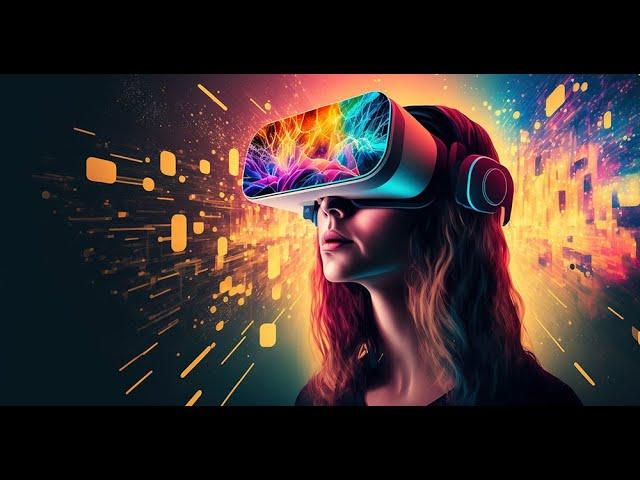
Affordable Virtual reality: Top Cost-Effective VR Solutions for Schools in 2024
Virtual reality (VR) is revolutionizing education, creating dynamic, immersive learning environments that engage students like never before. Though, many educators and school administrators grapple with finding affordable virtual reality solutions that fit within tight budgets. In 2024, the VR landscape has evolved, offering a variety of cost-effective options suitable for classrooms. This guide explores top budget-friendly VR devices, recommends practical implementation tips, and highlights the major benefits virtual reality brings to schools without breaking the bank.
Why Embrace Affordable Virtual Reality in Schools?
- Enhanced Engagement: VR transports students into interactive 3D worlds, boosting curiosity and retention.
- Differentiated Learning: Immersive content caters to various learning styles—visual, auditory, and kinesthetic.
- Safe Experiential Learning: students can conduct science experiments or ancient explorations in a risk-free environment.
- Accessibility: VR brings inaccessible experiences—like space travel or landmark field trips—into the classroom.
- Future-Ready Skills: Familiarizing students with VR technology prepares them for the digital workplaces of tomorrow.
Affordable virtual reality solutions for schools ensure that all students, regardless of resources, benefit from these transformative experiences.
Top Cost-Effective VR Devices for Schools in 2024
Choosing the right VR hardware is crucial for a cost-effective rollout in educational settings. Here are some leading affordable VR headsets and devices that balance quality and price:
1. Meta Quest 2 (128GB)
- Price: Starts around $299 per unit
- Key Features: Wireless operation, strong submission library, user-friendly setup, and robust parental controls.
- Educational Value: Supports Google Expeditions, VR Expeditions, and other classroom-friendly apps.
- Pros: Affordable standalone design, no expensive PC required.
- Cons: Needs a Facebook account for setup (even though education accounts are emerging).
2.Pico VR Headsets (Pico 4 & Pico G2 4K)
- Price: Starts at $339
- Key Features: Standalone functionality, K12 and higher education focused partnerships, no social media account required.
- Educational Value: Preloaded educational content, easy classroom management tools.
- Pros: Intuitive multi-device control for teachers; cozy for longer use.
- Cons: Slightly higher initial cost, but frequently enough comes with more school-specific features.
3. Google Cardboard & Compatible Viewers
- Price: As low as $6 per viewer (bulk pricing)
- Key Features: Cardboard VR viewers work with nearly any smartphone.
- Educational Value: Use with various free VR apps, including Google Expeditions and YouTube 360 videos.
- Pros: Ultra-low-cost, scalable for large classes.
- Cons: Limited immersion and interactivity, dependent on smartphone availability.
4.ClassVR by Avantis
- Price: Packages start around $400 per headset (often available in multi-unit bundles with charging/storage case)
- Key Features: Built-for-schools VR headsets with dedicated teacher portal and content library.
- Educational Value: Preloaded with hundreds of curriculum-aligned experiences, remote classroom control for teachers.
- Pros: turnkey with lots of school-specific support.
- Cons: Higher up-front cost but low ongoing fees; excellent for districts seeking a “plug-and-play” solution.
Budget-Friendly VR Software & Content for Classrooms
Beyond hardware, the real magic of VR in schools comes from engaging educational software and free or low-cost resources:
- Google Expeditions: Hundreds of virtual field trips now available through various third-party apps as Google’s official app was retired.
- Nearpod VR: Integrates VR lessons and virtual tours with formative assessment tools in one platform; works across multiple devices.
- Finding Education VR: offers immersive science and history journeys mapped to curriculum standards.
- CoSpaces edu: Lets students create their own interactive VR environments, fostering creativity and coding skills.
- Mozilla Hubs & WebVR Experiences: Free, browser-based VR environments accessible by most headsets or even desktop computers.
- YouTube VR: Thousands of 360° educational videos, all free to access.
Many top VR platforms offer educator discounts or free trials for schools.Always check for education licensing options to maximize your budget.
How Schools Are Using Affordable Virtual Reality: Case Studies & First-Hand Experiences
- Elementary Science Classes (California): Teachers use Google Cardboard and class sets of smartphones donated by parents, letting students explore the solar system and human anatomy in 3D. “Even with low-cost viewers, student engagement soared,” notes 5th-grade teacher Sarah Kim.
- History Immersion (UK Secondary School): ClassVR sets enabled students to “walk through” ancient Rome, igniting a love of history and boosting test scores. The teacher’s dashboard allowed easy lesson integration and management.
- Special Education (Ohio Middle School): Simple VR headsets help students with learning differences visualize concepts and practise social skills in controlled, virtual social scenarios, increasing their confidence outside the classroom.
These stories highlight that virtual reality integration can succeed at any budget level—if planned thoughtfully and supported with the right resources.
Practical Tips for Implementing VR in Your School on a Budget
- Start Small: pilot a few headsets or even try cardboard viewers with shared school devices before scaling up.
- Leverage Grants & Community Support: programs like DonorsChoose.org, local education foundations, or technology grants can fund VR initiatives.
- Mix and Match Devices: Use a combination of low-cost and higher-end devices to accommodate larger classes without overextending budgets.
- Rotate Experiences: Not every student needs a headset concurrently; design learning stations or rotate small groups for focused immersion.
- Prioritize Free Resources: There’s a wealth of no-cost VR educational content—utilize these before committing to expensive subscriptions or premium platforms.
- Focus on Teacher Training: Prosperous VR implementation hinges on educator confidence; invest in short PD sessions or peer sharing.
- Plan for Device Management: Set clear rules for use, secure storage, and regular sanitation—especially important for shared equipment.
Conclusion: The Future of Affordable virtual Reality in Schools
Bringing virtual reality into the classroom is no longer a pipe dream reserved for wealthy districts. In 2024, affordable virtual reality solutions for schools are more accessible, user-friendly, and educationally impactful than ever before. By strategically selecting cost-effective VR headsets, tapping into a rich array of free or low-cost educational software, and following proven implementation tips, schools of all sizes can ignite student curiosity, deepen understanding, and foster future-ready skills.
Now’s the time for educators and administrators to explore these options, pilot immersive lessons, and open new pathways for learning. Affordable VR isn’t just a trend—it’s a transformative educational tool available at every budget level.
Are you ready to bring the magic of virtual reality to your students?