
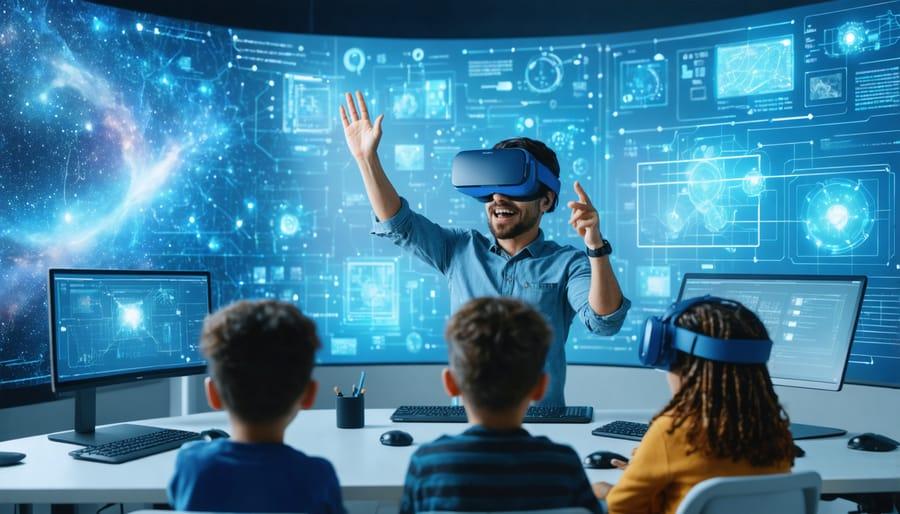
Affordable VR Solutions for Schools: Cost-Effective Classroom Technology Options
Virtual Reality (VR) is revolutionizing classroom learning, offering students hands-on experiences in subjects that once seemed out of reach. But many educational institutions worry about the price tag associated with cutting-edge technology. Thankfully, affordable VR solutions for schools have emerged, making it possible for educators to introduce cost-effective classroom technology options without breaking the budget. In this guide, we’ll explore accessible VR technologies, their transformative benefits, practical implementation tips, and inspiring case studies.
The Importance of VR in the Modern Classroom
Integrating VR into classrooms is not just a trend—it’s a step toward immersive, interactive, and engaging education. Whether exploring the surface of Mars or diving into a cell for a biology lesson, VR can make abstract concepts tangible. But why is affordable VR for schools such a hot topic? Let’s look at the core reasons:
- enhanced Engagement: VR lessons captivate students, making learning enjoyable.
- Deeper Understanding: Experiential learning leads to better retention and comprehension.
- Accessible Field Trips: VR offers virtual excursions that customary budgets and logistics can’t match.
- Equitable education: Cost-effective options ensure no school or student is left behind.
Cost-Effective VR Hardware Options for Schools
Budget-friendly VR headsets and kits suitable for classroom use are more accessible than ever.Here are some of the most popular and affordable classroom VR solutions:
1. Google Cardboard and Simple VR Viewers
- Low Cost: Made from cardboard, these VR viewers work with almost any smartphone.
- Easy Integration: Use with free or low-cost apps for subjects like history, science, and art.
- Scalable: Easy to buy in bulk for classroom sets.
- Example App: Google Expeditions (phasing into VR experiences within Google Arts & Culture apps).
2. Merge EDU & Merge Cube
- Durable & Kid-Friendly: made from foam, designed for young learners.
- Augmented Reality (AR) & VR: Combine 3D objects and virtual field trips.
- Cost-effective Licensing: Affordable subscription for hundreds of science simulations.
3. Meta Quest 2 (formerly Oculus Quest 2)
- Standalone Device: No computer or phone required, yet offers powerful VR experiences.
- Wide Content Library: Use educational apps from platforms like ClassVR and ENGAGE VR.
- Group Buy Discounts: Many suppliers offer school bundles at discounted rates.
4. BYOD (Bring Your Own Device) Programs
- Utilizes Existing Devices: Students use their smartphones with viewer headsets.
- Flexible: Reduces hardware investment for schools with existing student device programs.
- Compatible with Open-Source Platforms: Leverage free VR content from platforms like cospaces Edu and 360Cities for lessons.
Top Affordable VR Content and Software for Schools
Once hardware is in place, the heart of the VR classroom is engaging, educational content.Here are some cost-effective VR classroom content and software options:
- Google Expeditions / Arts & Culture VR: Free or low-cost virtual trips and cultural explorations.
- CoSpaces Edu: Allows students to build, code, and explore 3D worlds—free tier available.
- Nearpod VR: Blends VR experiences into lesson slides; paid plans with education discounts.
- Merge Explorer: Bundled with Merge Cube, offers science simulations in VR and AR.
Benefits of Affordable VR solutions in Schools
- Inclusive Learning: VR levels the playing field for all learners, nonetheless of background or learning style.
- Increases Student Motivation: Engaging technology boosts curiosity and participation.
- Improves Retention: Real-world applications and immersive learning deepen student understanding.
- Collaboration & Creativity: Many platforms encourage students to work together and create their own VR content.
- Accessible Professional Advancement: Teachers can also use VR for affordable, immersive training experiences.
Practical Tips for Implementing VR in the classroom
- Start Small: Begin with a pilot program using simpler, affordable viewers like Google Cardboard.
- Prioritize Accessibility: Ensure VR hardware is shared equitably. Rotate devices among classrooms or set up a VR lab.
- Choose Multi-Platform Content: select VR software that works on different devices—phones, tablets, standalone headsets.
- Train Teachers: Provide easy-to-follow training on VR lesson integration. Many VR education companies offer free webinars or video guides.
- Address Safety and Hygiene: Use wipeable cases for headsets, encourage hand washing, and use VR in well-supervised, short sessions.
- Seek Funding Opportunities: Apply for tech grants from local governments, education foundations, and companies supporting STEM and EdTech.
First-Hand Experience: A Teacher’s Testimony
“I was skeptical about bringing VR into my fifth-grade classroom, but after a trial with Google Cardboard and free apps, student enthusiasm skyrocketed. We explored Ancient Rome together, and even students who struggled to engage before were asking questions and participating. VR leveled the playing field and sparked interest we hadn’t seen before—without straining our tech budget.”
— Ms. Taylor, Elementary School Teacher, Ohio
Case Study: Low-Cost VR Rollout in a Public School
the Franklin Middle School District in Colorado faced budget constraints but wanted to bring immersive experiences to its science classrooms.by purchasing 20 Merge Cubes and relying on students’ smartphones (under guided sessions), they introduced weekly VR experiments. Collaborating with local businesses, they secured funding for 10 tablet devices to supplement students without smartphones. The result? A 30% betterment in science test scores, deeper peer collaboration, and innovative critical thinking activities, all with a total tech investment under $1,000.
Funding and Grants for VR in Education
Worried about costs? Plenty of organizations offer VR technology grants for schools:
- DonorsChoose.org: Teachers post classroom project requests for VR sets and supporters can fund them directly.
- Local Education Foundations: Many communities offer technology mini-grants for STEM projects.
- State and Federal EdTech grants: Programs like Title IV of the Every Student Succeeds Act (ESSA) can cover VR purchases.
- Corporate giving Initiatives: Technology companies (Google, Microsoft, Facebook) have a history of donating educational hardware and software.
A proactive approach and a compelling proposal linking VR technology to curriculum goals can make affordable VR a reality in your school.
faqs About Affordable VR for Schools
- Q: Are low-cost VR options durable enough for daily classroom use?
- A: Many, like Merge Cube and plastic VR viewers, are specifically designed to withstand classroom wear and tear.
- Q: What subjects benefit most from VR integration?
- A: Science, history, geography, language arts, and even art instruction can all benefit from immersive VR experiences.
- Q: How can schools manage device hygiene and safety?
- A: Use disinfectant wipes on shared equipment, implement usage protocols, and follow hardware provider cleaning guidelines.
Conclusion: Bringing Affordable VR to Every Classroom
Cost-effective classroom technology is more attainable than ever. With affordable VR solutions, schools of all sizes can now offer transformative learning experiences without stretching the budget. From basic smartphone-based viewers to purpose-built education kits and robust funding options, today’s teachers have the tools they need to bring interactive, hands-on, and equitable education to their students. Embrace affordable VR in your school—and watch your classroom engagement soar!