
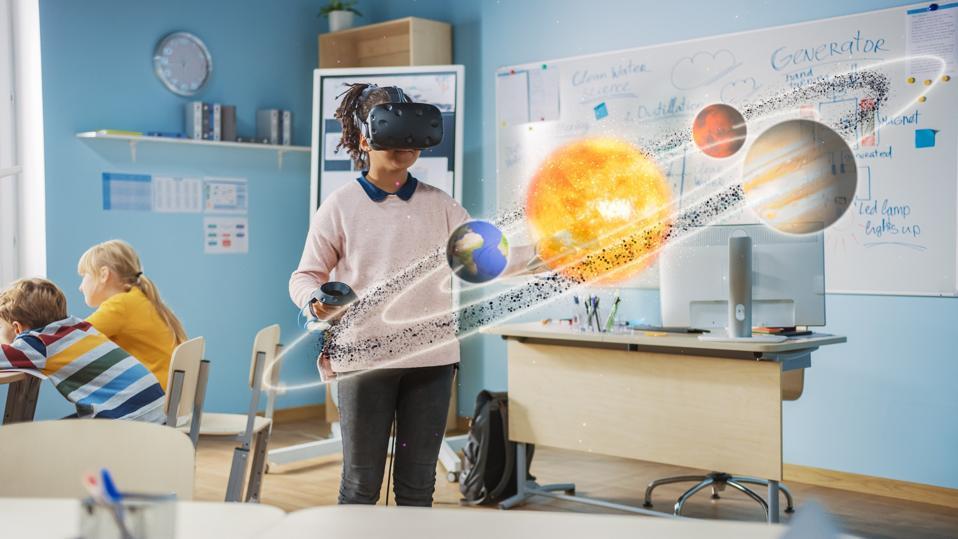
Affordable VR Solutions for Schools: Top Cost-Effective Options for Classroom Learning
Virtual Reality (VR) is rapidly transforming the educational landscape, making immersive learning experiences accessible to students worldwide. However, budget constraints ofen prevent schools from embracing the latest technology. In this article, we explore affordable VR solutions for schools, focusing on budget-kind hardware, cost-efficient software, and practical tips to maximize the learning impact. Whether you’re an educator, administrator, or policymaker, read on to discover how you can implement cost-effective VR options for classroom learning.
Why Choose VR for Classroom Learning?
Before diving into the best value VR systems for schools, it’s essential to understand the transformative benefits of VR in education:
- Immersive Learning: VR transports students into virtual environments, fostering greater engagement and retention.
- Enhanced Collaboration: Many VR platforms offer collaborative features, enabling students to solve problems together.
- Accessibility to Diverse Content: From science experiments to past tours, VR opens doors to experiences not easily replicated in a traditional classroom.
- Stimulation of Critical Thinking: Interactive simulations encourage explorative and critical thinking skills.
- Inclusivity: VR offers differentiated experiences for learners of various abilities and backgrounds.
Top affordable VR Solutions for Schools
Finding the best affordable VR solution for schools requires balancing cost, usability, and educational content quality. Here are some of the moast popular cost-effective VR options tailor-made for classroom integration:
1. Google Cardboard & Similar Smartphone-Based VR Devices
- Cost: $10–$30 per headset
- How it Works: Utilizes students’ or schools’ existing smartphones inserted into a simple cardboard viewer.
- best For: Introductory VR lessons; schools just starting with VR.
- educational Content: Compatible with a wide range of free VR apps like ExpeditionsPro and YouTube VR.
- Pros: Incredibly affordable; simple setup; easily scalable for entire classrooms.
- Cons: Limited immersion and interactivity; dependent on the quality of smartphones.
2. MERGE EDU & MERGE Cube
- Cost: MERGE Headset ($49), MERGE Cube ($19–$29), annual EDU pack subscriptions available.
- How it effectively works: Combines a durable foam VR headset and a foam cube that interacts with a wide variety of educational AR/VR content.
- Best For: Elementary and middle school; hands-on science, math, and STEM.
- Educational Content: extensive educational library covering STEAM topics, designed for classrooms.
- Pros: Affordable hardware; easy to clean and use; extensive teacher resources.
- Cons: Some content requires MERGE EDU subscription; limited beyond K-9 curriculum.
3. ClassVR
- Cost: From $399 per headset (bulk/education discounts available).
- How it Works: Standalone headsets designed specifically for classroom use; comes with a teacher portal for lesson management.
- Best For: Whole-class VR, cross-curricular experiences, grades K–12.
- Educational Content: 1,000s of curriculum-aligned VR & AR experiences.
- Pros: No phone required; dedicated educational support; robust teacher controls.
- Cons: Higher up-front cost compared to basic viewers; best value in bundles.
4. Oculus Quest 2 (Meta Quest 2) – With Managed device Control
- Cost: $299 per device (often available at educational discounts or bulk pricing).
- How it Works: Standalone VR headset with wireless operation, easy classroom setup, and access to a wide array of immersive apps.
- Best For: Middle and high school; advanced simulations; interactive VR field trips.
- Educational Content: Apps like ENGAGE or ClassVR.
- Pros: Powerful performance; extremely versatile; increasingly affordable.
- Cons: Requires proper management for multiple devices; age restrictions for young children; need for secure storage and supervision.
5. Pico G2 4K VR Headset
- Cost: Around $375 per device.
- How it Works: Standalone, all-in-one VR device with a user-friendly interface, ideal for education settings.
- Best For: Schools seeking dedicated all-in-one VR hardware with classroom-ready management features.
- Educational content: Supports Google Expeditions Pro, ClassVR, and custom educational apps.
- pros: Durable, easy to operate, supports managed device mode.
- Cons: Higher cost than DIY options, but purpose-built for education.
Practical Tips: How to Implement Affordable VR in Schools
Maximizing the impact while staying within budget requires thoughtful planning. Here are some practical steps for schools to introduce affordable VR classroom solutions:
- Start Small: Pilot with a single classroom or grade level using shareable devices before school-wide adoption.
- Utilize Free or Low-Cost Content: Platforms like Google Expeditions Pro, YouTube VR, and the MERGE library offer an abundance of free resources.
- Combine AR & VR: Many devices, like MERGE Cube, integrate both AR and VR, making your investment go further.
- Apply for Grants: Seek out educational technology grants, community sponsorships, or district-level funding focused on STEM and innovation.
- Focus on Versatility: Opt for headsets and platforms that can be used across multiple subject areas.
- Professional Growth: Invest in teacher training to ensure prosperous adoption and effective integration into lessons.
Case Study: Success with Cost-Effective VR in the Classroom
Lincoln Middle School, a public school in Ohio, integrated MERGE VR headsets and Cubes across their 6th-grade science classes. By utilizing a class set of 10 headsets and rotating them in small groups, they kept initial costs below $600. Teachers reported a 30% increase in student engagement during STEM lessons, and students scored higher on end-of-unit assessments after experiencing virtual field trips and interactive simulations. The principal cited “affordable VR for schools” as their most impactful technology investment that year.
Benefits of VR for Schools on a Budget
- Enhanced Learning Opportunities: VR enables transformative experiences (space walks, marine biology expeditions, historical re-enactments) without costly physical trips.
- Motivating Diverse Learners: Interactive VR caters to various learning styles, supporting visual, auditory, and kinesthetic learners.
- Equitable Access: Low-cost options like Google Cardboard make immersive learning available even in underfunded districts.
- Readiness for 21st-Century Skills: VR fosters digital literacy,problem-solving,collaboration,and adaptability.
First-Hand Experiences: Educators’ Perspectives
“Introducing affordable VR headsets in my classroom revolutionized how I teach. My students ‘traveled’ to the Grate Barrier Reef and were more engaged than ever before. Even with a limited budget, resources like MERGE Cube made it possible.”
– Ms. Sarah O., 4th Grade Teacher
“The key is starting small. We created a ‘VR library cart’ that rotates between grades. Students look forward to their VR sessions each month!”
– Mr. Lee W., technology Coordinator
Conclusion: Bringing Immersive VR Learning to Every Classroom
Integrating affordable VR solutions in schools is more attainable than ever, thanks to innovative, budget-friendly hardware and a wealth of free educational content. By carefully selecting the right cost-effective VR options and starting with a thoughtful implementation plan,schools of all sizes can unlock the transformative power of immersive learning. Begin with a pilot program,engage in professional development,and tap into available funding opportunities. With thes steps, your classroom can inspire, engage, and prepare students for the future—without breaking the bank.