
Designing Effective Microlearning Modules: Proven Strategies for Maximum Learner Engagement
Microlearning has revolutionized the way modern organizations deliver training, making learning accessible, efficient, and highly engaging. As bite-sized learning becomes critical for workforce development,mastering the art of designing effective microlearning modules is more crucial than ever. This comprehensive guide unveils proven strategies to maximize learner engagement and ensure your training achieves its intended outcomes.
What is Microlearning?
microlearning refers to the delivery of educational content in small, easily digestible units. Unlike conventional, time-consuming courses, microlearning modules focus on specific skills or topics, making training more flexible and aligned with the fast-paced demands of today’s learners. When executed with effective design principles, microlearning can help organizations maximize knowledge retention and learner engagement.
Benefits of Microlearning Modules for organizations and Learners
- Improved Knowledge Retention: Bite-sized lessons support better memory formation and recall.
- Flexible Learning Experiences: Learners can access content anytime, anywhere, from any device.
- Higher Learner Engagement: Interactive and concise modules keep learners motivated and focused.
- Cost-Effective Training Solution: Easier to develop, update, and deploy than traditional eLearning courses.
- Performance Support: On-demand microlearning acts as fast reference guides for real-world tasks.
Proven strategies for Designing Engaging Microlearning Modules
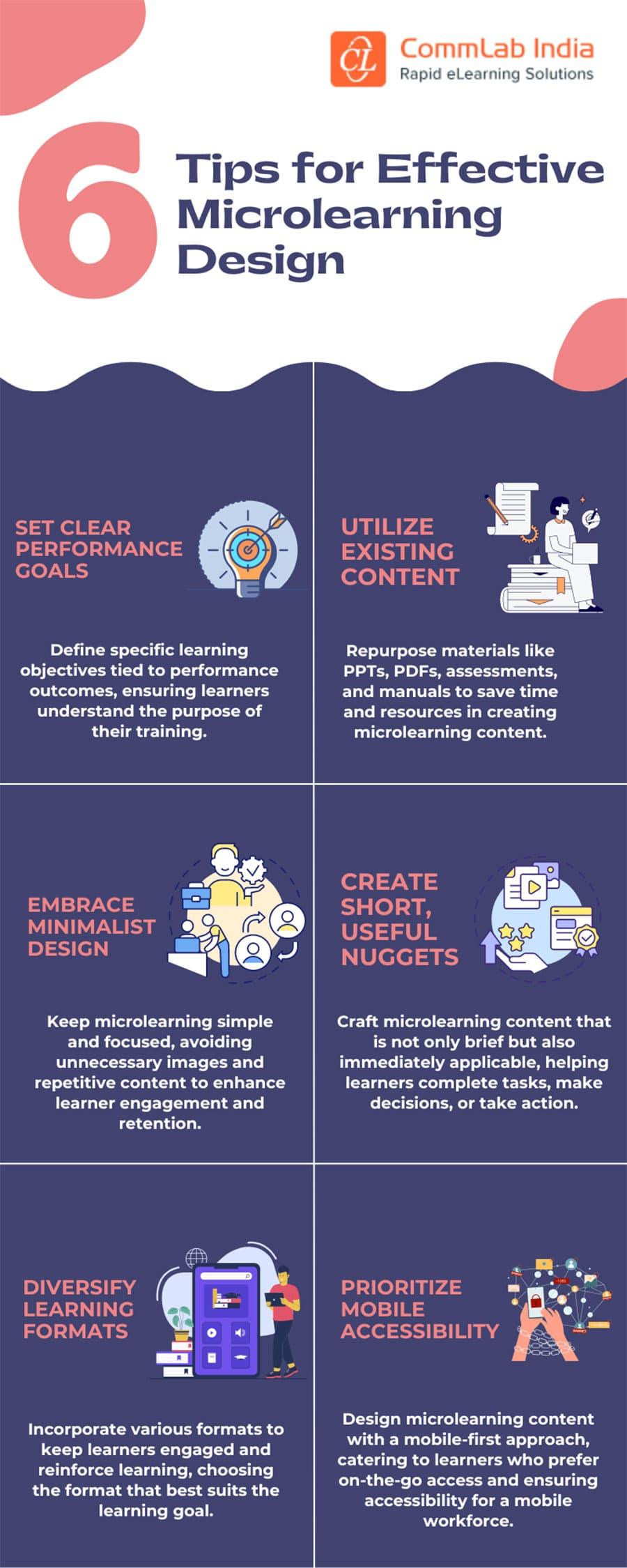
To unlock the full potential of microlearning, consider the following microlearning design best practices:
1.Start with Clear Learning Objectives
- Define the specific skills or knowledge the module will deliver.
- Ensure objectives are measurable and achievable within a few minutes.
- Communicate objectives at the start to help learners focus their attention.
2. keep Content Concise and Focused
- Avoid comprehensive topics; break down content into single, actionable items.
- Limit module length to 3–7 minutes for optimal engagement.
- Use clear, jargon-free language to enhance accessibility.
3. Employ Interactive Elements
- Incorporate quizzes, polls, and scenario-based questions to boost interactivity.
- Add clickable images or hotspots for enhanced exploration.
- Gamify your modules using badges, points, and leaderboards to increase motivation.
4. Utilize Multimedia Content
- Enrich microlearning with videos, infographics, audio clips, and animations.
- Use storytelling to provide relatable contexts and increase emotional impact.
- Ensure all media is optimized for fast loading and mobile compatibility.
5. Apply Responsive and Accessible Design
- Design microlearning modules for cross-platform usage: smartphones, tablets, and desktops.
- Follow accessibility best practices—alt text, subtitles, and screen reader support—to include all learners.
6. Integrate Just-in-Time Learning
- Embed microlearning modules within the workflow so learners can access them exactly when needed.
- Use contextual links or QR codes for instant support at the point of need.
7. Support Continuous Learning and Feedback
- Offer microlearning pathways with sequential modules for progressive skill development.
- Provide instant feedback on quizzes and activities to reinforce learning and fill gaps.
- Encourage user comments or offer discussion forums for collaborative learning.
Practical Tips for Implementing Microlearning in WordPress LMS
Leverage your WordPress Learning Management System (LMS) to create and deploy engaging microlearning modules using these tips:
- Choose a responsive WordPress LMS plugin (e.g., LearnDash, LifterLMS).
- Use custom post types for microlearning units and organize them with easy navigation.
- Embed multimedia using WordPress blocks for seamless integration.
- Apply custom CSS to enhance visual engagement (see example below).
/* Sample CSS for WordPress Microlearning Cards */

.microlearning-card {

  background: #f9fcff;

  border: 1px solid #e0e7ef;

  border-radius: 8px;

  padding: 20px;

  margin-bottom: 24px;

  box-shadow: 0 6px 24px rgba(40, 70, 120, 0.06);

}
.microlearning-card h3 {

  font-weight: 600;

  margin-bottom: 12px;

}
case Studies: Real-World Successes with Microlearning
Case Study: Global Retail Chain
A global retail company implemented microlearning modules for product knowledge training. By breaking lessons into 5-minute videos and interactive quizzes, they achieved:
- 35% increase in completion rates
- meaningful reduction in time spent away from the sales floor
- Higher employee confidence in product recommendations
Case Study: Technology Startup
A tech startup increased software adoption among its clients by offering microlearning tutorials accessible via QR codes within the app’s interface.Results included:
- Faster onboarding and reduced support tickets
- Positive feedback on learning experience and usability
expert Insights: First-Hand Experience with Microlearning Design
Instructional designers and L&D professionals unanimously agree on the power of microlearning when designed effectively. A recent microlearning survey indicated:
“Interactive microlearning modules with clear objectives and context-based scenarios drive 50% more engagement than static content.” — Instructional Designer, Fortune 500 Company
Designers highlight the importance of piloting modules with small user groups, collecting feedback, and iterating on content to achieve higher engagement and retention rates.
Frequently Asked Questions About Microlearning Module Design
- How long should an effective microlearning module be?
Ideally between 3–7 minutes, focused on a single learning objective. - What content works best in microlearning?
Processes, step-by-step guides, compliance training, onboarding, and skill refreshers. - How do I measure microlearning success?
Analyze completion rates,quiz scores,learner feedback,and on-the-job performance improvements.
Conclusion: Your roadmap to Microlearning Success
Designing effective microlearning modules is a game-changer for modern learning and development strategies. By applying proven design principles—concise content, interactivity, multimedia, and responsive design—you can drive maximum learner engagement and measurable results. Whether you’re an instructional designer, L&D professional, or WordPress LMS administrator, these strategies offer a tested roadmap for delivering impactful microlearning experiences.
Ready to transform your training programs? Start applying these microlearning best practices today to elevate your organization’s learning outcomes and empower your workforce for continuous growth.