
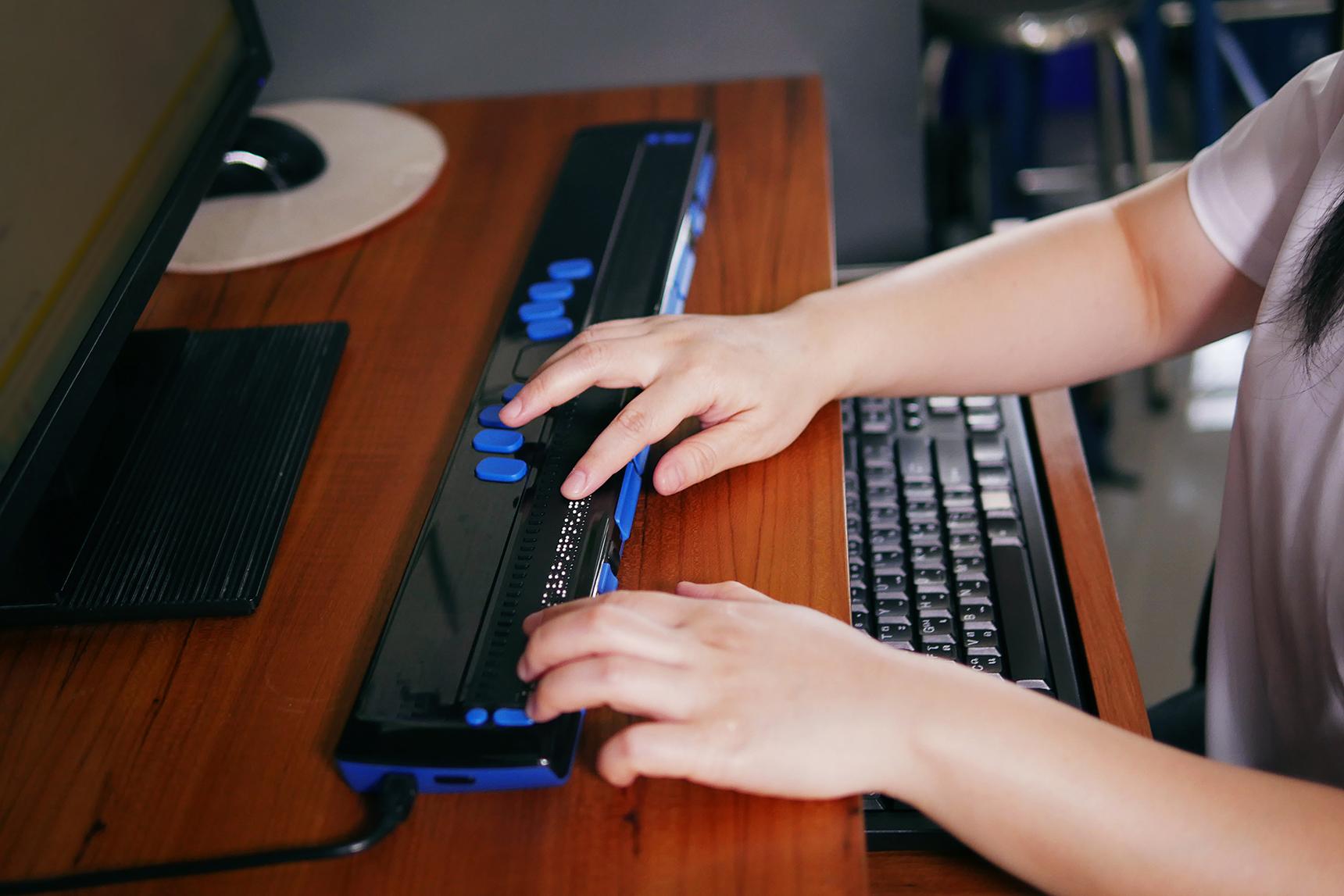
Ensuring Digital Accessibility: How to make Educational Tools Inclusive for All
Digital accessibility is rapidly transforming the educational landscape. As educational resources continue to shift online, it’s crucial to design tools that everyone can use, regardless of physical abilities, learning differences, or technological prowess. This extensive guide explores the importance of digital accessibility in education, practical strategies for inclusion, notable case studies, and first-hand experiences, ensuring that learning platforms provide equal opportunities for everyone.
Why Digital Accessibility Matters in Education
accessibility in digital education is more than a compliance checkbox—it’s an ethical responsibility. By incorporating inclusive design, educators, developers, and administrators empower students with disabilities, diverse learning styles, and those from varied socio-economic backgrounds to succeed.
- Legal Compliance: Laws like the ADA (Americans with Disabilities Act),Section 508,and WCAG (Web Content Accessibility Guidelines) require accessible online learning environments.
- Promotes Equity: Accessible education levels the playing field, offering all learners equal acquisition of knowledge and skills.
- improves User Experience: well-designed, accessible tools are easier to navigate for all users, not just those with disabilities.
- Expands Audience reach: Inclusive platforms open doors to a global and diverse student base.
Benefits of Inclusive Educational Tools
Integrating accessibility best practices into your digital educational tools offers benefits that extend beyond legal compliance:
- Increased Engagement: Learners participate more actively when materials are accessible and tailored to their needs.
- Higher Retention Rates: Accessible resources prevent learners from feeling excluded or frustrated.
- Enhanced Collaboration: Inclusive design encourages diverse contributions and peer support.
- Better Outcomes: Equitable access to learning materials fosters greater achievement for all students.
- Positive Reputation: Institutions known for accessibility are likely to attract more students and educators.
Key Principles of Digital Accessibility in Education
- Perceivable: Information should be available to learners in ways that they can perceive—such as offering text alternatives for images.
- operable: Navigation and UI elements must be easy to operate using different devices and assistive technologies.
- Understandable: Content and interface should be easy to comprehend,with clear instructions and error messages.
- Robust: Educational tools should work across various platforms, devices, and assistive software.
Practical Tips for Making Educational Tools inclusive
Creating accessible online learning resources doesn’t have to be overwhelming. Here are proven strategies to ensure your educational platform is inclusive for all:
1. Use Semantic HTML and ARIA Landmarks
structure your content with appropriate header tags (
-
), lists, and ARIA roles.This facilitates navigation for users relying on screen readers.
2.Provide Alternative Text for images and Media
2.Provide Alternative Text for images and Media
Every image,diagram,and chart should have descriptive alt text. Videos and podcasts must include captions and transcripts to support users with visual and hearing impairments.
3. Design Accessible Forms and Assessments
- label all form fields clearly.
- Ensure keyboard navigation is seamless.
- Provide error messages and guidance.
4. Choose Readable Fonts and Adequate Contrast
use high-contrast color schemes and legible fonts. Tools like the WebAIM Contrast Checker can help you test your design.
5. Enable Keyboard Navigation and Shortcuts
All interactive elements—buttons, forms, menus—must be accessible via keyboard shortcuts. Avoid relying solely on mouse input.
6. Use Simple, Clear Language
Ensure instructions and learning content are easy to understand. Limit jargon and offer glossaries for complex terms.
7. Test with Real Users and Assistive Technology
- Conduct usability testing with diverse learners.
- Utilize screen readers and accessibility evaluation tools.
8. Continuous Improvements & Updates
Accessibility is never “done”—continually gather feedback, audit your tools, and update content to address emerging needs.
WordPress & Accessibility: Tips for Educational Websites
If your educational platform uses WordPress, leverage its accessibility-friendly features:
- Accessible Themes: Choose wordpress themes labeled “accessibility-ready” to ensure key design elements are compliant.
- Plugins for Accessibility: Use plugins like WP Accessibility to address common barriers.
- Headings & Structure: Use blocks and templates that automate heading hierarchy and semantic structure for content clarity.
- Alt Text Management: WordPress media library allows easy addition of alt text for all uploaded images.
- Accessibility Testing: Tools like Pa11y or WAVE can be integrated into your workflow to monitor accessibility.
Case Studies: Success Stories in Educational Accessibility
Real-world examples highlight the impact of accessible education:
Case Study 1: University of Michigan’s Accessible Learning Initiative
The University of Michigan revamped its digital course materials using the WCAG guidelines. By providing captions for all video lectures, adding alt text to imagery, and developing keyboard-friendly interfaces, they improved access for students with disabilities and saw a 14% increase in student satisfaction.
case Study 2: Khan Academy’s Global Accessibility Ramp-Up
Khan Academy expanded its reach by offering screen reader compatibility, simple navigation, and multilingual support.Today, its inclusive educational resources empower millions of learners from diverse backgrounds and abilities.
First-Hand Experience: Adapting to Accessible Learning
For many students, accessible learning tools are transformative:
“As someone with a visual impairment, screen reader-friendly platforms have been a game-changer. I can access textbooks, submit assignments, and interact with my peers without unnecessary barriers. Accessibility means I’m empowered to learn on equal footing with my classmates.”
– Sarah L., College Student
- Empowering Independence: Accessible educational tools allow students to engage and learn autonomously.
- Reducing stigma: When accessibility is normalized, students feel included and confident.
Common Mistakes to Avoid
- Ignoring mobile responsiveness and touch navigation for users on various devices.
- Failing to caption video and audio content.
- Relying on color alone to convey meaning; always use labels and symbols.
- Neglecting regular accessibility audits, leaving new barriers unaddressed.
Conclusion: Championing Accessibility for Future Learning
Building inclusive educational tools is imperative for schools,universities,and edtech companies wanting to shape the future of learning. Inclusive design makes learning possible for every individual and strengthens the overall educational experience. By adopting accessibility best practices, leveraging WordPress tools, and listening to learners’ needs, educators and developers can foster truly equitable learning environments.
Remember: accessibility is a journey, not a destination. Making incremental improvements, staying informed of guidelines, and inviting user feedback will help keep your educational tools accessible and relevant for all.