
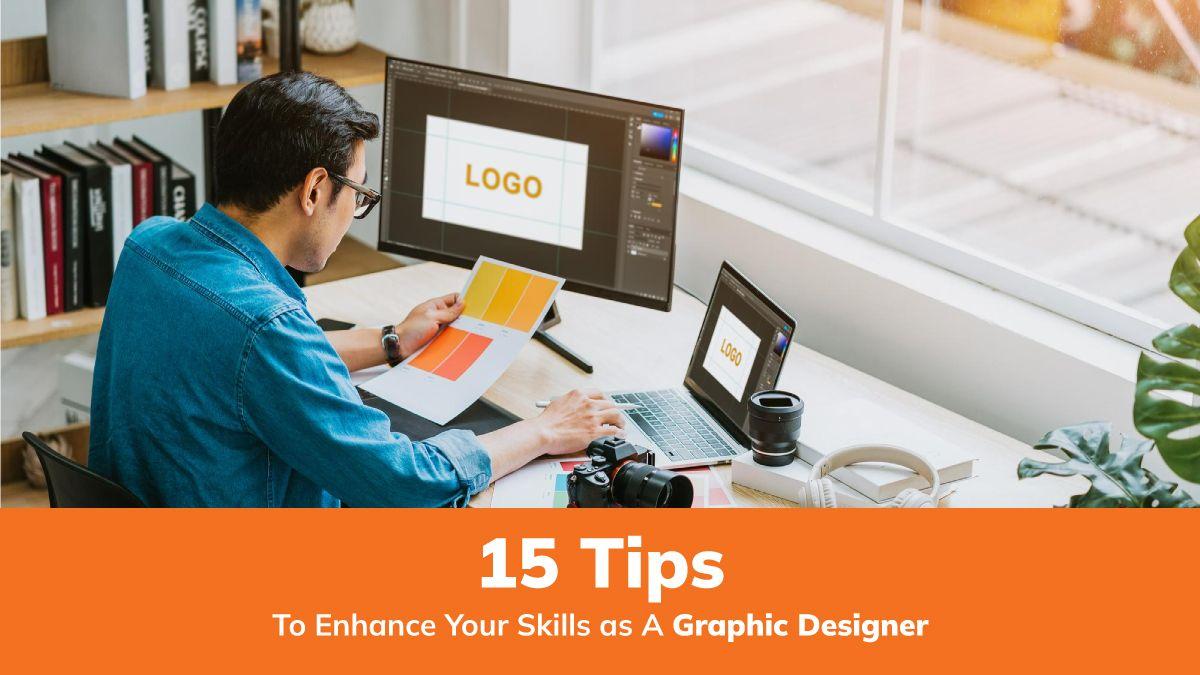
How Graphic Designers Transform Educational Content: Essential Skills and strategies
In an age where digital learning is redefining classrooms, the role of graphic designers in the education sector is more crucial than ever. Universities, colleges, and schools rely on innovative and visually compelling content to enhance student learning experiences. If you’re a job seeker interested in education technology and passionate about visual storytelling, exploring a career as a graphic designer in the academic world can be incredibly rewarding. In this article, we’ll dive into the ways graphic designers reshape educational materials, outline the essential skills required, cover the core benefits of graphic design in education, and share practical strategies to excel in this dynamic EdTech landscape.
Why Graphic Designers are essential in Education Technology
Graphic designers play a central role in transforming complex academic content into accessible, engaging, and interactive formats. In education technology, their work goes beyond aesthetics—they bridge the gap between information and understanding, making lessons more memorable and impactful for students of all ages. Whether working at a university, college, or school, graphic designers help create immersive e-learning experiences, digital textbooks, infographics, and more.
Key Responsibilities of Graphic Designers in Education
- Curriculum Visualization: Turning dense syllabi and curriculums into visually appealing, easy-to-follow modules.
- Interactive Learning Materials: Designing interactive presentations, quizzes, and digital worksheets that encourage active participation.
- E-learning Course Advancement: Collaborating with faculty to develop online courses with cohesive branding and clear learning paths.
- Infographics & Data Visualization: Representing data, concepts, or timelines visually for better retention and comprehension.
- Print & Digital Resources: Creating posters, brochures, digital publications, and media assets for institution-wide use.
- Accessibility Optimization: Ensuring educational materials are accessible to all learners,including those with disabilities.
Essential Skills for Graphic Designers in Education technology
Landed a graphic design job at a university or school? Excelling in educational content design requires more than just creative flair. Here are the core skills you’ll need to thrive:
1. Proficiency in Design Software
- Expertise in tools like Adobe Creative Suite (Illustrator, Photoshop, InDesign), Figma, and Canva.
- knowledge of interactive authoring tools such as Articulate Storyline or Adobe Captivate for e-learning modules.
2. Understanding of Pedagogical Principles
- Familiarity with learning theories and teaching methods to design materials that support educational goals.
- Ability to collaborate with educators to align visuals with course objectives.
3. UX/UI Design Skills
- Creating intuitive interfaces and layouts for web-based courses or digital textbooks.
- Ensuring navigation and usability meet the needs of diverse learners.
4. Accessibility & Inclusivity
- Designing with inclusivity in mind—using appropriate color contrasts, readable fonts, and alt-text for images.
- Awareness of WCAG guidelines and accessibility standards in educational content.
5. data Visualization
- Transforming data and research findings into compelling visuals that facilitate understanding.
- Creating charts, diagrams, and timelines that simplify complex concepts.
6. Collaboration & Dialog
- Working closely with teachers, instructional designers, and IT teams.
- presenting design concepts and incorporating feedback effectively.
How Graphic Designers Transform Educational Content
Graphic designers are at the forefront of educational innovation. Here’s how they make a difference in academic institutions:
- Simplifying Complex Subjects: By breaking down advanced topics into digestible visual chunks, students grasp concepts more quickly.
- Boosting Engagement: Visually rich materials, such as animated videos, interactive slideshows, and gamified quizzes, motivate learners to participate and retain knowledge.
- Personalizing learning: Custom graphics can accommodate different learning styles, catering to visual, kinesthetic, and reading/writing learners.
- Ensuring Consistency: A unified visual language across all teaching resources strengthens an institution’s brand and aids information recall.
- Promoting Accessibility: well-designed content ensures all students, regardless of their abilities, can access knowledge equally.
Benefits of Graphic Design in Educational Technology
Graphic designers in EdTech have a profound impact on the quality and effectiveness of teaching and learning. Here are the top benefits:
- enhanced Student Outcomes: Visual content aids memory, boosts comprehension, and improves academic performance.
- Increased Student Engagement: Dynamic graphics and interactivity sustain attention and make learning enjoyable.
- Time and Resource Efficiency: well-designed templates and multimedia save educators time and reduce the workload for both teachers and learners.
- competitive Edge for Institutions: Institutions with strong visual branding and effective e-learning platforms stand out in the education sector.
- Universal Access to Content: Commitment to accessible design democratizes learning for all students, including those with visual or cognitive impairments.
Practical Tips for Aspiring Graphic Designers in Education Technology
Looking to build a successful career in educational graphic design? Here are actionable tips to set yourself apart in job applications and on the job:
- Build an Education-Focused Portfolio: Showcase projects like digital textbooks,infographics,e-learning modules,and inclusive design samples.
- Stay Updated with EdTech Trends: Follow industry news, tools, and best practices—know what’s shaping digital classrooms today.
- Develop Strong Storytelling Abilities: Infuse narrative elements in your visuals—story-driven learning content resonates with students.
- participate in Cross-Disciplinary Teams: Experience working with curriculum developers, subject matter experts, and IT professionals will elevate your skillset and expand your professional network.
- Prioritize Lifelong Learning: Take courses in instructional design or EdTech, and pursue certifications that enhance your credibility and technical knowledge.
- Embrace Feedback: Regularly seek input from educators and learners to refine your designs and ensure effectiveness.
- Stay Agile and Adaptable: Educational technologies evolve rapidly—be willing to experiment with new tools and design approaches.
Key Strategies to excel as a Graphic designer in Education Technology
To stand out in the competitive education sector, consider these proven strategies:
- Align Visuals with Learning Objectives: Every design element should reinforce what students need to learn—avoid unneeded distractions.
- Champion Student-Centered Design: focus on the needs, abilities, and preferences of the learners. Conduct user testing where possible.
- Advocate for Accessibility from the Start: Integrate accessibility checks into your workflow to produce inclusive educational content by default.
- Leverage Analytics: If possible, track how students interact with your graphics and use data to iterate on your work for even better educational outcomes.
Conclusion
The role of graphic designers in education technology is both transformative and indispensable. With the shift to digital and hybrid learning environments, universities, colleges, and schools increasingly seek creative professionals who can make academic content engaging, accessible, and effective. by mastering essential skills, understanding the unique demands of educational institutions, and adopting a student-centered design approach, graphic designers can drive positive change in teaching and learning for years to come. If you’re passionate about education and have a talent for visual storytelling, now is the perfect time to embark on a rewarding career in educational graphic design and help shape the future of learning.