
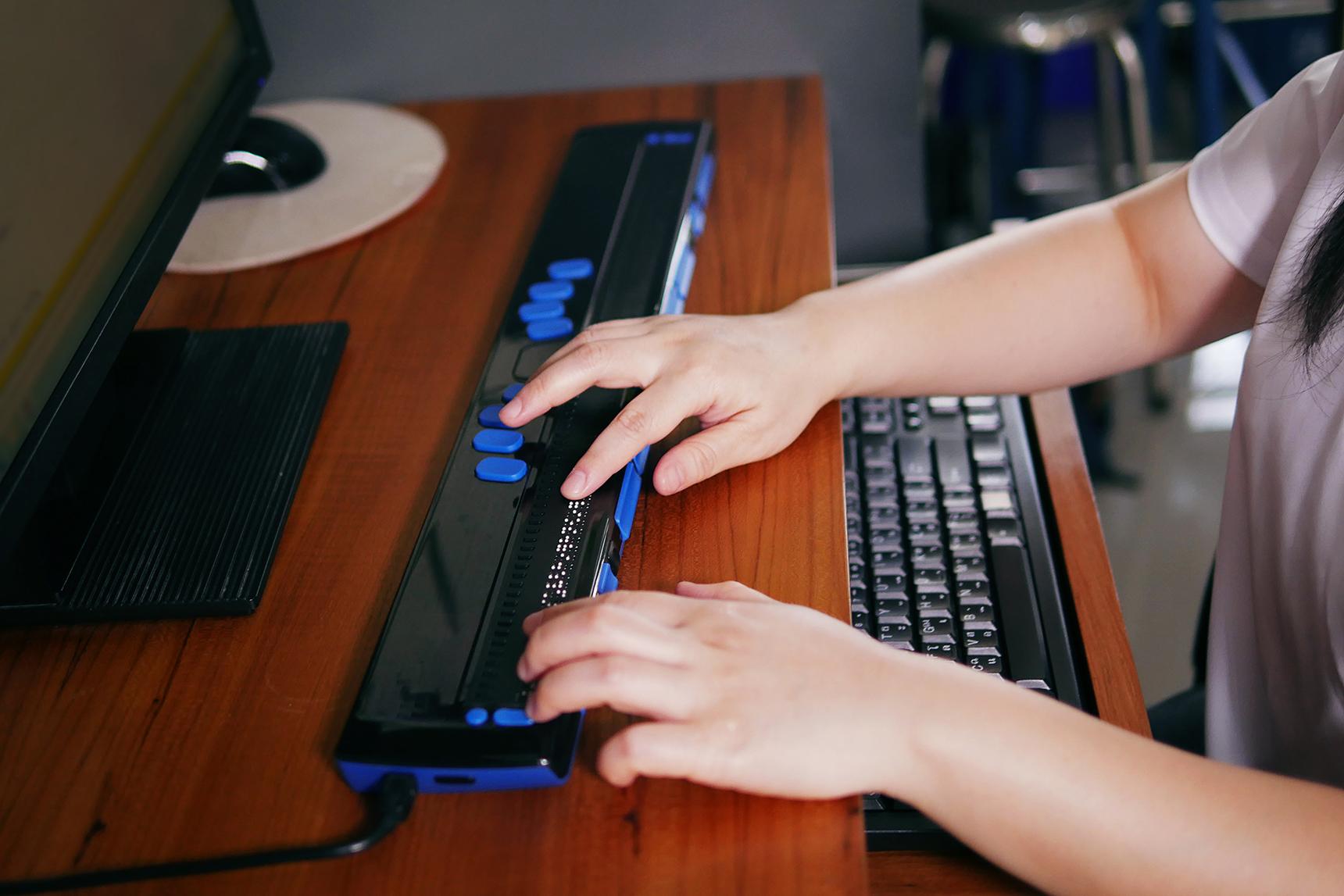
How to Ensure Digital Accessibility in Educational Tools: key Strategies and Best Practices
Digital accessibility in educational tools is essential for fostering inclusive learning environments where every student can participate and thrive. As schools and institutions increasingly rely on technology-driven learning, ensuring that these digital resources meet accessibility standards is no longer optional—it’s a critical component of effective education. This comprehensive guide explores the key strategies, practical tips, and best practices to achieve digital accessibility in educational tools, empowering educators, developers, and administrators to offer truly inclusive experiences.
Understanding Digital Accessibility in Education
Digital accessibility refers to the design and growth of technology and digital content that can be easily used by everyone, including individuals with disabilities. In educational contexts, accessibility means ensuring learning management systems, e-learning platforms, and digital content are usable by students with visual, auditory, physical, or cognitive disabilities.
- Visual accessibility: Adapting resources for students who are blind or visually impaired, including screen reader compatibility and alternative text for images.
- Auditory accessibility: Providing captions and transcripts for videos and audio materials for students with hearing impairments.
- Physical accessibility: Enabling keyboard navigation and voice activation for students with limited motor skills.
- Cognitive accessibility: Creating simple, straightforward layouts and minimizing distractions for students with learning differences or cognitive disabilities.
Why is Digital Accessibility Vital in Educational Tools?
Ensuring digital accessibility in education offers numerous benefits,including:
- Equity and inclusion: Every student,regardless of ability,can access learning materials and participate in classroom activities.
- Legal compliance: Adhering to regulations such as the web Content Accessibility Guidelines (WCAG) and country-specific laws like ADA (Americans with Disabilities Act) and Section 508.
- Improved user experience: Accessible design often leads to better usability for all learners, not just those with disabilities.
- enhanced reputation: Institutions and educational technology developers are viewed as socially responsible and forward-thinking.
key Strategies to Ensure Digital Accessibility in Educational Tools
Creating accessible digital educational tools requires a multifaceted approach. Here are the key strategies to consider:
1. Adhere to Accessibility Standards and Guidelines
- Follow WCAG 2.1 guidelines for web content.
- Ensure compatibility with assistive technologies such as screen readers and alternative input devices.
- Stay updated with country-specific laws like the ADA in the United States, EN 301 549 in the EU, etc.
2. Invest in Accessible Design from the Start
- Incorporate universal design principles during the planning phase, rather than trying to retrofit accessibility features later.
- Use high-contrast color schemes, legible fonts, and clear layouts to help all users, including those with visual or cognitive impairments.
- Provide flexible navigation methods—keyboard, mouse, touch, and voice—ensuring everyone can interact with the tool.
3. use Semantic HTML and ARIA Landmarks
- Structure content with proper
, and - Utilize ARIA labels to provide additional context for screen readers.
- Include alt text for all images, illustrations, and infographics.
4. Offer Multiple Formats for Content Delivery
- Supplement video and audio materials with transcripts and captions.
- Ensure text-based content can be adjusted for size, contrast, and spacing.
- Allow downloads in accessible file formats, such as tagged PDFs and accessible Word documents.
5. Test Accessibility Early and Frequently enough
- Conduct regular audits using tools like WAVE, Axe, or Tenon.
- Include real users with disabilities in the usability testing process.
- Review and update your digital tools in response to user feedback and changing accessibility standards.
Best Practices for Maintaining Digital Accessibility
Accessibility is an ongoing commitment. Here are best practices to ensure that digital educational tools remain accessible:
- Train staff and Educators: Offer training sessions on digital accessibility for teachers, content creators, and IT staff.
- Collaborate with Accessibility Experts: Engage with consultants or organizations specializing in accessibility for periodic reviews and advice.
- Document Accessibility Features: Maintain detailed documentation on accessibility features for each tool, and make it easily accessible to users.
- Monitor Legal and Industry Trends: Stay informed about new legislation or updates in accessibility standards that may affect your tools.
- develop Accessibility Statements: Publish a clear accessibility statement outlining your commitment and the measures in place.
Benefits of Digital Accessibility in education
Implementing accessibility in educational tools offers wide-reaching benefits,such as:
- Greater Engagement: Accessible tools encourage active participation from all learners.
- Expanded Reach: Serve a diverse group of students, including those with temporary or situational disabilities.
- Enhanced Learning Outcomes: Students with access to appropriate resources are empowered to succeed academically.
- Reduction in Barriers: Accessibility reduces frustration and creates a supportive learning environment.
- Positive Institutional Image: Schools recognized for accessibility attract more students and maintain compliance with legal standards.
Practical Tips: Making Your Educational Tools More accessible
- Use descriptive title and heading tags for pages (
</code>, <code><br /> <h1></code>)</li> <p></p> <li>Ensure all images include meaningful <code>alt</code> text</li> <p></p> <li>Check all link text for clarity and context</li> <p></p> <li>Enable keyboard navigation throughout the platform</li> <p></p> <li>test color combinations for contrast and visibility</li> <p></p> <li>Provide captioning and transcripts for all multimedia content</li> <p></p> <li>Review forms for accessible labels and error messages</li> <p></p> <li>Make all downloadable resources accessible (frequently enough tagged PDFs, accessible Word documents)</li> <p> </ul> <p> </div> <h3>WordPress CSS Styling for Accessibility</h3> <p></p> <p>If you’re using <strong>WordPress</strong> to deliver educational content, here are a few <strong>accessibility-friendly CSS</strong> styles to consider:</p> <p></p> <pre style="background: #eef4fb; padding: 10px; border-radius: 5px;"><br /> /* High contrast text */<br /> body {<br /> color: #222;<br /> background-color: #ffffff;<br /> }<br /> <br /> /* Clear focus outlines */<br /> a:focus, button:focus {<br /> outline: 2px solid #0073aa;<br /> outline-offset: 2px;<br /> }<br /> <br /> /* Larger clickable area for interactive elements */<br /> .button,.wp-block-button__link {<br /> padding: 12px 24px;<br /> font-size: 1.1em;<br /> }<br /> </pre> <h2>Case Studies: Successful Implementation of Digital Accessibility</h2> <h3>Case study 1: university Embracing Accessibility Standards</h3> <p></p> <p>A renowned university revamped its learning management system (LMS) to achieve <strong>WCAG-compliance</strong>. This included optimizing navigation for keyboard users, adding alt text to all visual materials, and introducing regular accessibility training for faculty. The result: increased satisfaction among students with disabilities and improved academic performance.</p> <h3>Case Study 2: EdTech Startup Adopts Inclusive Design</h3> <p></p> <p>An EdTech startup integrated accessibility checks into its product development workflow. By engaging students with disabilities during prototype testing and using automated assessment tools, they launched an app with built-in screen reader support, high-contrast themes, and flexible content formats. Their user base expanded significantly, and they received industry recognition for their commitment to digital accessibility.</p> <h2>First-Hand Experience: Perspectives from Educators and Students</h2> <p><strong>Educators:</strong> Teachers who embrace accessible technology report fewer classroom barriers, more dynamic participation, and better student outcomes. They cite the ease of integrating accessible resources as key to differentiated instruction.</p> <p></p> <p><strong>Students:</strong> Learners with disabilities emphasize the difference accessible digital tools make in their engagement and independence. Adjustments like captions, keyboard navigation, and clear layouts empower them to learn at their own pace and style.</p> <h2>Conclusion: Building a Future of Inclusive Education</h2> <p>Digital accessibility is more than a box to tick—it’s a cornerstone of modern,equitable educational environments. By following key strategies and best practices in designing accessible educational tools, institutions and developers help empower every student to reach their full potential. Ongoing commitment and regular accessibility reviews ensure that technology continues to serve diverse learners without barriers. Start implementing these principles today and be a leader in making education accessible for all.</p> <p><!--<br /> End of Article: How to Ensure digital Accessibility in Educational Tools: Key Strategies and Best Practices<br /> --> </p> </div> </div> </div><div class="et_pb_row et_pb_row_1_tb_body"> <div class="et_pb_column et_pb_column_4_4 et_pb_column_1_tb_body et_pb_css_mix_blend_mode_passthrough et-last-child"> <div class="et_pb_button_module_wrapper et_pb_button_0_tb_body_wrapper et_pb_button_alignment_center et_pb_module "> <a class="et_pb_button et_pb_button_0_tb_body et_pb_bg_layout_light" href="">Read Source Article</a> </div> </div> </div> </div> </div> </div> </div> </div> </div> </div> <script type="text/javascript" src="https://edtechmate.com/wp-includes/js/jquery/jquery.min.js?ver=3.7.1" id="jquery-core-js"></script> <script type="text/javascript" src="https://edtechmate.com/wp-includes/js/jquery/jquery-migrate.min.js?ver=3.4.1" id="jquery-migrate-js"></script> <script type="text/javascript" id="jquery-js-after"> /* <![CDATA[ */ jqueryParams.length&&$.each(jqueryParams,function(e,r){if("function"==typeof r){var n=String(r);n.replace("$","jQuery");var a=new Function("return "+n)();$(document).ready(a)}}); /* ]]> */ </script> <script type="text/javascript" id="jobs-loadmore-js-extra"> /* <![CDATA[ */ var jobsLoadmore = {"ajaxurl":"https:\/\/edtechmate.com\/wp-admin\/admin-ajax.php","nonce":"11bec6a216"}; /* ]]> */ </script> <script type="text/javascript" src="https://edtechmate.com/wp-content/plugins/wp-cv-analyzer/includes/../assets/js/job-loadmore.js?ver=1.0" id="jobs-loadmore-js"></script> <script type="text/javascript" id="divi-custom-script-js-extra"> /* <![CDATA[ */ var DIVI = {"item_count":"%d Item","items_count":"%d Items"}; var et_builder_utils_params = {"condition":{"diviTheme":true,"extraTheme":false},"scrollLocations":["app","top"],"builderScrollLocations":{"desktop":"app","tablet":"app","phone":"app"},"onloadScrollLocation":"app","builderType":"fe"}; var et_frontend_scripts = {"builderCssContainerPrefix":"#et-boc","builderCssLayoutPrefix":"#et-boc .et-l"}; var et_pb_custom = {"ajaxurl":"https:\/\/edtechmate.com\/wp-admin\/admin-ajax.php","images_uri":"https:\/\/edtechmate.com\/wp-content\/themes\/Divi\/images","builder_images_uri":"https:\/\/edtechmate.com\/wp-content\/themes\/Divi\/includes\/builder\/images","et_frontend_nonce":"f03a7301b3","subscription_failed":"Please, check the fields below to make sure you entered the correct information.","et_ab_log_nonce":"9cdd0bc849","fill_message":"Please, fill in the following fields:","contact_error_message":"Please, fix the following errors:","invalid":"Invalid email","captcha":"Captcha","prev":"Prev","previous":"Previous","next":"Next","wrong_captcha":"You entered the wrong number in captcha.","wrong_checkbox":"Checkbox","ignore_waypoints":"no","is_divi_theme_used":"1","widget_search_selector":".widget_search","ab_tests":[],"is_ab_testing_active":"","page_id":"80939","unique_test_id":"","ab_bounce_rate":"5","is_cache_plugin_active":"no","is_shortcode_tracking":"","tinymce_uri":"https:\/\/edtechmate.com\/wp-content\/themes\/Divi\/includes\/builder\/frontend-builder\/assets\/vendors","accent_color":"#7EBEC5","waypoints_options":[]}; var et_pb_box_shadow_elements = []; /* ]]> */ </script> <script type="text/javascript" src="https://edtechmate.com/wp-content/themes/Divi/js/scripts.min.js?ver=4.27.0" id="divi-custom-script-js"></script> <script type="text/javascript" src="https://edtechmate.com/wp-content/themes/Divi/includes/builder/feature/dynamic-assets/assets/js/jquery.fitvids.js?ver=4.27.0" id="fitvids-js"></script> <script type="text/javascript" id="dpj-particle-js-script-js-extra"> /* <![CDATA[ */ var dpj_particles_script = {"snowflakes_image":"https:\/\/edtechmate.com\/wp-content\/plugins\/divi-with-particle-js\/assets\/img\/snowflake.svg","gift":"https:\/\/edtechmate.com\/wp-content\/plugins\/divi-with-particle-js\/assets\/img\/gift.png","tree":"https:\/\/edtechmate.com\/wp-content\/plugins\/divi-with-particle-js\/assets\/img\/tree.png","skull":"https:\/\/edtechmate.com\/wp-content\/plugins\/divi-with-particle-js\/assets\/img\/skull.png","ghost":"https:\/\/edtechmate.com\/wp-content\/plugins\/divi-with-particle-js\/assets\/img\/ghost.png","moon":"https:\/\/edtechmate.com\/wp-content\/plugins\/divi-with-particle-js\/assets\/img\/moon.png","bat":"https:\/\/edtechmate.com\/wp-content\/plugins\/divi-with-particle-js\/assets\/img\/bat.png","pumpkin":"https:\/\/edtechmate.com\/wp-content\/plugins\/divi-with-particle-js\/assets\/img\/pumpkin.png"}; /* ]]> */ </script> <script type="text/javascript" src="https://edtechmate.com/wp-content/plugins/divi-with-particle-js/assets/js/particle-init.js?ver=2.0.2" id="dpj-particle-js-script-js"></script> <script type="text/javascript" src="https://edtechmate.com/wp-content/themes/Divi/core/admin/js/common.js?ver=4.27.0" id="et-core-common-js"></script> <script data-category="functional"> </script> </body> </html>