
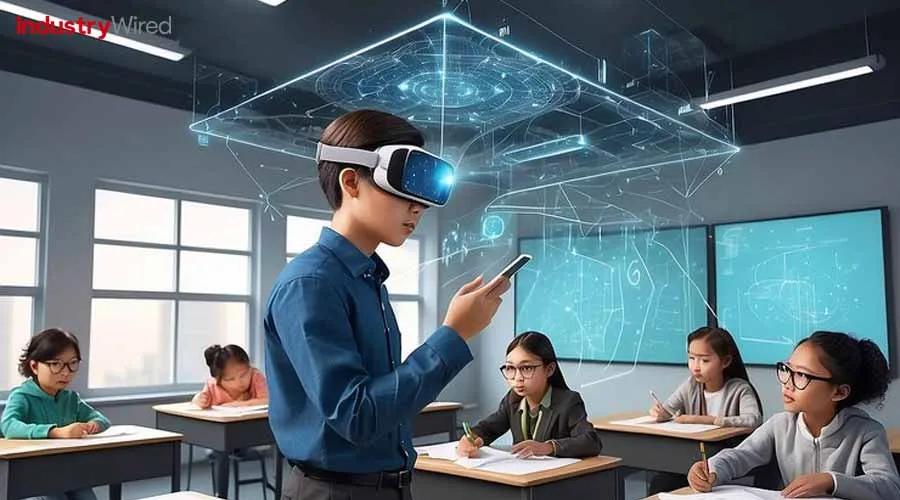
How to Train Teachers for Effective VR/AR Classroom Integration
Virtual Reality (VR) and Augmented Reality (AR) are revolutionizing the modern classroom.These immersive technologies can enhance learning experiences, foster student engagement, and unlock creative teaching methods. However, the success of VR/AR in education depends largely on how well teachers are prepared to integrate these tools into their instruction. In this article, we’ll walk you through comprehensive strategies, practical tips, and real-world examples on how to train teachers for effective VR/AR classroom integration.
Why Teacher Training is Essential for VR/AR Classroom Integration
The transformative potential of VR/AR in education hinges on teachers’ confidence and competence with these digital tools. Effective professional development ensures that educators:
- Understand VR/AR concepts and applications in education
- Develop classroom management strategies for immersive technology
- Overcome common challenges and technical hurdles
- Design engaging, student-centered VR/AR lessons
Without adequate training, even the most advanced technology may fail to deliver meaningful learning outcomes. Let’s dive into the key steps for preparing teachers for prosperous VR/AR classroom integration.
Step 1: Laying the Foundation – Building VR/AR Awareness and Skills
Before teachers introduce VR/AR to students,they must understand the underlying technology and its educational value.
Offer Introductory Workshops
Host hands-on workshops that:
- Demonstrate the basics of virtual reality and augmented reality
- Showcase popular VR/AR educational apps and tools
- Discuss pedagogical benefits and potential classroom scenarios
Promote Digital Literacy
Integrate digital literacy training to ensure teachers are comfortable using hardware like VR headsets or AR-enabled tablets and can solve basic tech issues themselves.
Highlight Real Classroom Examples
Learning from experienced teachers who already use VR/AR can alleviate fears and inspire new ideas.
Step 2: Developing Pedagogical Strategies for VR/AR Integration
Knowing how to operate technology is only half the battle. Effective teacher training for VR/AR also emphasizes instructional design.
Align with Learning Objectives
- Help teachers identify where VR/AR can support curriculum goals, such as visualizing complex concepts or creating interactive storytelling experiences.
- Show how VR field trips, 3D models, and AR simulations can be embedded in lesson plans.
Classroom Management in Immersive Environments
Discuss best practices for keeping students focused and safe, such as rotating VR/AR stations and providing clear instructions before using headsets.
Accessibility and Inclusion
- Train teachers to adapt VR/AR activities for diverse learners, including those with disabilities.
- Introduce accessible content and provide alternatives for students who may experience motion sickness or discomfort with headsets.
Step 3: Practical, ongoing Support for Teachers
sustainable VR/AR integration depends on continuous learning and support structures.
Create a Peer-to-Peer Support Network
- Establish communities of practice, both in-person and online, where teachers can share experiences, lesson plans, and troubleshooting tips.
- Encourage mentorship between tech-savvy teachers and novices.
Offer Microlearning Opportunities
- Provide bite-sized training modules, how-to videos, and quick reference guides.
- Organize regular “tech check-ins” or “VR/AR office hours” for ongoing advice and updates.
Involve School IT Staff
- Collaborate with IT specialists to support device management, network issues, and software updates.
- Co-train IT and teaching staff on privacy,data security,and student safety protocols.
benefits of Effective VR/AR Teacher Training
Equipping teachers with the right VR/AR skills delivers a wide range of benefits:
- Enhanced Learning Engagement: Students are more motivated and active participants during immersive lessons.
- Improved Knowledge Retention: Interactive environments boost understanding and memory of complex topics.
- Creativity and Collaboration: Teachers can design projects that foster creative problem-solving and teamwork.
- Equitable Access to Experiences: VR/AR can bring field trips,labs,and simulations to every classroom,irrespective of location or budget.
Case Studies: Real Experiences Integrating VR/AR in schools
Let’s look at how some schools and districts have trained teachers for VR/AR classroom integration:
Case Study 1: The San Diego Unified School District
By partnering with EdTech companies, this district launched a “VR Champions” program, where select teachers received intensive training and ongoing mentorship. These VR Champions then became peer-leaders, helping colleagues launch their own immersive lessons across various subjects.
Case Study 2: university High School, Indiana
A workshop series introduced teachers to both hardware setup and lesson planning. Teachers shared their successes and challenges through a staff blog, leading to a collaborative repository of classroom-tested VR lessons.
First-Hand Experience: Insights from an Early Adopter
“As a science teacher, I was initially intimidated by VR. Our school arranged a workshop where we practiced with headsets and explored lesson templates together. Over time, I found that students became more engaged during lessons on anatomy and planetary science. The key was having support from both IT staff and fellow teachers – we learned from each other’s trials and errors.”
Tips for School Leaders: Supporting Teacher Training for VR/AR
Administrators and EdTech leaders play a pivotal role in successful teacher training. Here’s how they can help:
- Dedicate Professional Development Time: Allocate in-service days or after-school sessions specifically for immersive technology training.
- Invest in Pilot programs: Start with small groups of interested teachers, gather feedback, and expand gradually.
- Provide Budget and Resources: Ensure access to VR headsets,AR devices,and ongoing technical support.
- Celebrate Successes: Showcase teacher and student projects at school events or on social media to encourage wider adoption.
Common Pitfalls and How to Overcome them
Anticipating and addressing challenges is crucial. Here are some common pitfalls and practical solutions:
| Pitfall | Solution |
|---|---|
| Insufficient technical support | Establish clear channels with IT staff; provide quick troubleshooting guides. |
| Teacher resistance or overwhelm | Begin with voluntary pilots; celebrate small wins; provide mentoring. |
| Lack of curated lesson content | Create/shared lesson libraries; tap into publisher or EdTech-provided resources. |
| Equity/access issues | Rotate devices; use grants or community partnerships to fund more equipment. |
Best Practices for VR/AR Teacher Training Programs
- Start small and scale up: Pilot VR/AR with a willing teacher cohort before expanding schoolwide
- Make training ongoing, not one-off: Offer refresher sessions and facilitate regular feedback
- Encourage innovation and experimentation: Create a safe space for teachers to try new ideas and learn from failures
- Build partnerships: Collaborate with EdTech companies, universities, or local businesses for expert-led workshops
Conclusion: Empowering Teachers for the Future of Learning
As VR and AR technologies become more accessible, they offer unparalleled opportunities to engage students and enrich curricula. The key to unlocking these opportunities is investing in effective teacher training for VR/AR classroom integration. By building foundational skills, developing instructional strategies, and fostering a culture of continuous support, school leaders can ensure educators feel confident and inspired to use immersive technology. The result? More meaningful, interactive, and inclusive learning experiences for every student.
Ready to transform your school’s approach to digital learning? Start by empowering teachers – the true pioneers of immersive education.