
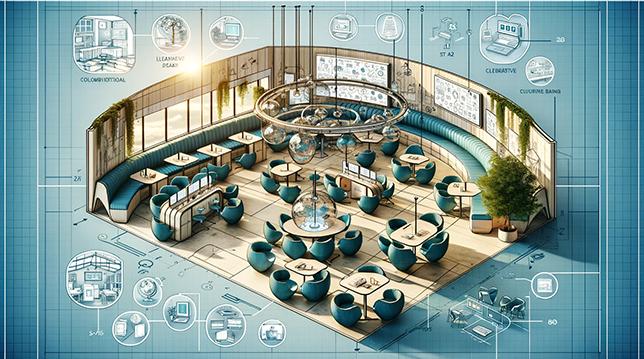
Hybrid Classrooms: Top Strategies for Designing Flexible Learning Spaces
The landscape of education is swiftly evolving, with hybrid classrooms and flexible learning spaces at the forefront of modern instructional design. As schools, colleges, and training centers embrace a blend of in-person and remote instruction, the demand for adaptable learning environments has soared. In this comprehensive guide, you’ll discover the top strategies for designing hybrid classrooms that foster engagement, collaboration, and seamless learning for everyone.
What are Hybrid Classrooms?
Hybrid classrooms combine conventional face-to-face teaching with virtual participation, enabling students to learn synchronously or asynchronously from various locations. Flexible learning spaces support this model by integrating technology, versatile furniture, and thoughtful layouts that cater to diverse learning needs.
Benefits of Flexible Hybrid Learning Spaces
- Inclusivity: Supports students with different learning styles and circumstances, from on-campus attendees to remote learners.
- Engagement: Utilizes interactive technologies and collaborative setups to keep students involved, wherever they are.
- Scalability: Easily adapts to varying group sizes, special events, or unexpected changes.
- Future-readiness: Prepares institutions for ongoing shifts in education, including potential needs for virtual learning.
Top Strategies for Designing Hybrid Classrooms
1. Prioritize Seamless Technology Integration
- Interactive Displays & Smartboards: Replace traditional boards with digital screens that allow live annotations visible to both in-person and remote participants.
- High-Quality Audio-Visual Equipment: Invest in omnidirectional microphones, HD cameras, and reliable speakers to ensure clear communication in all directions.
- Robust wi-Fi Infrastructure: Support high-bandwidth teaching tools, video conferencing, and device connectivity.
2. Flexible Furniture and Layouts
- Modular Seating: Opt for lightweight, moveable desks and chairs to allow speedy reconfiguration for group work, presentations, or individual study.
- Zone Creation: Use partitions,rugs,or shelving to create distinct learning zones such as collaboration pods,quiet study corners,and technology labs.
- Accessibility: Ensure all furniture supports students with disabilities, and pathways remain clear for safe movement.
3. Support Student Collaboration
- Display Sharing: Encourage teachers and students to share screens, documents, and media using cloud-based tools and wireless casting.
- Hybrid Group Work: Pair in-person students with remote partners using breakout room software (e.g., Zoom, Microsoft Teams) and collaborative apps (e.g., google Workspace, Padlet).
- Interactive Whiteboards: Leverage online whiteboards where all students can contribute ideas in real-time.
4. Foster Engagement Through Visual and Physical Design
- Natural Lighting: Maximize daylight and provide adjustable blinds to reduce glare on screens.
- Color & Acoustics: Use calming colors and acoustic panels to minimize distractions and fatigue.
- Signage: Place instructional prompts and tech guidelines where students can easily reference them.
5. Plan for Adaptability and Scalability
-
Future-proof Technology:
Choose hardware and software solutions that reliably support updates and expansions—whether for more users, new tools, or changing curriculum needs.
-
Moveable Walls:
Where applicable, install retractable walls to expand or contract classroom sizes based on real-time requirements.
-
Mobile Resource Stations:
Equip rolling carts with tablets, chargers, and learning materials for quick and easy redistribution across spaces.
Practical Tips for Day-to-Day Hybrid Learning success
- Test Technology Regularly: Make routine equipment checks a habit to prevent disruptions during classes.
- Offer Clear Virtual Etiquette Guidelines: Provide both remote and in-person students with tips for communication, participation, and digital citizenship.
- Record Lessons: Ensure any student can access recordings for review or when unable to attend live.
- Solicit Feedback: Frequently survey students and educators to find out what’s working and what needs improvement.
Case Study: Transforming a Traditional Classroom into a Flexible Hybrid Environment
At Willowbrook Academy, a once-conventional classroom was reimagined into a flexible hybrid learning space. The school incorporated mobile desks, collaborative tables, smart displays, and surround-sound microphones. Teachers received training in both technology integration and new pedagogy for hybrid facilitation.The space now seamlessly supports students joining both physically and virtually, and engagement scores have risen by 30% over the previous year.
First-Hand Experience: Educator Insights
“Designing a hybrid classroom taught me that every detail matters—from camera placement to furniture wheels. My students feel more included, whether they’re in person or tuning in from home. It’s about building community and flexibility—every day brings new learning.”
— Jamie Robinson, High School Science Teacher
Hybrid Classroom Design: Key Features Checklist
- Multiple cameras with front and side views for better visibility
- Wall-mounted digital whiteboards and wireless sharing options
- Omnidirectional microphones and smart speakers
- stationary and mobile charging stations
- Clear signage for technology tutorials and safety protocols
- Adjustable, ergonomic seating
- Accessible learning materials and devices
Conclusion: Shaping the Future of Learning
As the demand for hybrid classrooms and flexible learning spaces grows, so does the need for thoughtful, student-centered design. By integrating smart technology, adaptable furniture, and inclusive practices, educators can deliver robust learning experiences that bridge the gap between physical and virtual worlds. The future of education is hybrid—make your learning spaces resilient, flexible, and inspiring for every student.