
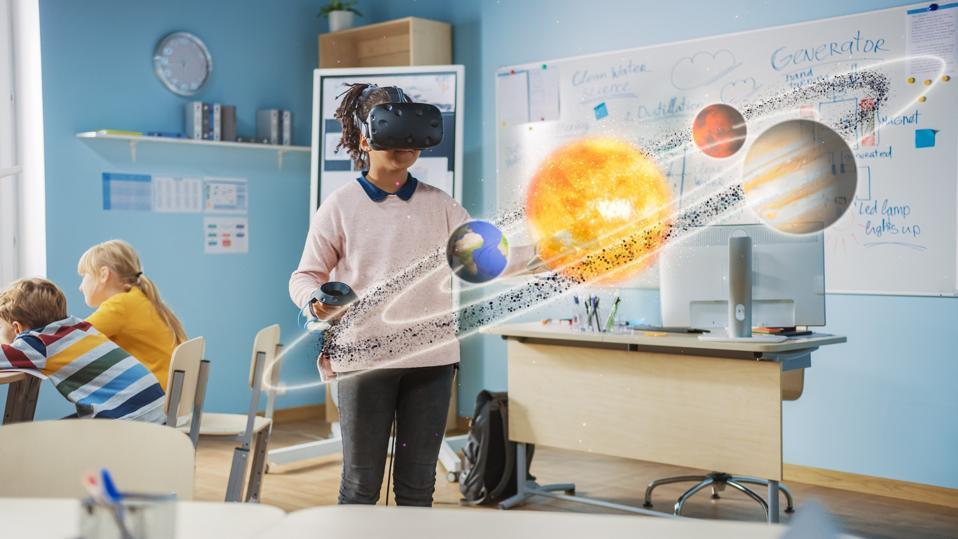
Mastering classroom Tech: Effective VR/AR Training Strategies for Teachers
The modern classroom is rapidly evolving, with emerging technologies like Virtual Reality (VR) and Augmented Reality (AR) transforming how educators engage students. However, to unlock the full educational potential of these tools, teachers must first master the art of using them effectively. In this complete guide, we’ll delve into the best VR/AR training strategies for teachers, practical integration tips, case studies, and the unique benefits immersive technology brings to education. Whether you’re a tech-savvy educator or new to classroom technology, this article is your roadmap to mastering VR/AR in the classroom.
Why VR/AR Training is Crucial for Today’s Teachers
With VR and AR technologies redefining classroom experiences, teachers need more than just basic tech skills — they require targeted training to confidently integrate these tools. Proper VR/AR teacher training equips educators to:
- Facilitate engaging and interactive lessons
- Promote 21st-century skills such as critical thinking and collaboration
- Personalize learning experiences for diverse student needs
- Address common challenges related to device management and classroom safety
Investing in effective VR/AR training strategies can led to higher student motivation,more meaningful lessons,and improved learning outcomes.
Benefits of Integrating VR/AR in the Classroom
- Enhanced Engagement: immersive technology captivates students, making abstract or complex concepts come alive through interactive simulations.
- Experiential Learning: VR/AR enables hands-on practice, from exploring ancient civilizations to conducting virtual science experiments safely.
- Improved Retention: Active learning environments foster better long-term retention compared to conventional methods.
- Equity and Accessibility: VR/AR bridges gaps by providing all students access to experiences—like field trips or lab activities—that might otherwise be out of reach.
Effective VR/AR Training strategies for Teachers
To ensure educators are confident and competent in using VR/AR technology, consider the following proven training strategies:
-
Hands-On Workshops
Participate in interactive training sessions that simulate classroom scenarios using VR/AR tools. practice managing devices,troubleshooting common issues,and integrating content into curriculum plans.
-
Peer Coaching and Mentoring
Leverage the expertise of early adopters. Peer mentoring provides authentic,ongoing support and fosters a community of continuous learning.
-
Blended Learning Modules
Combine self-paced online learning with in-person labs for a flexible approach.Videos, readings, and quizzes help reinforce technology best practices and pedagogical strategies.
-
micro-Credentials and Badging
Encourage teachers to earn micro-credentials for mastering specific aspects of VR/AR technology, such as lesson planning or device safety. Recognizing milestones boosts motivation and confidence.
-
Ongoing Professional Growth
Integrate VR/AR topics into regular PD programs, offering refresher courses and updates as technology evolves.
Practical Tips for Integrating VR/AR Technology into the classroom
- Start Small: Begin with simple VR/AR experiences that align with your existing lessons before scaling up to more complex projects.
- Prioritize Content quality: Choose applications and simulations that match curriculum standards and foster meaningful learning.
- Establish Safety Protocols: Educate students about device safety, healthy usage times, and respectful behavior in shared virtual spaces.
- Foster Collaboration: Pair or group students for co-exploration, discussion, and reflection to maximize engagement and understanding.
- Gather Feedback: Regularly solicit student and teacher feedback to refine your approach and troubleshoot challenges.
- Integrate Assessment: Use formative assessments within VR/AR activities to track mastery and provide immediate feedback.
Case Studies: Successful VR/AR Implementation in Schools
Case study 1: Elementary Science in Action
At Lincoln Elementary School, fifth-grade teachers introduced an AR app for exploring the human body.Interactive 3D models allowed students to “see inside” organs and systems,boosting engagement and comprehension. Teacher surveys reported a 40% increase in class participation and improved science assessment scores within a semester.
Case Study 2: Historical Empathy Through VR
In a middle school history class, educators used VR headsets to transport students to ancient Rome and World War I trenches. Students completed guided reflection journals and discussion groups after each session. Teachers observed increased empathy and historical understanding, with students expressing greater connection to course content.
Case Study 3: High School STEM Labs
Green Valley High School launched a pilot program using immersive simulations for chemistry labs—allowing safe experimentation with hazardous materials. Teachers highlighted a critically important reduction in lab safety incidents and noted student willingness to experiment and fail more productively in a risk-free virtual environment.
First-Hand Experience: Tips from Teachers Using VR/AR
“My students were hesitant at first, but after guiding them through a virtual field trip to the Great Barrier Reef, their excitement was contagious! I started by mastering the tech through online tutorials, then leaned on colleagues for advice. Now,VR is a regular highlight in my lessons.”
— Ms. Taylor, 6th Grade Science Teacher
“I recommend teachers take it slow and allow time for play. By exploring VR/AR apps themselves, teachers become more comfortable and can anticipate student questions. Plus, don’t be afraid to troubleshoot on the fly—it’s a learning journey for everyone!”
— Mr.Singh, Social Studies Educator
Overcoming Common Challenges in Implementing VR/AR
- Device Management: Designate charging stations, label headsets, and use classroom routines for distribution and collection to keep devices organized.
- Budget Constraints: Explore grants, edtech partnerships, or low-cost app solutions to maximize limited resources.
- Technical Difficulties: Schedule regular tech checks and form an internal “tech squad” to troubleshoot issues quickly.
- Screen Time Concerns: Balance immersive sessions with hands-on and collaborative activities to ensure varied instruction.
- Teacher Confidence: Celebrate milestone achievements in tech integration and encourage a growth mindset among staff.
conclusion: Unlocking the Future of Learning with VR/AR
Mastering classroom technology—especially VR and AR—empowers teachers to create memorable, engaging, and effective learning experiences. With the right VR/AR training strategies, ongoing support, and practical classroom integration, any educator can confidently step into the future of teaching.As immersive technology continues to shape 21st-century education, teachers who invest in mastering these tools will enrich both their professional practice and student outcomes.
Start your journey by exploring local PD opportunities, experimenting with simple VR/AR apps, and connecting with fellow educators. The classroom of tomorrow awaits—embrace the possibilities today!