
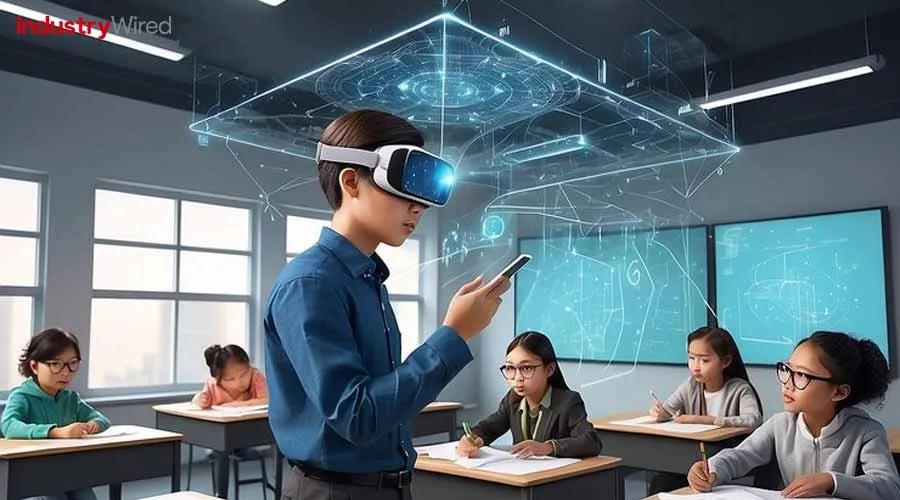
Mastering VR/AR: Essential Training Tips for Teachers to Use Classroom Technology effectively
Introduction: The Rise of VR/AR in the Classroom
The landscape of education is rapidly transforming, fueled by breakthrough technologies like Virtual Reality (VR) and Augmented Reality (AR). These immersive tools offer teachers unprecedented opportunities to enrich learning experiences, foster engagement, and adapt to varied learning styles. Though, effective adoption depends on more than just access to equipment—it requires informed training and strategic implementation.In this comprehensive guide, we’ll explore essential VR/AR training tips for teachers, unpack benefits for student learning, provide real-world case studies, and share actionable insights to help educators master classroom technology.
Why VR/AR Technology Matters in Modern Classrooms
As schools integrate VR and AR, both teachers and students experience unique benefits. Understanding these advantages—and the challenges—is crucial for educators eager to leverage the full potential of educational technology.
Benefits of Using VR/AR in Teaching
- Enhanced Engagement: Students are drawn into interactive worlds, making lessons more memorable and enjoyable.
- Deeper Understanding: Complex concepts (like anatomy or past events) become easier to grasp through visual and experiential learning.
- Differentiated Instruction: VR/AR allows teachers to tailor experiences for various learning styles—visual,auditory,kinesthetic.
- Safe Simulations: Students can practice lab experiments, job tasks, or emergency procedures in secure virtual environments.
- Global and Cultural Immersion: Explore faraway places, historical settings, or diverse cultures from the classroom.
“The impact of VR/AR is beyond imagination. When students wear headsets to explore ancient Rome or dissect a cell, learning leaps from textbook to reality.” – EdTech Magazine
essential VR/AR Training Tips for Teachers
To maximize the benefits of classroom technology,educators must not onyl be familiar with VR/AR devices but also skilled in creating meaningful,pedagogically sound experiences. Here are proven training tips for mastering VR/AR integration:
1. Build Foundational Understanding
- Start with the Basics: Get hands-on with VR headsets and AR apps. Learn the difference between VR (fully immersive worlds) and AR (overlaying digital content on real surroundings).
- Choose the Right Platform: Explore education-centric solutions like Google Expeditions,Nearpod VR,or Merge EDU to ensure alignment with curriculum goals.
- Familiarize Yourself with Safety and Accessibility: Review health guidelines and ensure VR/AR activities accommodate students with varying needs.
2. Participate in Professional Development
- Attend Training Workshops: Many school districts offer VR/AR seminars. Online courses, webinars, and certification programs (ISTE, Coursera, EdX) expand your expertise.
- Network with Tech-Savvy Educators: Join online forums (ISTE Connect, Edutopia) to share lessons, troubleshoot issues, and access peer support.
- Collaborate with Technology Integrators: Work with IT professionals to understand device setup, troubleshooting, and advanced features.
3. Integrate VR/AR Purposefully
- Align with Learning Objectives: Ensure every VR/AR activity supports curriculum standards and student outcomes.
- Start small, Scale Up: Begin with simple projects—virtual tours, 3D object exploration—and gradually tackle complex simulations.
- Foster Reflection: After each activity, prompt students to discuss and write about thier experiences. Use feedback to refine future lessons.
4. Manage Classroom Logistics
- Prepare the Space: Arrange furniture for safe movement. Ensure Wi-Fi connectivity and device charging stations.
- Set Clear Expectations: Review usage rules and encourage gentle handling of technology. Allocate roles for group activities.
- Offer Digital Citizenship Lessons: Teach students about respectful and safe behavior within virtual environments.
- Address technical Issues: Equip yourself with troubleshooting guides and keep spare devices/accessories handy.
5. Embrace Continuous Learning
- Stay Updated: The field of VR/AR is fast-evolving. Subscribe to EdTech newsletters and follow thoght leaders to keep abreast of new tools and methods.
- Experiment and Reflect: Try new VR/AR applications and regularly seek student feedback to iterate your approach.
Case Studies: Successful VR/AR Classroom Integration
Case Study 1: Virtual Field Trips in Social Studies
Mrs. Robinson leveraged Google Expeditions to take her 5th-grade class on virtual field trips to world landmarks. Students explored the Pyramids of Giza and the Amazon rainforest, then completed creative assignments. Test scores and enthusiasm rose noticeably.
Case Study 2: AR Science labs
At Oakwood High, Mr. Chen integrated AR anatomy models via Merge Cube,enabling students to explore the human body interactively. Student engagement soared, especially among visual learners, with improved retention in biology units.
Case Study 3: Cross-Curricular VR Projects
In an interdisciplinary initiative, teachers at Maple Elementary collaborated to design a VR “City Planning” project. Students designed neighborhoods in VR, integrating math, geography, and civic learning. Collaboration and critical thinking flourished.
First-Hand Experience: Teachers share Best Practices
- “Be Patient and Willing to Adapt.” – Technology rollouts rarely go perfectly. Don’t get discouraged by initial hiccups! Every session builds comfort and confidence.
- “Involve Students in Tech Setup.” – Empower “tech helpers” to assist classmates. This cultivates leadership and trains a cohort of VR/AR-savvy learners.
- “Document and Share Lessons Learned.” – Maintain a digital resource bank with lesson plans, challenges, and solutions to streamline VR/AR use for yourself and colleagues.
- “Celebrate Student creativity!” – Students often surprise with inventive VR/AR projects when given freedom to experiment and create.
Practical Tips for Getting started with VR/AR in Education
- Audit Classroom needs: Assess which subjects and lessons could benefit moast from immersive technology.
- secure Funding and Resources: Apply for educational grants and explore free VR/AR apps. Collaborate with your tech department for hardware recommendations.
- Plan for Scalability: As comfort grows, design cross-grade or whole-school VR/AR challenges and exhibitions.
- Measure Impact: Track student engagement, achievement, and feedback to continually improve your approach.
- Connect with Global Educators: Join professional learning networks to exchange ideas and troubleshoot challenges in real time.
“The best time to start is now—one small step with VR/AR opens doors to limitless learning possibilities.” – Innovative Teacher
Conclusion: The Future of Immersive Technology in Education
Mastering VR/AR in the classroom is more than a technical challenge—it’s a gateway to transformative education. By following expert training tips,engaging in ongoing professional development,and embracing digital creativity,teachers can elevate lessons to new heights. With every virtual journey, educators empower students to learn, collaborate, and innovate in ways never before possible.
Whether you’re just starting out or refining your approach to classroom technology, remember: the right mix of curiosity, preparation, and support ensures every teacher can become a master of VR/AR and unlock remarkable learning experiences for all.
Ready to Take the First Step?
Explore our curated lists of VR/AR education resources, connect with other innovative teachers, and begin your journey to making learning truly immersive!