
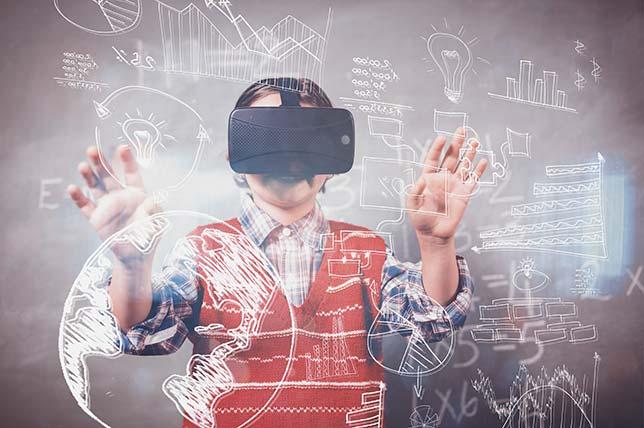
Mastering VR/AR: Essential Training Tips for Teachers to Use EdTech Tools Effectively
Introduction: Embracing the future of Education
In today’s rapidly evolving technological landscape, Virtual Reality (VR) and Augmented Reality (AR) are transforming the way educators engage, inspire, and teach. Using VR/AR in education not only enhances student immersion but also makes learning interactive,memorable,and effective.
Yet, many teachers face challenges when adopting thes EdTech tools due to steep learning curves and limited training resources. In this extensive guide, we’ll provide actionable training tips, explore practical benefits, and share case studies to help teachers master VR/AR in the classroom. Whether you’re just starting or looking to level up your teaching strategies, this article offers the insights you need for effective EdTech integration.
Why Integrate VR/AR into Your Teaching?
Before diving into the essential training tips for teachers,it’s crucial to understand why VR/AR is worth mastering. Here are the key benefits of VR/AR in education:
- Increased Engagement: Interactive simulations and virtual worlds turn lessons into immersive experiences.
- Enhanced Retention: Students remember information better when they learn by “doing” rather than just observing.
- Cultural and Global Awareness: VR can “transport” students to historical events,foreign countries,or scientific phenomena.
- Accessibility: AR overlays can provide real-time translations or visual cues,supporting diverse learners.
- STEM Exploration: VR/AR platforms bring complex science or math concepts to life, making them easier to grasp.
Essential Training Tips for Teachers to Use VR/AR EdTech Tools Effectively
Ready to bring VR/AR into your classroom? Follow these step-by-step training tips to ensure a smooth and effective integration of VR/AR edtech tools in your teaching practice:
1. start with the Basics
- Familiarize yourself with common VR/AR hardware (e.g., Oculus Quest, Google Cardboard, Microsoft HoloLens).
- Explore introductory software apps and platforms like Google Expeditions,cospaces Edu,or Merge Cube.
- Understand the difference between virtual reality (VR) and augmented reality (AR): VR immerses users in a digital world, while AR overlays digital elements on the real world.
2. Leverage Free Online Resources and Communities
- Utilize tutorials from EdTech forums, YouTube channels, and developer websites.
- Join teacher communities such as Edutopia VR/AR group or Reddit’s r/EdTech to share experiences and find support.
- Download free guides and lesson plans catered for VR/AR teaching.
3. Focus on Pedagogical Integration,Not Just Technology
- Ensure your VR/AR lessons align with curriculum standards and learning objectives.
- Design experiences that foster critical thinking, collaboration, and problem-solving.
- Use VR/AR to complement—not replace—hands-on learning, discussions, and group activities.
4. Start Small, Scale gradually
- Begin with short VR/AR activities (like a five-minute virtual field trip).
- Assess student feedback and engagement before expanding to longer or more complex projects.
- Gradually introduce students to VR/AR, allowing time to adapt and explore.
5. Prioritize Safety and Inclusivity
- Follow manufacturer guidelines for student ages and session durations.
- Ensure devices are sanitized between uses and that students are supervised during VR use.
- Offer choice activities for students sensitive to motion or with accessibility needs.
6. Embed Assessment & Reflection
- Use formative assessments to monitor progress during VR/AR activities (quizzes, polls, or reflective journals).
- Encourage students to share their experiences and feedback to refine future lessons.
- Link VR/AR activities to real-world problem solving or project-based learning for deeper impact.
Practical Tips for Efficient Implementation of VR/AR EdTech Tools
- Set Clear Goals: define the educational outcomes you want to achieve with VR/AR before choosing a specific tool.
- Test Technology in Advance: Run trial sessions to iron out potential technical issues.
- Create Swift-Start Guides: Prepare easy-to-follow handouts or digital guides for students.
- Collaborate with IT Staff: Work closely with your school’s IT team to ensure hardware compatibility and connectivity.
- Schedule Regular Training: Arrange periodic workshops or peer-led sessions to stay updated on EdTech advancements.
Case Studies: VR/AR Success Stories from Real Classrooms
1. Virtual Field Trips at Greenwood High School
At Greenwood High, teachers leveraged Google Expeditions to take students on virtual tours of ancient Rome, the Great Barrier Reef, and even Mars! This strategy led to a noticeable increase in engagement during history and science lessons, with students displaying improved information retention and curiosity.
2. AR-Fueled Science Labs at Harmony Academy
Harmony Academy used Merge Cube and CoSpaces Edu to create interactive 3D models in biology. Students explored human organs and DNA structures in augmented reality, leading to a deeper understanding of anatomy—and even inspiring several students to pursue STEM careers!
3. inclusive Education at Crescent Elementary
When Crescent Elementary introduced VR learning pods,teachers ensured accessibility by offering tactile guides and non-VR alternatives,ensuring all students could participate. this inclusive approach amplified confidence and collaboration among diverse learners.
First-Hand Experience: Teachers’ Insights on Mastering VR/AR EdTech
“At first, I was intimidated by the idea of using VR in my English classes. However, once I attended an online VR training workshop and experimented with storytelling apps, I saw how VR could unleash my students’ creativity. My main advice? Start small, stay curious, and always connect the tech to meaningful learning goals.”
— susan N., Language Arts Teacher
“I integrated AR flashcards for vocabulary lessons.My students loved scanning cards to see animated objects come alive! It made abstract concepts tangible, and assessments showed a 20% improvement in word retention.”
— omar R., Primary School Teacher
Recommended VR/AR EdTech tools for the Classroom
- google Expeditions: Perfect for virtual field trips and immersive science tours.
- CoSpaces Edu: Enables students and teachers to build and explore 3D environments.
- Merge EDU: Hands-on AR experiences with cubes and science activities.
- Nearpod VR: Integrates VR content into interactive lessons and student-paced activities.
- Zspace: Offers advanced AR/VR STEM learning solutions for K-12 schools.
Conclusion: Your Next Steps on the VR/AR EdTech Journey
Mastering VR/AR as an educator is no longer optional—it’s an essential skill for preparing students to succeed in a technology-driven world. By taking a proactive approach to VR/AR EdTech training, leveraging support networks, and staying committed to student-centered learning, you’ll unlock powerful opportunities for engagement, creativity, and real-world problem solving in your classroom.
Start your VR/AR journey today: choose a free resource, experiment with a simple lesson, and share your successes with fellow educators. With persistent curiosity and these essential tips, every teacher can become an EdTech leader, actively shaping the future of education.