
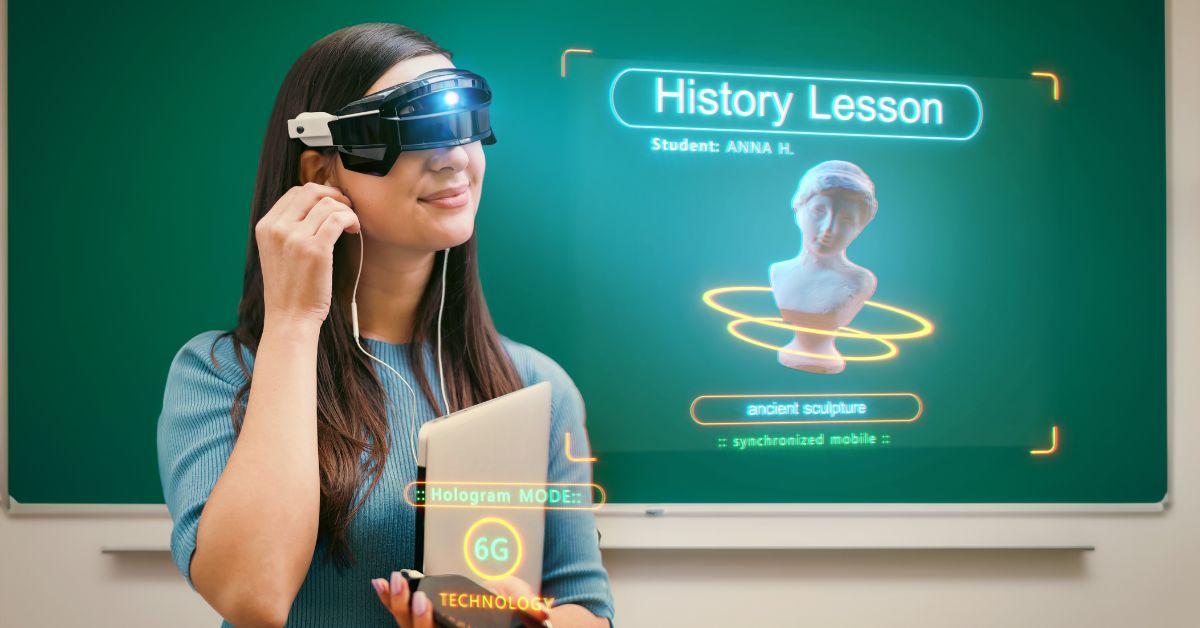
Mastering VR/AR in education: Essential Training Tips for Teachers Using Virtual and Augmented Reality Tools
Discover how to effectively integrate Virtual Reality (VR) and Augmented Reality (AR) into your teaching strategy with our comprehensive guide. Explore essential training tips, practical benefits, and real-world case studies to empower educators in harnessing immersive technology for modern learning.
Introduction: The New Frontier in Education
The digital revolution is transforming classrooms around the globe, and at the forefront are immersive technologies like Virtual Reality (VR) and Augmented Reality (AR). These innovations offer groundbreaking opportunities to engage students,foster deeper understanding,and personalize learning experiences. however, leveraging VR/AR tools effectively requires a unique set of skills and strategies—especially for teachers new to these platforms. In this article, we’ll demystify VR and AR for educators and share top training tips, benefits, and best practices for using virtual and augmented reality in education.
Why VR/AR Is Revolutionizing Education
VR and AR are not just futuristic concepts—they’re rapidly becoming classroom essentials. Here’s why:
- Enhanced Engagement: Immersive environments capture student attention and encourage active participation.
- Experiential Learning: students can explore historical sites,conduct science experiments,or dive into molecular structures—all in an interactive,risk-free setting.
- Personalization: Adaptive VR/AR lessons cater to diverse learning styles, helping each student reach their potential.
- Accessibility: Overcomes geographical, physical, and economic barriers to high-quality educational experiences.
VR/AR in Practice: Essential Training Tips for teachers
Integrating VR and AR in education can be transformative,but the learning curve can be steep. Here are actionable training tips to help teachers master these innovative teaching tools:
1. Start with the basics: Understanding VR and AR
- Virtual Reality (VR): Fully immersive, computer-generated environments accessed via headsets like Oculus Quest or Google Cardboard.
- Augmented Reality (AR): Overlays digital information onto real-world surroundings using smartphones, tablets, or AR glasses (e.g., merging animated diagrams onto science lab tables).
2. Get Hands-On with the Technology
- experiment with Demo Apps: Use free educational VR/AR apps like Google Expeditions, Merge Cube, and ClassVR to get comfortable with the platforms.
- Participate in Workshops: Attend professional development sessions focused on immersive technology in education.
- Collaborate with Colleagues: Share experiences and lessons learned to expand your knowledge base.
3. Focus on Lesson integration, Not Just Novelty
- Align VR/AR activities with curriculum standards and learning goals.
- Design assessments that measure real understanding gained through immersive experiences.
- Encourage students to reflect on how VR/AR tools enhance comprehension and engagement.
4. Prioritize Student Safety and Accessibility
- Monitor usage time to prevent fatigue or motion sickness.
- provide clear instructions and supervision during VR/AR sessions.
- Choose platforms with accessibility features for diverse learners (e.g., adjustable text size, audio narration).
5. Build a Support Network and Tap into Online Communities
- Join educator forums, social media groups, and webinars focused on VR/AR in education.
- Stay updated with the latest best practices and new releases in educational technology.
- share your experiences—and challenges—for collective problem-solving.
Top Benefits of Integrating VR/AR Tools in Teaching
Once educators master essential VR/AR skills, the classroom possibilities are limitless. Here are some key advantages:
- Interactive Science Labs: Explore chemical reactions, anatomy, or physics concepts without the risk or cost of real-life experiments.
- Virtual Field Trips: Visit ancient Rome, the Great Barrier Reef, or Mars without leaving the classroom, expanding students’ horizons.
- History Reimagined: Immerse students in historical events and encourage empathy by “walking in someone else’s shoes.”
- Skill-Based Training: Practice medical procedures, engineering skills, or artistic techniques with realistic simulations.
- Enhanced Collaboration: Enable group projects in shared virtual spaces, promoting teamwork and communication abilities.
Real-Life case Studies: VR/AR Impact in Classrooms
- STEM Education Conversion: A middle school in California saw a 30% increase in student test scores after implementing VR science labs. Students reported greater curiosity and understanding of complex topics.
- Global collaboration: A London language class used AR translation apps and VR cultural immersion tools to connect with partner schools worldwide, deepening language proficiency and intercultural understanding.
- Inclusive Learning: A school for special needs students in Canada integrated AR flashcards and tactile VR simulations, leading to marked enhancement in engagement and social skills.
First-Hand Experience: Practical Insights from Educators
“I was initially hesitant about using VR in my biology class, but after exploring the possibilities with Google Expeditions, my students became genuinely excited. They asked better questions, explored the human body in depth, and remembered complex facts much more easily.”
— Karen S., High School Teacher
“Augmented reality game-based quizzes made learning fractions fun and interactive. Even students struggling with math became more confident and participated actively!”
— John D., Elementary Math Teacher
How to Choose the Right VR/AR Tools for Your Classroom
There is a growing array of options for virtual and augmented reality in education. Here’s what to consider when selecting the best tools:
- Curriculum Compatibility: Ensure the content aligns with your learning objectives and standards.
- User Friendliness: Choose platforms with intuitive interfaces and easy setup for both teachers and students.
- Budget and Scalability: consider initial costs, required hardware, available grants, and long-term sustainability.
- Data Privacy & Security: Only use tools that comply with school policies and protect student data.
- Support and Updates: Opt for solutions with robust customer support and a track record of regular updates and feature improvements.
Practical Tips for Effective VR/AR Lesson Planning
- Set Clear Objectives: Identify what you want students to learn through immersive experiences.
- Balance technology with Conventional Methods: Blend VR/AR with hands-on and discussion-based activities.
- Offer Guidance and Scaffolding: Lead students through experiences and debrief for deeper understanding.
- Assess and adapt: Use formative assessments and feedback to refine future VR/AR lessons.
- Encourage Student Creativity: allow students to create their own AR content or virtual worlds, enhancing digital literacy.
Overcoming Common Challenges in VR/AR Adoption
- Hardware Limitations: Leverage affordable solutions like Google Cardboard or shared devices in small groups.
- Technical issues: Prepare backup plans and become familiar with troubleshooting basic connectivity or software glitches.
- Time Constraints: Start with short VR/AR modules and gradually expand as you gain confidence.
- Student Distraction: Set clear expectations for device use and actively monitor students during immersive lessons.
Conclusion: Empowering Teachers for the Future of Learning
The integration of VR/AR tools in education is not just about flashy technology—it’s about creating meaningful, memorable learning experiences tailored for today’s students. By following essential training tips, leveraging hands-on practice, and collaborating with peers, teachers can overcome challenges and unlock the incredible benefits of immersive learning. As VR and AR continue to evolve, educators are poised to lead a new era of innovation in the classroom, inspiring students and preparing them for a rapidly changing world.
Ready to transform your teaching with VR/AR? Explore more resources, watch demo videos, and join professional learning communities to continuously expand your skills and stay ahead in modern education!