
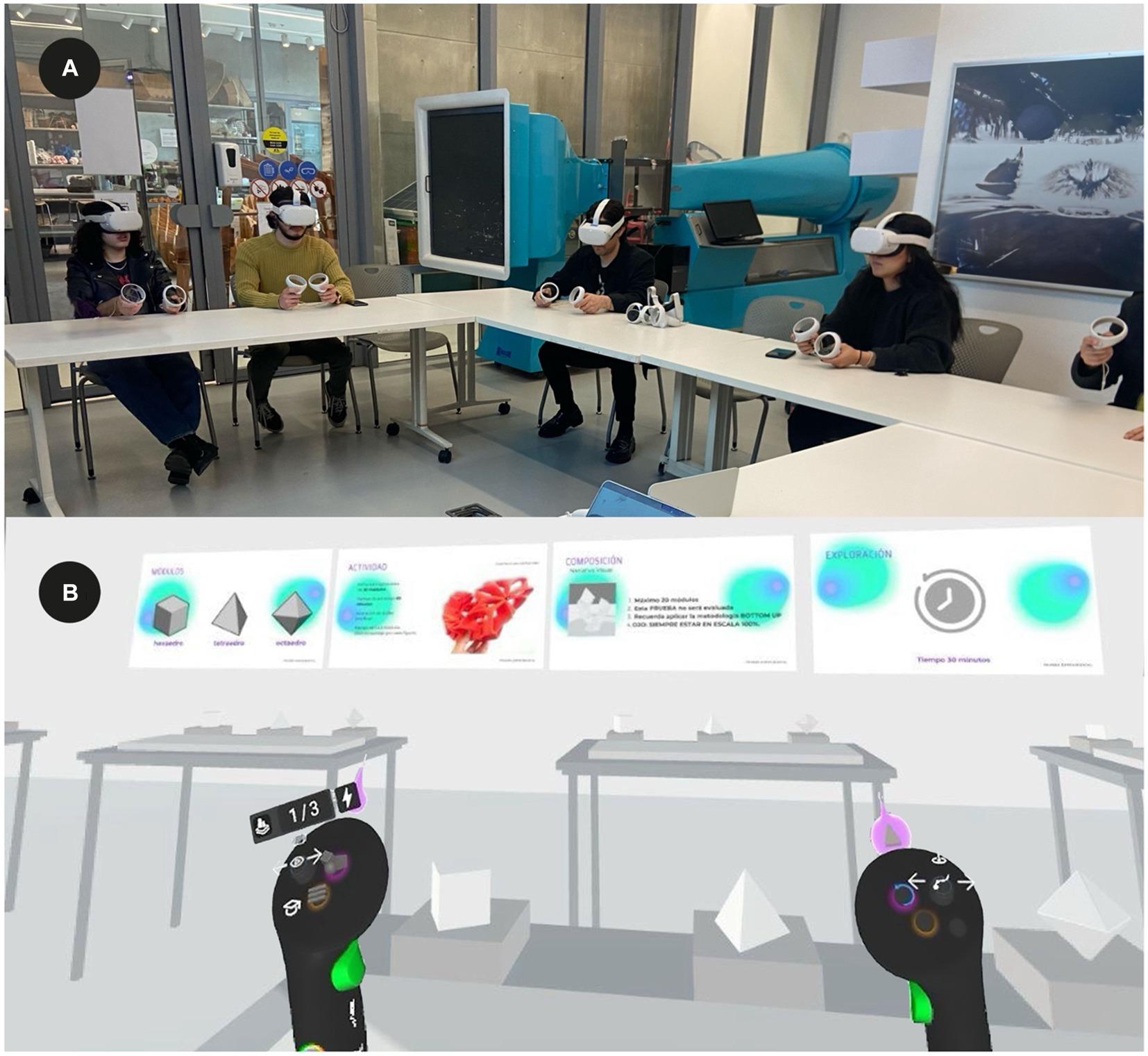
Mastering VR/AR in Education: How to Effectively Train Teachers to Use Immersive Tools
Virtual reality (VR) and Augmented Reality (AR) are fast becoming game-changers in education, transforming how students learn and educators teach. Integrating VR/AR tools in classrooms can spark creativity, deepen understanding of complex concepts, and create immersive learning experiences.However, the key to successful integration lies in equipping teachers with the skills and confidence to use these immersive technologies effectively. In this in-depth guide, we’ll explore strategies, practical tips, and proven methods for effective VR/AR teacher training that ensures maximum impact in educational settings.
Why VR/AR Matters in Modern Education
before delving into teacher training, it’s important to understand the value VR/AR education brings:
- Enhanced Engagement: Immersive experiences increase student attention and participation.
- Deeper Understanding: Complex concepts (like anatomy or physics) become tangible through interactive 3D models and simulations.
- Personalized Learning: VR/AR supports differentiated instruction, addressing individual student needs.
- Improved Retention: Studies show students retain more data through visual and experiential learning.
- Safe Experimentation: Allows students to explore risky environments (e.g., chemistry experiments, historical battlefields) without real-world dangers.
The Challenges Teachers Face with VR/AR Adoption
Despite the advantages, educators often encounter several hurdles:
- Lack of Familiarity: Many teachers have never used VR/AR technologies before.
- Technical Issues: Hardware malfunctions, connectivity problems, or software glitches can disrupt lessons.
- Time Constraints: Teachers may struggle to integrate new tools within already packed curricula.
- Budget Limitations: Schools may have limited funding for devices or training.
- Resistance to Change: Some educators are hesitant to shift from traditional teaching methods.
Essentials of Effective VR/AR Teacher Training
Mastering VR/AR integration requires more than simply handing over headsets—it involves thoughtful professional development and ongoing support. Here’s how you can build teacher expertise:
1. Start with the Basics
- Introductory Workshops: Offer hands-on sessions where educators can experience VR/AR firsthand.
- Device Familiarization: Teach teachers about the different types of headsets, AR-enabled tablets, and the basic functionalities.
- Safety and Best Practices: Discuss health considerations (e.g., motion sickness, screen time) and safe classroom management.
2. Link VR/AR To Curriculum Goals
- Curriculum Mapping: Demonstrate how VR/AR can align with existing learning objectives and standards (e.g. Common Core, STEM).
- Sample Lesson Plans: Provide ready-to-use lesson templates that incorporate immersive learning components.
3.Continuous Professional Development
- Online Courses & Microcredentials: Leverage platforms like Coursera, edX, or Google for ongoing learning.
- Peer-to-Peer Learning: Encourage teachers to share tips and resources (through dedicated forums, staff meetings, or PLCs).
- Coaching & mentoring: Pair novice VR/AR users with more experienced colleagues for support and troubleshooting.
4. Encourage Creativity & Experimentation
- Sandbox Time: Allocate scheduled time for teachers to freely explore VR/AR tools without the pressure of creating immediate results.
- Prototype Projects: Foster mini-projects where teachers test, adapt, and reflect on VR/AR-enhanced lessons.
5. Establish Ongoing Support Structures
- Technical Assistance: Ensure consistent IT support for device maintenance and troubleshooting.
- Resource Libraries: Curate digital libraries with ready-made experiences,lesson plans,and instructional videos.
- Feedback Channels: Create easy ways for teachers to report issues, share successes, and request new content.
Real-Life Success: VR/AR Training Case Studies
Case Study 1: Immersive Science Labs in High School
At Lincoln High School, biology teachers underwent a month-long VR training workshop. Post-training, they incorporated virtual dissection labs and 3D models into lessons. Results showed a 30% advancement in student test scores and heightened classroom engagement.
Case Study 2: AR Field Trips in primary education
Walnut Elementary equipped its teachers with AR tablets after a week-long professional development session. Students explored historical landmarks and ecosystems from their classrooms. Teachers reported increased curiosity, improved recall rates, and better critical thinking during class discussions.
Practical Tips for Teacher-Friendly VR/AR Integration
- Start Small: Introduce one or two simple VR/AR lessons before scaling up.
- use Free or Low-Cost Tools: Begin with free VR/AR apps like Google Expeditions or Merge Cube to limit expenses.
- Collaborate: Team up with other teachers to pool resources, share devices, and create collaborative projects.
- Desktop Alternatives: Utilize browser-based VR tools for classes lacking headsets.
- Monitor & Reflect: After each lesson, reflect on what worked and tweak future plans accordingly.
- Connect with Communities: Join online educator groups focused on immersive learning for support and inspiration.
WordPress/CSS Styling Tips for VR/AR Education Content
If you want your website’s VR/AR resources to stand out, use these styling ideas:
- Highlight Key Points: Use
.wp-block-quoteor.wp-block-pullquotefor testimonials and tips. - Card Layouts: Display individual case studies or lesson ideas in
.wp-block-columnsfor easy reading. - Button Styles: Add
.wp-block-buttonlinks to downloadable lesson plans or training sign-ups. - Custom Lists: Style lists of VR/AR tools with
border-leftor colored backgrounds to make them pop.
First-Hand Experience: A Teacher’s Perspective on VR/AR Training
“When I first saw a VR headset in our staff room, I was skeptical. The training session was surprisingly engaging—hands-on, supportive, and tailored to our subject needs. Now, I use AR overlays for math geometry and VR explorations for geography. the kids are more involved, and I feel empowered to expand my lesson plans in ways I never thought possible.”
– Sarah P., Middle School Teacher
Conclusion: Empowering Educators for Next-Gen Classrooms
training teachers to master VR/AR in education is not just about technical skills—it’s about nurturing confidence, curiosity, and creativity. With thoughtful professional development, collaborative support, and practical resources, every educator can unlock the full potential of immersive technology.As schools embrace VR/AR teacher training,they lay the foundation for dynamic,engaging,and future-ready learning environments. Whether you’re just starting out or looking to refine your strategy, investing in teacher readiness is the key to success in the era of immersive education.
Ready to bring VR/AR experiences to your classroom? Begin with robust training, foster community, and watch your students’ learning journeys transform!