
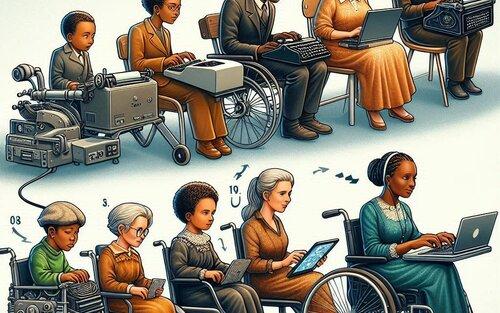
Top 7 Assistive Technologies Transforming Learning Experiences in Education
In today’s rapidly evolving educational landscape, assistive technologies in education have become essential tools for fostering inclusive, dynamic, and effective learning environments. By bridging the gap for students with disabilities and supporting diverse learning styles, these innovations are breaking down barriers, empowering educators, and unlocking each student’s potential.This article delves into the top 7 assistive technologies transforming learning experiences and offers practical insights for integration in classrooms.
Table of Contents
- Introduction to Assistive Technology in Education
- Benefits of Assistive technologies for Learners
- Top 7 Assistive Technologies Revolutionizing Classrooms
- Practical implementation Tips
- Case Studies: Assistive Technology impact
- Conclusion: Shaping the Future of Learning
Introduction to Assistive Technology in Education
Assistive technology (AT) refers to any device, software, or equipment designed to help individuals overcome challenges related to disabilities or learning difficulties. In an academic context,assistive technology for students promotes equitable access to learning resources and opportunities.From screen readers and speech-to-text tools to adaptive hardware, these solutions support students with cognitive, physical, and sensory impairments and foster personalized learning experiences for all.
Benefits of Assistive Technologies for Learners
- Accessibility: Removes physical, sensory, and cognitive barriers to learning materials.
- Independence: empowers students to work autonomously while still receiving necessary support.
- Engagement: Increases participation through interactive and multisensory experiences.
- Academic Achievement: enhances comprehension,retention,and performance.
- Customization: Adapts to unique learning preferences and paces.
- Collaboration: Facilitates dialog and teamwork among all students.
Top 7 Assistive Technologies Revolutionizing Classrooms
Let’s explore the seven most impactful assistive technology tools in education that are redefining learning:
1. Screen Readers and Text-to-Speech Software
- How they help: Screen readers like JAWS (Job Access With Speech) and NVDA convert text and graphics on a computer screen into speech or braille. Text-to-speech tools, such as Kurzweil 3000 or Natural Reader, read digital text aloud.
- Who benefits: Students with visual impairments, dyslexia, or other reading challenges.
- Key features:
- Customizable voices and reading speed
- Multi-language support
- Integration with popular browsers and learning platforms
2. Speech-to-Text and Dictation Tools
- How they help: Programs like Dragon NaturallySpeaking,Google Speech Recognition,and built-in dictation features in Windows/macOS convert spoken language into written text in real time.
- Who benefits: learners with physical disabilities, dysgraphia, or limited literacy skills.
- Key features:
- Voice commands for seamless document navigation and editing
- Accuracy improvements through AI-driven language models
3. Option Input Devices
- How they help: Adaptive keyboards, switches, eye trackers (like Tobii Dynavox), and touchscreens enable students with motor impairments to control computers and tablets.
- Who benefits: Students with limited mobility, cerebral palsy, or spinal cord injuries.
- Key features:
- Custom configurations for specific abilities
- Wireless options for versatility
4.Closed Captioning and Video Transcription Services
- How they help: Real-time or pre-recorded captions and transcripts make multimedia content accessible for students with hearing impairments or auditory processing needs.
- Popular tools: Otter.ai, Rev, and YouTube Auto-Captions
- Features:
- Searchable transcripts
- Multi-language support
- easy integration with online learning platforms
5. Augmentative and Alternative Communication (AAC) Devices
- How they help: AAC systems, like Proloquo2Go and Tobii Dynavox Communicator, provide non-verbal students with speech-generating devices that foster expressive communication.
- Who benefits: Learners with autism, speech delays, or traumatic brain injuries.
- key features:
- User-amiable symbol libraries and touch interfaces
- Customizable vocabulary sets
- Cloud-based communication support
6. Reading and Writing Support Apps
- How they help: Tools such as Grammarly, Ginger, and Co:Writer provide real-time spelling, grammar, and context checks while suggesting word predictions for students with writing difficulties.
- Who benefits: Students with dyslexia, ADHD, or executive function disorders.
- Features:
- Smart word prediction and sentence reconstruction
- Visual cues and error explanations
- Integration with cloud-based writing platforms
7. Digital Math Tools and Calculators
- How they help: Accessible math software, such as Equatio and Khan Academy’s interactive math resources, provide text-to-speech for equations, tactile graphing, color contrast, and keyboard-friendly interfaces.
- Who benefits: Students with dyscalculia, blindness, or low vision.
- Key features:
- Equation writing via voice or typing
- Step-by-step problem breakdowns
- screen reader compatibility
Practical Implementation Tips for Schools
Integrating assistive technologies in schools requires careful planning, training, and ongoing support. Here are some actionable strategies to ensure success:
- Bring all stakeholders on board: Involve teachers, IT staff, students, parents, and specialists in the selection and deployment process.
- Conduct professional development: offer continuous training and hands-on workshops about new technologies and best practices.
- Prioritize global design: Embed accessible features into all classroom content rather than retrofitting individual resources.
- Leverage funding opportunities: Seek grants,partnerships,or government initiatives focused on inclusive education technologies.
- Monitor and adapt: Regularly assess technology effectiveness and adapt as student needs evolve.
Case Studies: Real-World Impact of Assistive Technologies
case Study 1: Screen Readers Empowering Blind Students
at Stanford University, the adoption of screen readers like JAWS allowed visually impaired students to independently navigate vast online course content and participate in group projects, resulting in significantly improved academic performance and confidence.
Case Study 2: AAC Devices in K-12 Classrooms
In an elementary school in New York, introducing Proloquo2Go enabled several non-verbal students with autism to engage actively in classroom discussions, increasing both attendance and peer interaction.
Case Study 3: Speech-to-Text for Dyslexic Learners
A high school in Texas implemented Dragon NaturallySpeaking in their resource room, allowing students with dyslexia to dictate essays and assignments, reducing frustration and increasing assignment completion rates by 45%.
Conclusion: Shaping the Future of learning
As assistive technologies in education continue to advance, they are not simply equalizing the playing field—they are unlocking new possibilities for creativity, collaboration, and lifelong learning. Whether you’re an educator, parent, or student, harnessing these tools can transform challenges into stepping stones for success. By embracing innovative solutions and fostering a culture of inclusion, we can ensure that every learner thrives in an increasingly digital world.