
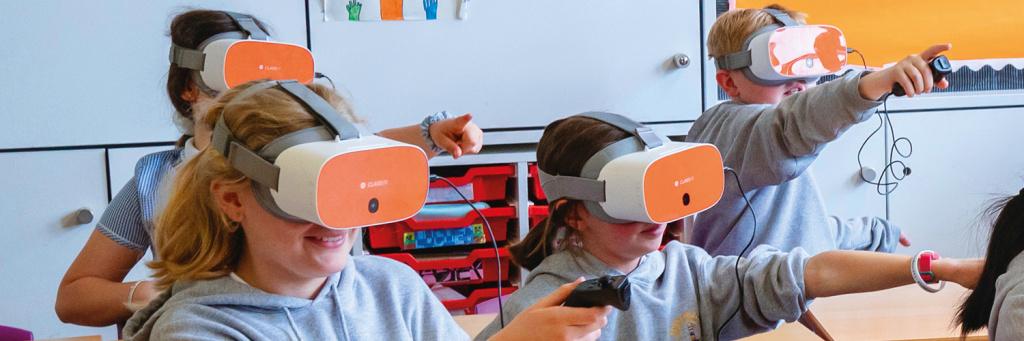
Top 7 Cost-Effective VR Solutions for Schools: affordable Options for Engaging Classrooms
Virtual Reality (VR) is revolutionizing education, turning standard classrooms into immersive learning playgrounds. But with tight budgets, many schools feel high-tech resources are out of reach. The good news? There are affordable VR solutions specifically designed for educational environments. In this article, we’ll explore the top 7 cost-effective VR solutions for schools, highlight their features and pricing, discuss the key benefits of VR in education, and share real-world experiences to help you make the best choice for your students.
Why Choose VR for Your Classroom?
VR brings textbooks to life. Imagine students standing on the surface of Mars, dissecting a virtual frog, or wandering through the Roman Forum, all without leaving their classrooms! Here are some of the standout benefits of VR in education:
- Enhanced Engagement: Interactive experiences boost motivation and attentiveness.
- Improved Retention: Studies show immersive learning leads to higher knowledge retention.
- Accessible Field Trips: Virtual tours offer experiences otherwise limited by cost or location.
- Differentiated Learning: VR supports multiple learning styles and abilities.
- Sparking Creativity: Simulated environments encourage exploration and innovation.
The Top 7 Cost-Effective VR Solutions for Schools
here’s a breakdown of the most budget-friendly VR options ideal for classrooms, each carefully selected for affordability, usability, and educational content.
1. Google Arts & Culture VR
- Price: free app (with low-cost viewer options like Google Cardboard as little as $10 per set)
- Platform: Android & iOS smartphones
- Best Feature: Thousands of ready-made virtual field trips, art galleries, and past sites
Google Expeditions was long a staple, now Google Arts & Culture has filled its shoes, providing endlessly rich content for virtual exploration. Pair this free app with affordable viewers, and you’ve got a classroom ready for VR learning with minimal investment.
2. Meta Quest 2 (Oculus Quest 2)
- Price: Approx. $299 per headset
- platform: Standalone (no PC required)
- Best Feature: Immersive educational apps like Engage, ClassVR, and hundreds more
The Meta Quest 2 delivers high-quality wireless VR. While outlay is slightly higher than basic viewers, it’s a self-contained system—no extra devices needed—and supports multiplayer activities, creative apps, and STEM simulations. Many districts purchase a “class set” to share across classrooms.
3. Veative EduPro VR Kit
- Price: Kits start around $200 per headset, bulk discounts available
- Platform: Standalone headset
- Best Feature: 550+ VR modules focused on STEM, aligned to global curricula
The Veative EduPro kit is designed purely for schools, so it’s robust, classroom-ready, and ships with built-in teacher controls and analytics, perfect for tracking student progress and maximizing your VR investment.
4. ClassVR
- Price: starts at $400 per headset, education bundles available
- Platform: Standalone headsets with dedicated education platform
- Best Feature: Centralized management and hundreds of curriculum-mapped experiences
ClassVR offers a turnkey solution specifically for schools, including hardware, content, lesson plans, and teacher training. Its management portal makes it easy to deploy, control, and monitor VR sessions across multiple devices.
5. Merge EDU
- Price: Merge Cube approx. $19.99 each, with affordable content licenses
- Platform: iOS, Android (works with tablets, smartphones, VR headsets)
- Best Feature: Hands-on AR/VR experiences for science, math, and engineering
Merge Cube transforms affordable devices into interactive 3D objects for students to hold, examine, and explore. Merge EDU’s software expands learning with virtual models and simulations that integrate smoothly with existing tech.
6. VRROOM Virtual Classroom
- Price: Freemium model; premium plans from $10/month per classroom
- Platform: Web-based (works on basic VR headsets or in browser)
- Best Feature: Easy-to-use virtual classrooms for remote or hybrid learning
VRROOM enables teachers to host live lessons and collaborative activities inside a virtual environment, making it a budget-friendlier option for schools already using Chromebooks or low-cost headsets.
7. Google Cardboard & Similar Viewers
- Price: Between $7-$20 per viewer
- Platform: most smartphones
- Best Feature: Ultra-affordable access to 360-degree videos, VR apps, and games
Simple cardboard viewers offer the easiest and cheapest entry point for classroom VR. Paired with students’ own devices or school-provided smartphones, they bring worlds of immersive learning to just about any classroom budget.
How to Choose the Right VR Solution for Your School
Selecting the ideal affordable VR option for schools depends on several factors. Here are practical tips for implementation:
- Budget: Start small; invest in a few headsets and build out over time.
- Device Compatibility: Check what devices you already have—many solutions use smartphones or tablets.
- Content Relevance: Seek platforms with high-quality, curriculum-aligned materials.
- Teacher Support: Opt for systems with built-in lesson plans and training resources.
- Scalability: Consider whether the platform can grow with your school’s needs.
- Student Privacy: Ensure the provider is compliant with FERPA and other relevant student data laws.
Case Studies: Affordable VR in Action
Here are a few real-world examples of schools embracing cost-effective VR solutions:
Lincoln Middle School, Chicago: By deploying 30 Merge Cubes and tablets through a district STEM grant, students have virtually dissected animals and explored molecular structures. Engagement scores jumped by 22% over the semester.
Mapleton High School, Oregon: Teachers used Google Cardboard with donated smartphones to take students on virtual field trips to the Great Barrier reef and the Louvre. Field trip participation increased, and students reported feeling more connected to global topics.
Quick-Start Tips for Implementing VR in Your School
- Start with Free and Low-Cost Apps: maximize existing hardware (phones/tablets) with Google Arts & Culture or similar free apps.
- Trial Run: Pilot VR in one class or grade before scaling up; gather feedback from teachers and students.
- Focus on Teacher training: Successful VR adoption depends on teacher comfort—offer workshops and online tutorials.
- Rotate Devices: Use a station or rotation model so small sets reach many students.
- Integrate VR into Lesson Plans: Align VR activities with learning objectives for maximum impact.
Conclusion: Empowering Classrooms with Affordable VR
Virtual reality is more than a tech trend—it’s a transformative force in modern education. By selecting a cost-effective VR solution for your school, you open the door to dynamic, memorable learning for every student. Whether you start with a few Google Cardboards or invest in a set of Meta Quest 2 headsets, the future of immersive education is well within reach. Ready to unleash the power of VR in your classroom? Explore one of these top options and ignite your students’ passion for learning!
Have you tried VR in your classroom?
Share your experiences or ask questions in the comments below! Get more tips, resources, and school case studies by subscribing to our newsletter.