
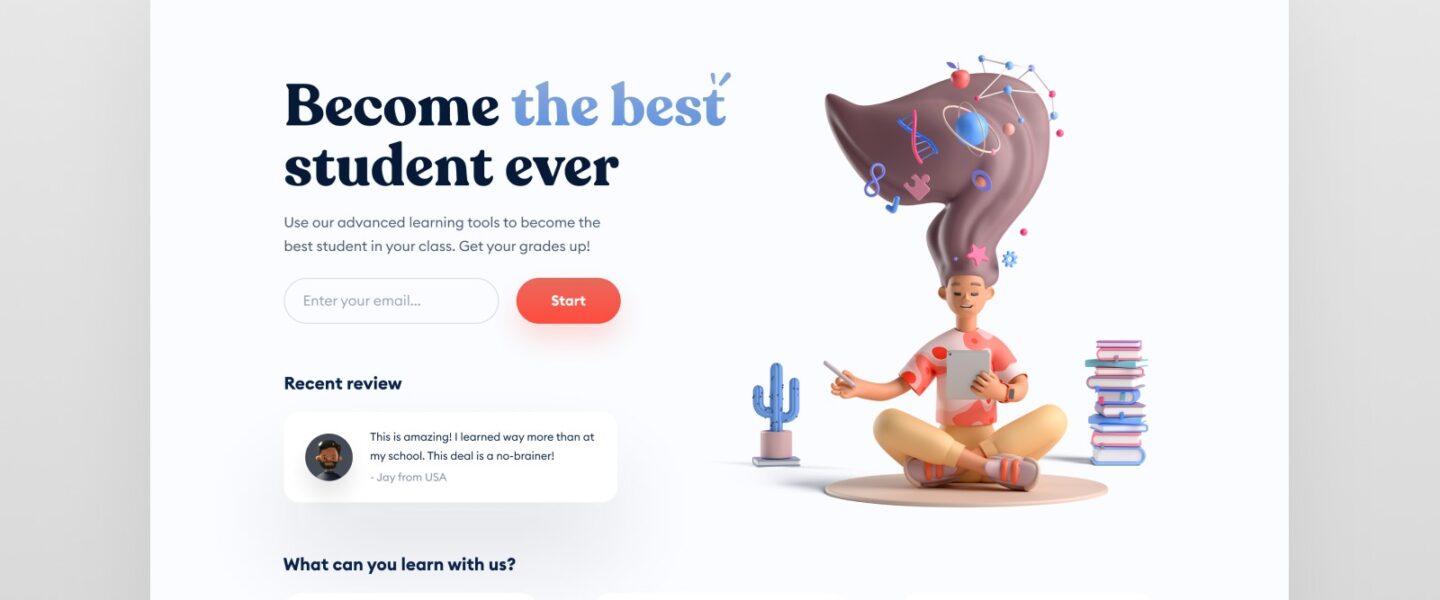
Top 7 Learning Platforms Every Aspiring UI Designer Should Try
Are you hoping to kick-start your career in education technology as a UI designer at universities, colleges, or schools? UI (User Interface) design is a highly sought-after skill, bridging technology and visual creativity, especially in educational settings. To help you on your journey, we’ve compiled a list of the top 7 learning platforms every aspiring UI designer should try. These resources offer a blend of theory and hands-on practice, empowering you to land your dream job in the dynamic world of edtech.
The Importance of UI Design in Education Technology
The role of UI designers in education technology is pivotal. Universities, colleges, and schools increasingly rely on digital platforms for teaching and administration. A well-designed interface can dramatically improve learner engagement, accessibility, and overall educational outcomes. By mastering UI design, you position yourself as a valuable asset in the world of academic technology, helping shape the future of learning.
Benefits of Using Online Learning Platforms for UI Design
- Versatility: Learn at your own pace, choosing courses that fit your schedule.
- Up-to-date Content: Access the latest design trends, tools, and best practices tailored to the evolving field of UI design.
- Hands-on Experience: Work on real-world projects, building a professional portfolio to showcase to potential employers in the education sector.
- Certification: Earn recognized certificates to enhance your resume and boost your credibility in job applications.
- Community Support: Join forums and groups to connect with peers and industry experts.
Top 7 Learning Platforms Every Aspiring UI Designer Should Try
Here’s our curated selection of the best learning platforms to launch or advance your career as a UI designer in the educational sector.
1.Coursera
Coursera partners with top universities and organizations to offer comprehensive UI design courses and specializations. From fundamentals to advanced skills, you’ll find:
- Interactive modules on color theory, typography, and user-centered design
- Courses from institutions like the California Institute of the Arts and University of Michigan
- Portfolio-building assignments
- shareable certificates for your professional profile
2. Udemy
Udemy is a widely recognized platform featuring both beginner and advanced courses in UI design, including:
- Comprehensive tutorials on the latest tools, such as Figma, Sketch, and Adobe XD
- Real-life project scenarios relevant to education technology
- Lifetime access to purchased courses for ongoing learning
- Community Q&A with instructors and fellow students
3. LinkedIn Learning
LinkedIn Learning is essential for aspiring UI designers seeking roles in higher education and school systems. The platform offers:
- Curated UI/UX design courses tailored to the needs of academic settings
- Short, skill-based lessons for busy professionals
- Learning paths for mastering design thinking, wireframing, and prototyping
- Opportunity to showcase certifications directly on your LinkedIn profile
4. Interaction design Foundation (IDF)
IDF is known for its in-depth, research-backed courses specifically focused on UI and UX design.Highlights include:
- Extensive library of UI design courses suitable for all experience levels
- Focus on user-centered design — vital for educational platforms
- Accessible membership, with unlimited course access
- Internationally recognized certification
5. Skillshare
Skillshare offers an engaging, project-based approach perfect for creative learners. You’ll benefit from:
- Hands-on classes led by experienced UI designers
- Short tutorials focused on specific software and design principles
- Creative assignments directly applicable to education tech scenarios
- Peer feedback and collaborative learning with other students
6. FutureLearn
FutureLearn collaborates with academic institutions worldwide to offer UI design courses relevant to the education sector. Features include:
- Programs designed by top universities, ideal for those aiming to work in colleges and schools
- Emphasis on accessibility and inclusive design — key for educational environments
- Interactive activities and group discussions
- Certificates of achievement
7. Pluralsight
Pluralsight is renowned for its technology-centric courses, including specialized UI design content for educational technology. You will find:
- Expert-led courses focusing on design tools and workflow optimization
- Role-based learning paths tailored for aspiring UI professionals
- Assessment tools to track your progress and identify growth areas
- Relevant content for integrating design skills with edtech solutions
Additional Resources for Mastery in UI Design
While the above platforms are comprehensive,aspiring UI designers can also explore supplementary resources such as:
- Design podcasts and blogs for the latest trends and insights
- online communities and forums dedicated to UI design in education technology
- E-books and newsletters for deep dives into specific design topics
Top Practical Tips for Aspiring UI Designers in EdTech
to make the moast of your learning experience and stand out when applying for education technology jobs at universities,colleges,or schools,consider these practical tips:
- Build a targeted portfolio: Showcase projects focused on academic platforms,e-learning portals,or classroom tools.
- Stay updated with edtech trends: Regularly research innovations and requirements specific to educational institutions.
- Gain real-world experience: Volunteer to redesign local school websites or create mockups for university apps.
- Network with professionals: attend webinars or join online groups for UI designers working in education technology.
- Seek feedback: Actively request critique from peers and instructors to continuously refine your skills.
- Highlight soft skills: Dialog, empathy, and problem-solving are essential in designing user-amiable educational interfaces.
How to Choose the right Learning Platform for You
When selecting the best learning platform to become a UI designer in education technology, factor in the following:
- Course content: Ensure the material is up-to-date and relevant to education-focused UI design.
- Instructor expertise: Choose platforms featuring instructors with real-world edtech experience.
- Learning style: Opt for project-based, hands-on classes if you prefer experiential learning.
- Budget: Compare the costs and available free trials to select the most cost-effective option.
- Certification: Research whether the platform offers credentials recognized by universities, colleges, and schools.
Conclusion
Pursuing a career as a UI designer in education technology is both exciting and impactful. By leveraging the top learning platforms highlighted in this article,you’ll acquire the essential skills,practical experience,and professional certifications required to excel in academic institutions. Whether your goal is to craft intuitive e-learning tools or improve digital campus experiences, these platforms are the stepping stones to your dream job in universities, colleges, or schools. Take the initiative, enhance your UI design abilities, and be part of the future of education technology!