
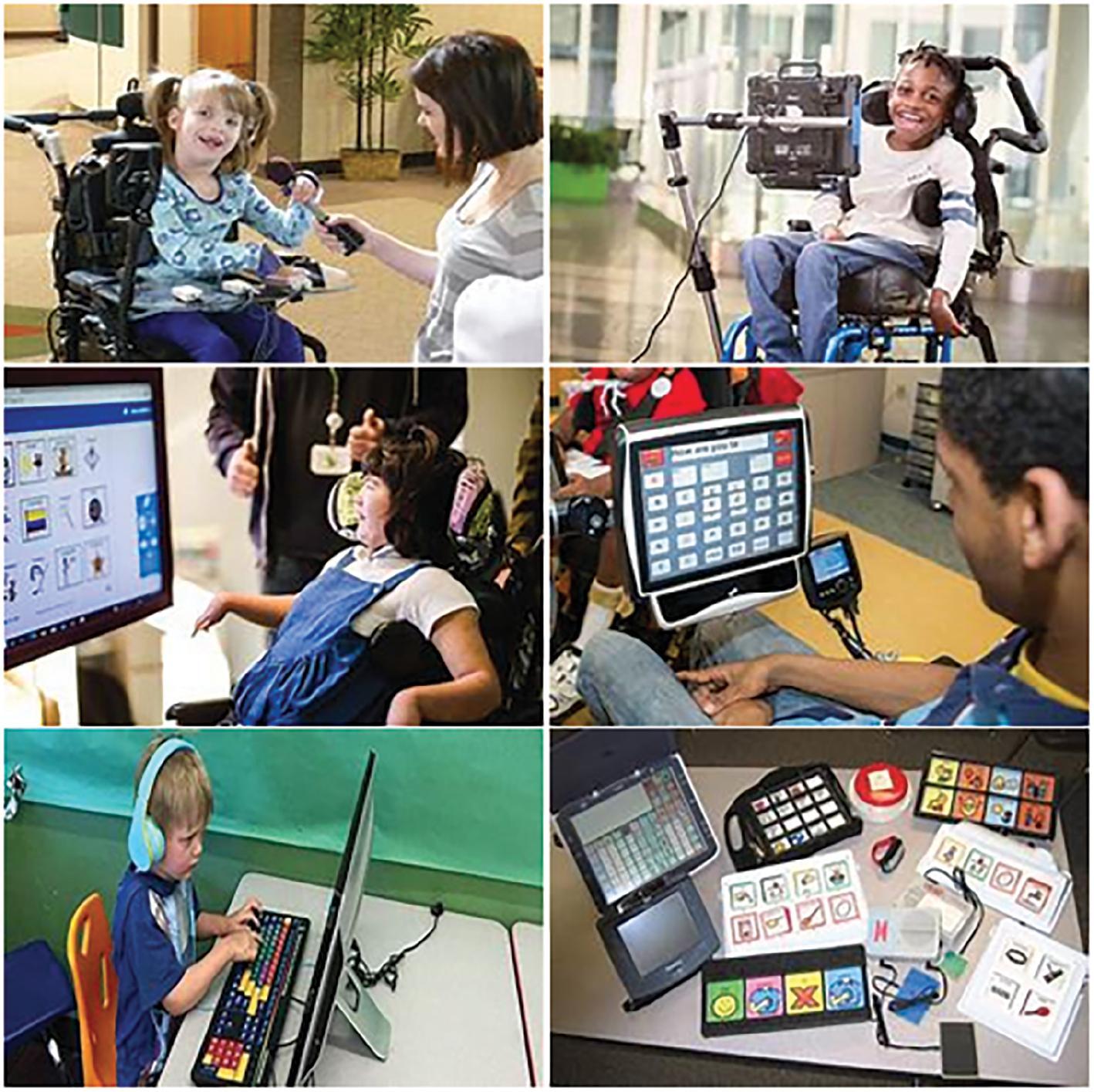
top Assistive Technologies Revolutionizing Learning Experiences in Education
In today’s fast-evolving educational landscape, assistive technologies are transforming the way students learn, ensuring that classrooms are more inclusive, engaging, and accessible than ever before. From students with disabilities to those looking for customized learning experiences, cutting-edge digital tools are breaking barriers and empowering learners across the globe. In this comprehensive guide, we delve into the most powerful assistive technologies shaping modern education, thier key benefits, real-world applications, and expert tips on how to integrate these solutions effectively.
What Are Assistive Technologies in Education?
Assistive technologies refer to digital tools, devices, software, and resources designed to support students with diverse learning needs. They address disabilities, learning differences, and other challenges, making education accessible and personalized for everyone. By leveraging assistive tech, educators can provide tailored support and create a learning environment that ensures every student can thrive.
- Physical disabilities: Mobility aids,adaptive keyboards,and speech-to-text tools
- Visual impairments: Screen readers,Braille displays,and magnification software
- Learning differences: Dyslexia tools,reading and writing assistants,and alternative formats
Top assistive Technologies Revolutionizing Education
Let’s explore the leading assistive technologies that are reimagining learning experiences and setting new standards in inclusive education.
1.Text-to-Speech (TTS) Software
TTS software converts written text into spoken words, assisting students with reading difficulties, visual impairments, or language barriers. Popular tools such as Kurzweil 3000 and Voice Dream Reader offer customizable voices, adjustable speed, and multi-language support, making content more accessible.
- Helps with reading comprehension
- Supports auditory learners
- Enables students to multitask
2. speech-to-Text (Dictation) Tools
Speech-to-text technology, such as Dragon NaturallySpeaking or built-in dictation tools in Microsoft and Google products, allows students to convert spoken language into written text. This is especially beneficial for learners with:
- Physical disabilities impacting typing
- Dyslexia or other learning challenges
3. Screen Readers
Screen readers like JAWS and NVDA interpret text, graphics, and even interactive elements aloud, opening digital resources to students who are blind or visually impaired. These tools work seamlessly with most operating systems, enabling full participation in online learning.
- Supports web browsing and document access
- Facilitates navigation of e-learning platforms
4. Alternative and Adaptive Keyboards
Adaptive keyboards, such as BigKeys and IntelliKeys, feature customizable layouts and large, easy-to-press buttons, supporting students with motor disabilities or coordination challenges. Pairing these keyboards with custom switches can further enhance accessibility.
- Reduces physical barriers to computer use
- Improves typing speed and accuracy
5.Visual Aids and Magnification Software
Technologies like ZoomText and magnifier (built into Windows OS) magnify content, adjust color contrast, and enhance cursor visibility for students with low vision. Portable electronic magnifiers also allow flexible use in and out of the classroom.
6. Assistive Educational Apps
A wide range of apps are making personalized learning easier for all students:
- Bookshare: Provides access to accessible books
- Ghotit: A writing assistant for dyslexia and dysgraphia
- ModMath: Helps students with dyslexia tackle math problems digitally
7. Closed Captioning & Subtitling Tools
Closed captioning in videos and live lectures serves students with hearing impairments as well as anyone needing additional language support. Platforms such as Google classroom and Zoom offer real-time captions, enhancing communication and engagement.
Benefits of Assistive Technologies in Education
Investing in assistive technology solutions yields notable advantages for students, educators, and institutions:
- Equitable access: Every student can participate, nonetheless of ability or background
- Personalization: Customized learning paths to suit individual needs and preferences
- Greater independence: Students work autonomously and confidently
- Enhanced engagement: Interactive, multimedia resources keep students motivated
- Boosted academic performance: Data shows increased grades and retention when assistive tech is effectively integrated
“Assistive technologies allow us to focus on what students can do, rather than what they can’t,” notes Dr.Maria Estrada, a leading advocate for inclusive education.
Practical Tips for Integrating Assistive Technologies in Classrooms
Successfully implementing assistive technology in your school isn’t just about purchasing devices—it’s about creating an inclusive culture and maximizing the technology’s impact:
- Assess student needs: Collaborate with specialists to identify which tools fit best
- Train educators and students: Provide regular workshops and support materials
- Maintain adaptability: Allow for trial and error in tool selection
- Prioritize privacy and security: Ensure data protection, especially for minors
- Encourage feedback: Listen to students’ and families’ experiences to improve adoption
Case Studies: Assistive Technologies Making a Difference
Case Study 1: Empowering Students With Dyslexia
At Oak Ridge Elementary in California, educators integrated the Ghotit app and Bookshare digital libary into their literacy curriculum. Teachers noted dramatic improvements in student writing skills, reading comprehension, and self-confidence. Students reported feeling “less frustrated,” and standardized test scores rose by 22% within a single school year.
Case Study 2: Inclusive Math Learning for All
In the UK, Shining Futures Academy implemented ModMath for its students with dysgraphia. The app’s touch-based interface and step-by-step support enabled learners to handle complex equations they previously found daunting. The school recorded increased participation in math classes and a sharp decrease in absenteeism.
First-Hand Experience: Student Voices on Assistive Technology
Emma, a high school sophomore with visual impairment: “Using the JAWS screen reader and ZoomText, I’m able to follow lessons, take notes, and participate like everyone else. My grades improved, but most importantly—I feel included.”
Daniel,a college undergraduate with dyslexia: “Text-to-speech and dictation tools have taken the stress out of essay writing. Now, I spend more time on research and less time struggling with typing errors.”
Choosing the Right Assistive Technology for Your Classroom
With so many solutions available, it’s important to select tools tailored to specific needs:
- Consider age appropriateness and ease of use
- Check compatibility with existing devices and learning platforms
- Identify features that support a global design for learning (UDL) approach
- Look for ongoing support, updates, and scalability
Consulting with educational specialists and involving students in choices helps ensure sustained engagement and a positive learning outcome.
Conclusion: The Future of Education Is Inclusive and Empowered
The impact of assistive technologies in education cannot be overstated. By breaking down barriers to learning, these innovative tools foster equitable opportunities and unlock every student’s potential.As schools and educators continue to embrace technology, investing in inclusive solutions is crucial for creating a brighter, more diverse learning environment where everyone can succeed.
Ready to revolutionize your classroom? explore and integrate assistive technologies today—and join the movement towards empowered, accessible education for all.