
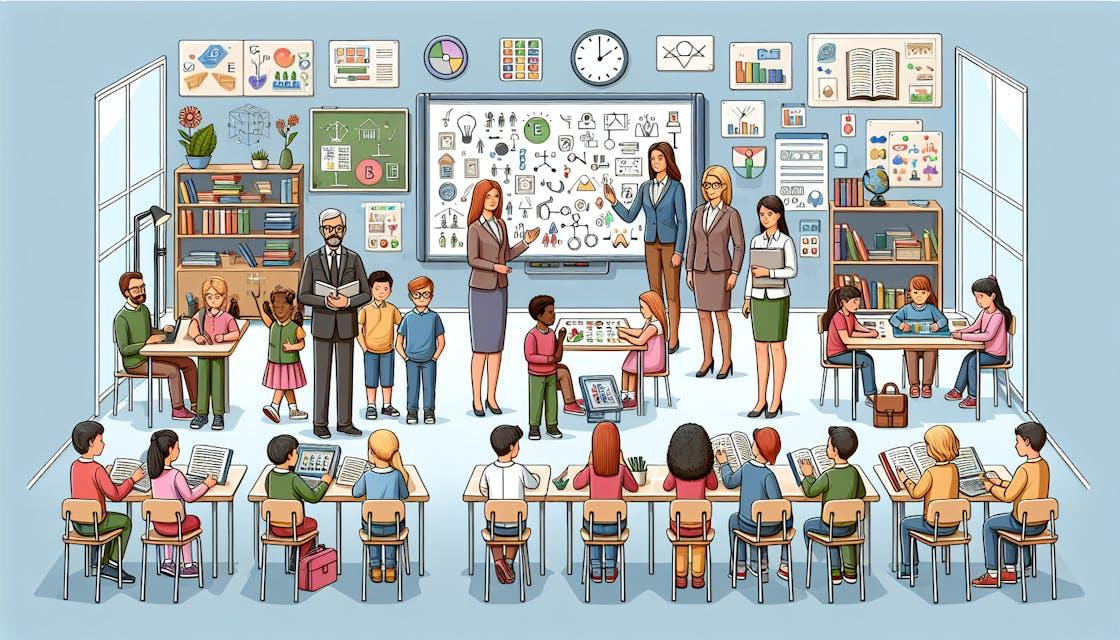
Top Assistive Technologies Transforming Learning Experiences in Modern Education
In today’s fast-evolving educational landscape, assistive technologies are reshaping the way students learn, engage, and succeed. Thanks to rapid advancements in digital tools, modern classrooms are now more inclusive, offering personalized learning experiences to students with diverse needs and abilities. If you’re an educator,student,or parent curious about the impact of technology on accessible education,this extensive guide will walk you through the top assistive technologies transforming learning in modern education—and why they matter more than ever.
What Are Assistive Technologies in Education?
Assistive technologies (AT) are tools, devices, or software designed to support and empower students with disabilities or learning challenges. But their benefits extend to all learners, improving engagement, accessibility, and academic achievement.From basic screen magnifiers to advanced AI-driven applications, assistive technology in education is leveling the playing field and fostering an inclusive learning surroundings.
Why Are Assistive technologies Important in Modern Learning?
- Enhanced Accessibility: students with visual,auditory,physical,or cognitive challenges can fully participate in lessons.
- Personalized Learning: Learning approaches can be customized based on individual needs and preferences.
- Boosted Engagement: Interactive and immersive technologies make learning more stimulating for all.
- Increased Independence: Students gain the confidence to work and learn autonomously.
- Better academic Performance: Addressing learning barriers leads to improved results and greater satisfaction.
Top Assistive technologies in modern Education
Let’s explore the most impactful assistive technologies that are making modern education more accessible, innovative, and enjoyable.
1. Screen Readers
Screen readers are vital for students who are visually impaired or blind. These applications convert digital text into synthesized speech or Braille. Popular solutions like JAWS (Job Access With Speech) and NVDA (NonVisual Desktop access) allow users to navigate websites, read emails, and access educational content effortlessly.
- Supports a wide range of digital materials and file formats
- Compatible with most operating systems
- Can be integrated with Braille displays for tactile reading
2. Speech-to-Text Software
Speech-to-text technology (also known as voice recognition) transcribes spoken words into writen text. This is a game-changer for students with dyslexia, physical disabilities, or difficulties in writing. Tools like Dictation.io, Dragon NaturallySpeaking, and integrated features in Google Docs streamline note-taking and assignment writing.
- Increases writing speed and accuracy
- Reduces frustration for students struggling with traditional typing
- Facilitates language learning and communication
3. Text-to-Speech Tools (TTS)
Text-to-speech tools convert written text into audio, aiding readers with dyslexia, ADHD, or visual impairments. Applications like NaturalReader and Google Text-to-Speech allow students to listen to textbooks, articles, and web content.
- Promotes better comprehension and retention
- Improves multitasking and flexible learning
4. Augmentative and Alternative Communication Devices (AAC)
AAC devices empower non-verbal students or those with speech difficulties to communicate using images, symbols, or text.Devices like Tobii Dynavox and apps such as Proloquo2Go create voice outputs tailored to users’ needs.
- Enables expressive and receptive communication
- Customizable to individual vocabulary and language skills
- Encourages social interaction in and out of the classroom
5. Assistive Listening Devices (ALDs)
Students with hearing impairments benefit immensely from assistive listening devices. These include FM systems, infrared systems, and loop systems that amplify sounds directly from the teacher’s microphone to the student’s ear.
- Minimizes background noise and distractions
- Enhances clarity of speech, improving comprehension
6. Educational Software with Built-in Accessibility
Many popular learning management systems and apps, such as Canvas, Microsoft Office 365, and Google Classroom, now offer built-in accessibility features.These include high-contrast modes,keyboard navigation,alt-text support,and Read Aloud functionality.
- Reduces barriers for students with disabilities
- Facilitates universal design for learning (UDL)
7. Braille Displays & Embossers
Refreshable Braille displays and Braille embossers allow blind students to read text output in braille form. Devices like the BrailleNote Touch bridge the gap between digital content and tactile learning.
- Supports real-time Braille conversion for documents and web pages
- Useful for STEM subjects that require complex notation
8. AI-Driven Learning Platforms
Artificial intelligence (AI) is now powering personalized, adaptive learning environments. platforms like Khan Academy, Duolingo, and read&Write by texthelp use AI to assess skill levels, provide tailored content, and support students with learning disabilities.
- Monitors individual progress & recommends targeted exercises
- Integrates with other assistive technologies
Real-Life Impact: Case Studies & First-Hand Experiences
Making learning Accessible for All: jamie’s Story
Jamie,a high-school student with dysgraphia,struggled with note-taking and written assignments. By integrating speech-to-text software and text-to-speech tools,Jamie could express ideas verbally and have them transcribed accurately. This not only boosted Jamie’s academic performance but also self-esteem—showing how assistive technology in learning enables students to reach their full potential.
Collaborative Learning with AAC Devices
In an inclusive elementary classroom, several non-verbal students use AAC devices to participate in group discussions. Teachers reported deeper peer engagement and a stronger sense of community, as all students could contribute their thoughts and opinions.
Benefits of Integrating Assistive Technologies in education
- promotes inclusive pedagogy by meeting diverse student needs
- Aligns with legal standards for accessibility in education (e.g., ADA, IDEA)
- Improves collaboration between students, educators, and families
- Prepares students for a technology-driven workforce
- Fosters independence and self-advocacy skills
Practical Tips for Educators & Schools
- Stay informed: Regularly review emerging assistive technology trends and evaluate new tools.
- conduct accessibility audits: Ensure current resources and platforms meet accessibility standards.
- Involve students: Ask for feedback and personalize technologies to individual preferences.
- Provide training: Offer ongoing support and professional advancement for educators and staff.
- Leverage built-in features: Utilize accessibility options within mainstream software before investing in specialized tools.
conclusion
The integration of assistive technologies in modern education is not just a trend—it’s a necessity for true accessibility and inclusive learning. From screen readers and speech-to-text tools to advanced AI-driven platforms, these innovations are breaking down barriers and ensuring that every learner has the chance to shine. By embracing these top assistive technologies, educators and institutions pave the way for a brighter, more equitable future in education.
Are you ready to transform yoru classroom or support the learners in your life? Stay updated on the latest advancements in assistive technology, and never underestimate the difference that the right tool can make!
Frequently Asked Questions (FAQ)
What is the most widely used assistive technology in education?
Screen readers and text-to-speech tools are among the most commonly used assistive technologies, serving a broad range of students with various needs.
How can schools fund assistive technology adoption?
Grants, government funding, and partnerships with tech providers can help schools access and implement assistive technologies.
Are assistive technologies only for students with disabilities?
No! While they are invaluable for students with disabilities, many tools also benefit neurotypical students and support personalized learning for everyone.