
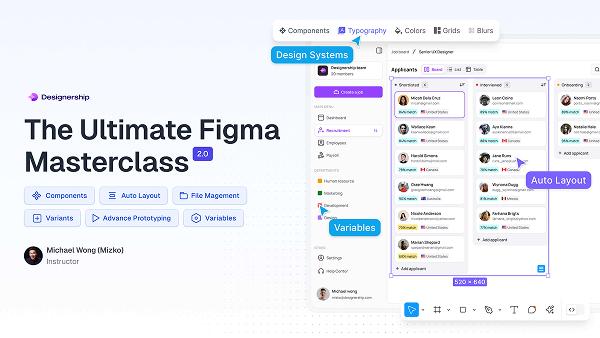
Top Learning platforms Every UI Designer Should Explore for Skill Growth
Are you eager to land a job in education technology at universities, colleges, or schools? Whether you’re an aspiring UI designer or a seasoned professional aiming to refine your skills, choosing the right learning platforms can be a game-changer. UI design is a critical field in today’s tech-savvy educational landscape,and candidates who continually expand their skill sets stand out to employers.
In this complete guide, we’ll explore the best online platforms for UI designers, discuss their unique features, and share practical tips for maximizing your learning experience. If you’re passionate about educational technology and UI design, this resource will help you accelerate your professional growth and position yourself competitively for your dream job.
Why UI Designers Are Crucial in Education Technology
Universities, colleges, and schools are increasingly integrating digital learning environments. User Interface (UI) designers ensure these platforms are visually engaging,intuitive,and accessible to all students and educators. Effective UI design enhances user experience, boosts learning efficiency, and supports inclusive education.
- improved Accessibility: UI designers make technology usable for diverse groups, including those with disabilities.
- Enhanced Engagement: With visually appealing layouts, students remain motivated and focused.
- Streamlined Navigation: Clear interfaces help users easily find resources and tools.
Top Learning Platforms for UI Designers
To build your UX and UI skills for roles in education technology, exploring these proven learning platforms will help you grow professionally. Here are the top platforms every UI designer should consider:
1. Coursera
Coursera offers specialized design courses curated by leading universities.Courses span UX/UI fundamentals, prototyping, mobile interfaces, and accessibility in education contexts. Flexible timelines,hands-on projects,and certificates make Coursera a favorite among aspiring UI designers.
- Renowned instructors from top schools
- Career-focused specializations
- Project-based assignments
2. Udemy
Udemy’s massive libary features UI design courses suitable for all skill levels. You’ll find modules on responsive web design, mobile apps, and using tools like Figma, Sketch, and Adobe XD. The self-paced format is great for busy professionals or students preparing for roles in education technology.
- lifetime access to courses
- Frequent updates and new content
- Practical projects for portfolios
3. LinkedIn Learning
LinkedIn Learning is ideal for UI designers building skills targeted at career advancement. Courses focus on real-world scenarios in design for educational platforms,e-learning tools,and best practices in digital education UI.
- Easy integration with LinkedIn profiles
- Certificates for completed courses
- Expert instructors from the tech industry
4. Skillshare
Skillshare’s interactive, community-driven classes cover everything from UI basics to advanced interactive design. Group projects and peer feedback make Skillshare a unique option for those seeking collaborative learning experiences in education technology.
- Active design community
- Short, engaging lessons
- Opportunities for skill-sharing
5. Interaction Design Foundation
This platform stands out for it’s deep focus on UI/UX principles, especially as they pertain to educational environments.Membership unlocks exclusive articles, webinars, and mentorship geared toward effective user interface design in learning platforms.
- Extensive UX/UI resources
- Accredited certificates
- Networking opportunities
6. FutureLearn
FutureLearn partners with leading universities to offer courses emphasizing UI design for online learning, educational apps, and digital classroom management. The platform’s emphasis on collaborative projects makes it especially suitable for UI designers aiming to break into educational technology roles.
- University-backed courses
- Focus on education-specific design challenges
- Group assignments and feedback
Key Skills UI Designers Need for Education Technology Roles
Before choosing a platform,understand which UI design skills are most valued in the education sector. Employers at colleges, universities, and schools prioritize candidates who possess:
- Accessibility Design: Ability to create interfaces compliant with WCAG standards
- Responsive Design: Proficiency in adapting layouts for desktops, tablets, and mobile devices
- Prototyping Skills: Familiarity with tools like Figma, Adobe XD, Sketch
- Educational UX Research: Understanding learner needs through usability testing
- Collaboration: Working with developers, educators, and stakeholders
The platforms listed above feature courses and resources tailored to these mission-critical skills, making them the best choice for aspiring UI designers in education technology.
Benefits of Exploring Multiple learning Platforms
Diversifying your learning journey as a UI designer unfolds notable advantages:
- Broad Knowledge base: different platforms offer varied perspectives,tools,and design theories.
- Adaptability: Mix self-paced and instructor-led courses to suit your schedule.
- Portfolio Progress: Gain access to numerous project opportunities to showcase your abilities to educational institutions.
- Professional Certification: Enhance your resume with verified certificates from respected organizations.
- Networking: Engage with peers, instructors, and professionals through forums and collaborative projects.
Practical Tips for Maximizing Your Skill Growth on Learning Platforms
Here’s how you can make the most of your journey as a UI designer looking to break into education technology:
- Set Clear Goals: Determine which areas of UI design you want to master for educational settings. Accessibility? Responsive design?
- Curate a Learning Path: Combine introductory, intermediate, and advanced courses for comprehensive skill coverage.
- Build a Portfolio: Save all project work and create case studies directly related to education technology platforms.
- Seek Feedback: Participate in community discussions and ask for critiques on your UI projects.
- Stay Updated: Regularly check for new course releases and industry trends in UI/UX for learning platforms.
- Network with Experts: Engage with course instructors and alumni to find mentors and career opportunities in educational technology.
Personal Branding for UI Designers in Education
Employers in universities and schools prefer candidates who display a deep understanding of education-focused design.Update your resume and LinkedIn profile to highlight specific coursework, certifications, and projects related to e-learning platforms or school management systems.
- Mention directly relevant skills and technologies
- Include any certificates from top learning platforms in your resume
- Document triumphant redesigns, prototypes, and usability test results for educational tools you’ve worked on
How UI Designers Stand Out in Education Technology Job Markets
UI designers with hands-on experience from leading learning platforms are more likely to secure roles in universities, colleges, and schools. Here are a few ways enrolling in these platforms can set you apart:
- Validated Skillset: Course certificates provide proof of your expertise.
- Industry Awareness: Courses are frequently enough updated to reflect current educational technology trends.
- Portfolio Quality: Real-world projects serve as compelling evidence of your capability.
- Professional Connections: Networking opens the door to job referrals and collaboration opportunities.
Conclusion
If you’re serious about advancing your career as a UI designer in education technology, leveraging the top learning platforms outlined in this guide is essential. Each offers unique features geared toward developing the real-world skills that universities, colleges, and schools are actively seeking in their candidates.
From mastering accessibility and responsive design to building targeted portfolios and certifications, your journey starts with exploring these platforms and engaging deeply with their resources. by setting clear goals,curating a learning path,and networking within the UI/UX community,you’ll position yourself to make a meaningful impact in education technology and achieve your professional ambitions.
Ready to transform your career? Choose your platforms, start learning, and watch your UI design skills—and job prospects—soar in the dynamic field of educational technology.