
Top Learning Tools Every Accessibility Specialist Should know
As universities, colleges, and schools embrace digital learning, the role of the Accessibility Specialist has become increasingly vital. Education technology, or EdTech, is at the forefront of transforming how students with disabilities access course materials and participate in learning. If you’re seeking a career as an Accessibility Specialist in education technology, knowing the top learning tools is essential. This comprehensive guide explores must-have EdTech tools, their benefits, and practical tips to succeed in this pivotal role.
What Does an Accessibility Specialist Do in EdTech?
An Accessibility Specialist ensures educational environments—both physical and digital—are accessible to all students, including those with disabilities. In EdTech, this means:
- Evaluating digital platforms for compliance with accessibility standards
- advising on best practices for inclusive design
- Supporting faculty and staff with accessible course materials
- Training students and educators on assistive technology
To fulfill these responsibilities, it’s crucial to master a range of learning tools designed for accessibility in education.
Why Are Accessibility Tools Essential in Education?
Accessibility tools are not just about compliance—they empower all learners.Using the right EdTech solutions can:
- Enable students with disabilities to participate fully in academic life
- Break down barriers to learning
- Improve student outcomes through personalized support
- Ensure institutions meet legal and ethical obligations
Top Learning Tools Every Accessibility Specialist Should Know
Below are the key learning tools you need to master as an Accessibility Specialist in education technology. These solutions cover a variety of accessibility needs, from visual and auditory support to cognitive and physical accommodation.
1. Screen Readers
Screen readers are software applications that convert digital text into speech or braille, allowing blind or visually impaired students to navigate digital content independently. Popular screen readers include:
- JAWS (Job Access With Speech): Widely used in higher education for its advanced features and compatibility with major operating systems.
- NVDA (NonVisual Desktop Access): Free, open-source, and highly customizable—ideal for budget-conscious institutions.
- VoiceOver: Built into Apple devices, making iPads and Macs accessible out of the box.
Screen readers are essential for web accessibility,and proficiency with them is critical for any accessibility role.
2. Text-to-Speech (TTS) Tools
Text-to-Speech tools support students with visual impairments, learning disabilities, and other challenges by reading digital text aloud. Top TTS tools include:
- Read&Write: offers a range of literacy support features including TTS, speech-to-text, and study tools.
- Kurzweil 3000: Designed specifically for education, it combines TTS with robust study skills features.
- NaturalReader: A user-kind TTS tool with multiple voices and language support.
These tools help foster independence and engagement among students struggling with reading and comprehension.
3. Speech Recognition Software
Speech recognition software, or voice dictation tools, convert spoken words into text. They are invaluable for students with physical disabilities or those who find it difficult to type. Leading software includes:
- Dragon NaturallySpeaking: Industry standard for accuracy and adaptability in educational settings.
- Google Voice Typing: Free and accessible via Google Docs, popular for classroom use.
- Microsoft Dictate: Integrates seamlessly with Microsoft Office applications, perfect for everyday assignments.
Accessibility Specialists should train faculty and students on these platforms and reccommend the best fit for individual needs.
4. Captioning and Transcription Tools
Live and recorded video content must be accessible to students who are deaf or hard of hearing. Captioning and transcription tools make this possible.Top choices include:
- Otter.ai: Automates transcription of lectures and meetings with extraordinary accuracy.
- Camtasia: Allows educators to add closed captions to recorded lessons and tutorials.
- Automatic Speech Recognition (ASR) tools: Many LMS and video platforms now include built-in ASR for real-time captioning.
Quality captioning ensures equitable access and improves the learning experience for everyone.
5.Accessible Learning Management systems (LMS)
An LMS is the backbone of digital instruction. Ensure you’re proficient in platforms known for robust accessibility features:
- Canvas: Known for its user-friendly interface and extensive accessibility documentation.
- Moodle: Open-source platform with strong support for screen readers and keyboard navigation.
- blackboard: Continually updated to meet WCAG standards and support a wide range of assistive technologies.
Accessibility Specialists must advocate for ongoing accessibility reviews and updates in their school’s LMS.
6. Option Input and Output Devices
Some students require non-standard devices such as:
- Switch Interfaces: For students with limited mobility, switches provide alternative ways to interact with computers and classroom devices.
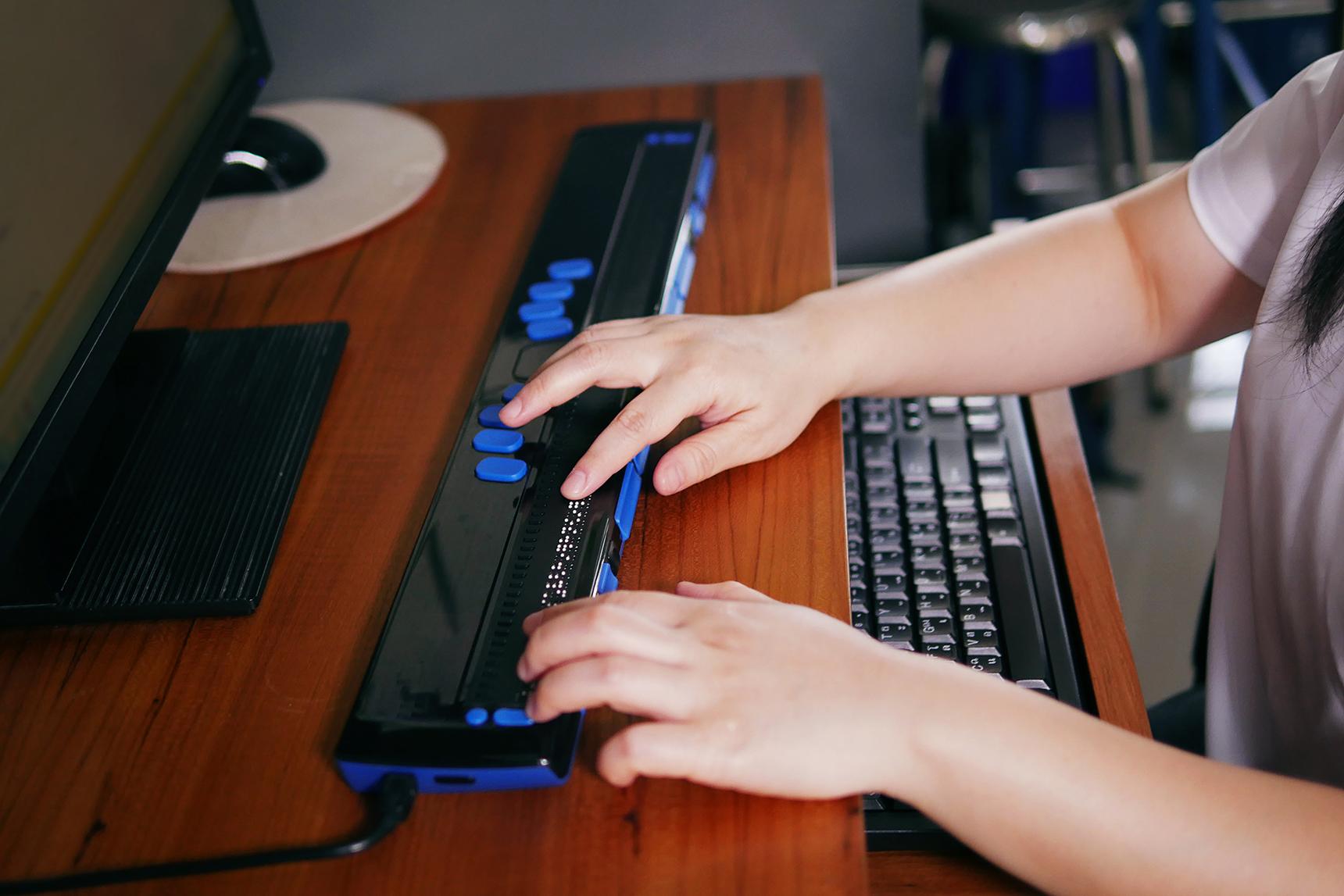
- Braille Displays: Connected to computers or tablets to output text in braille in real time.
- Adaptive Keyboards and Mice: Customizable hardware to accommodate individual needs.
Understanding these tools enables Accessibility Specialists to implement tailored solutions for every learner.
7. Web Accessibility Evaluation Tools
Checking the accessibility of digital content is a routine part of an Accessibility Specialist’s job. Top evaluation tools include:
- WAVE Web Accessibility Tool: Analyzes web pages for accessibility issues and suggests fixes.
- axe: Automated accessibility testing for websites, suitable for integration into growth pipelines.
- Siteimprove: monitors ongoing compliance and provides actionable insights to improve content.
Familiarity with these tools helps ensure webpages, online assignments, and resources are accessible to all.
Benefits of Mastering Accessibility Tools in Education Technology
- Boost Employability: Expertise in accessibility tools is highly sought after by universities,schools,and colleges.
- Make a Tangible Impact: Your work directly supports student success and inclusivity.
- Stay Ahead of Compliance: Proficiency helps institutions meet ADA, section 504, and WCAG standards.
- Drive Innovation: Accessible EdTech fosters creative educational practices and broader student engagement.
Practical Tips for Aspiring Accessibility specialists
If you’re targeting a job in education technology as an Accessibility Specialist, these tips can help you stand out:
- Get Certified: Consider certifications such as IAAP’s Certified Professional in Accessibility Core Competencies (CPACC).
- Network with Experts: Join accessibility-focused online communities and attend workshops.
- Stay Updated: EdTech evolves rapidly—subscribe to newsletters and follow accessibility updates from major platforms.
- practice with Tools: Create a sandbox environment to test accessibility features and troubleshoot common issues.
- Advocate: Be proactive about accessible course design and collaborate with faculty on inclusive teaching methods.
Conclusion: Empowering Every Learner Through Accessible EdTech
Accessibility Specialists are the unsung champions of inclusive education.By mastering the top learning tools in education technology, you’ll ensure that every student—irrespective of ability—can engage meaningfully with digital and classroom resources. Whether you’re looking to work in a university, college, or school, proficiency in these tools opens doors to enriching career opportunities and the chance to transform lives through education. Start your journey today by exploring these solutions and building your expertise in EdTech accessibility.