
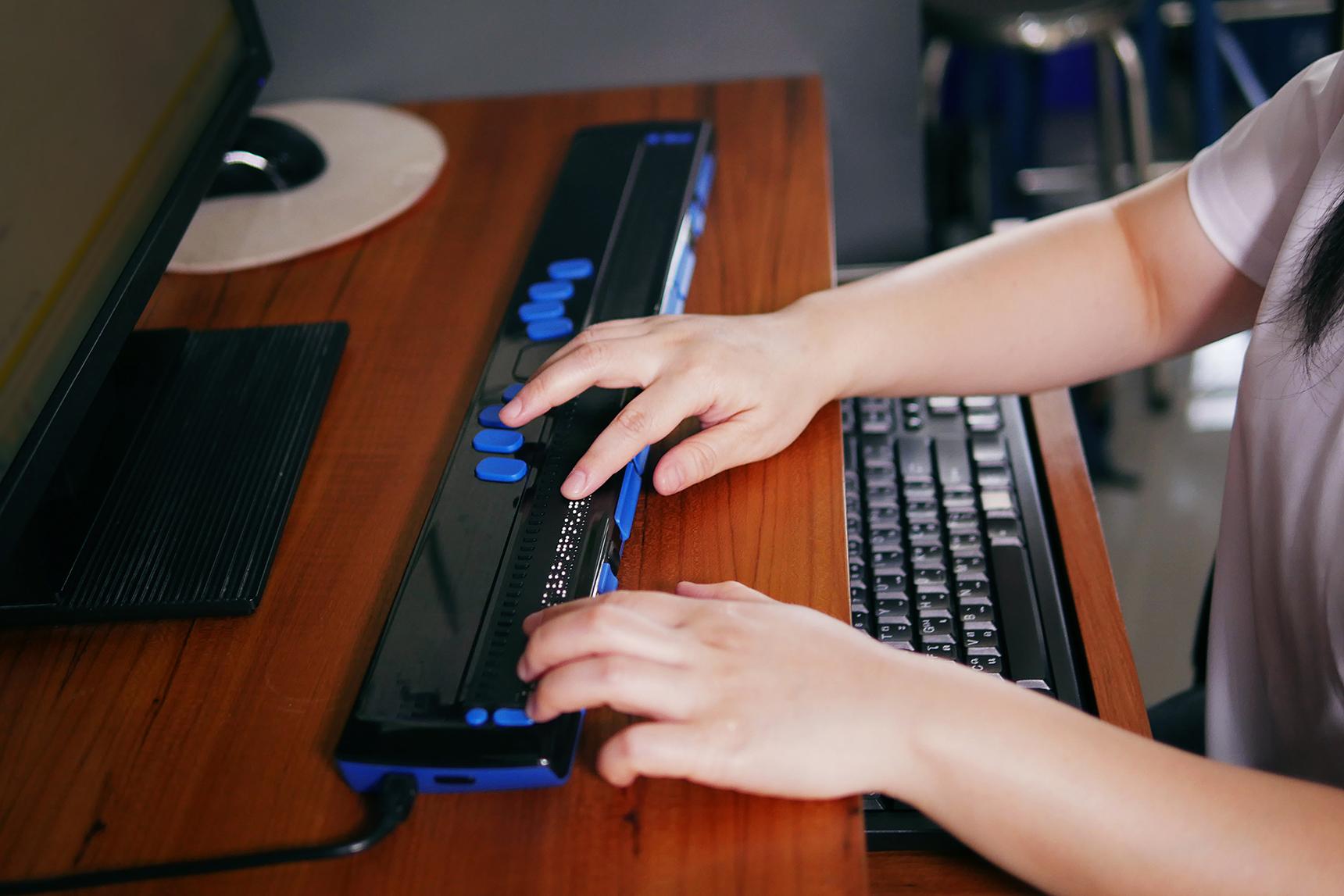
Unlocking Learning for All: Best Practices for Ensuring Digital Accessibility in Educational Tools
In today’s rapidly evolving digital landscape, educational tools are transforming how we teach, learn, and connect. Though, digital innovation must go hand in hand with inclusivity. Digital accessibility ensures that educational technologies can be used by everyone, regardless of ability or disability. Without accessible tools, millions of learners risk being left behind. This article explores best practices and proven strategies to unlock learning for all, ensuring that digital educational tools are welcoming, helpful, and empowering for every student.
Why Digital Accessibility in Educational Tools Matters
Accessibility in education is more than a technical requirement—itS a commitment to equity, diversity, and inclusion. According to the World Health Organization, over a billion people worldwide live with some form of disability. many of these individuals are students eager to learn, collaborate, and excel. Digital accessibility isn’t just about following legal mandates; it’s a moral imperative and a wise educational investment.
- Broadens reach: Accessible tools serve a wider audience, benefiting all types of learners—including those with temporary impairments or situational limitations.
- Supports different learning styles: Features like captions, transcripts, and option text help not only students with disabilities but also those who prefer visual or auditory materials.
- Fosters independence: When tools are designed inclusively, students engage more fully and independently.
- Enhances educational outcomes: Accessible content helps all students understand and retain material better.
Core Principles of Digital Accessibility
To build digital educational tools that are truly accessible,developers,educators,and content creators should adhere to globally recognized standards,such as the Web Content Accessibility Guidelines (WCAG) and the Accessible Rich Internet Applications (ARIA) suite. These principles focus on making digital content:
- Perceivable – Content must be presented in ways that users can perceive (e.g., text alternatives for images, captions for videos).
- Operable – Users must be able to interact with all controls and navigation using a variety of input methods (keyboard, mouse, voice, etc.).
- Understandable – information and navigation should be clear and predictable.
- Robust – Content should work reliably with current and future assistive technologies.
Best Practices for Ensuring Digital Accessibility in Educational Tools
Achieving true digital accessibility requires thoughtful design, ongoing testing, and a commitment to continuous improvement. Here are the top strategies:
1. Use Semantic HTML and structured Layouts
- Utilize
, - Employ proper heading hierarchies (
- Use lists, tables, and forms appropriately to provide meaning and context.
2.Provide Text Alternatives for Non-Text Content
- Add descriptive alt text to images,diagrams,and graphics.
- Supply transcripts for audio content and captions or subtitles for video content.
- Label controls with accessible names so that assistive technologies can interpret their purpose.
3. Ensure Keyboard Accessibility
- All interactive elements (links,buttons,form fields) should be operable via keyboard alone.
- Provide clear focus indicators using CSS (e.g.,
outline: 2px solid #005fcc;) so users know which item is active. - Avoid trapping focus within modal dialogs or popups, and ensure users can easily navigate out.
4. Design with Sufficient Color Contrast
-
Ensure text has a minimum contrast ratio of 4.5:1 against its background (WebAIM Contrast Checker).
-
Don’t rely solely on color to convey meaning; use icons, labels, and patterns for additional cues.
5. Craft Clear and Simple Content
- Write in plain language; avoid jargon and complex sentence structures.
- Break up text into manageable sections with subheadings and bullet points.
- Use descriptive link text (e.g.,“Download resource guide” instead of “Click here”).
6.Test with Real Users and Assistive Technology
- Conduct usability testing with students of diverse abilities—including screen reader and keyboard-only users.
- Leverage automated accessibility checkers but always pair with manual reviews for context-specific issues.
- Integrate accessibility checks into your content publishing workflow within platforms like WordPress.
7. Ensure Compatibility with Learning Management Systems (LMS)
-
Ensure educational tools, plugins, and integrations work smoothly with popular LMS platforms and their accessibility plugins.
-
Choose WordPress themes and plugins that are actively developed for accessibility (Accessibility-ready themes).
Benefits of Accessible Educational Tools
Educational technology that places a premium on accessibility opens doors for students, educators, and institutions alike. Here’s what schools, ed-tech companies, and learners stand to gain:
- Improved learning experience: Accessible tools support differentiated instruction, making learning more engaging and comprehensible.
- Legal compliance: Compliance with accessibility laws such as Section 508 (U.S.), EN 301 549 (EU), and ADA avoids costly litigation and penalties.
- Positive brand perception: Demonstrating a commitment to inclusivity strengthens reputation among students, parents, and stakeholders.
- Broader adoption and market reach: Institutions and educators are more likely to purchase or endorse tools that meet strict accessibility criteria.
Practical Tips for Educational Content Creators
- Use WordPress plugins like WP Accessibility or Accessible content for routine checks and fixes.
- include accessibility statements and feedback forms to receive suggestions from users.
- Keep learning! Continuous training in digital accessibility is vital—consider resources such as WAI: Test and Evaluate.
- Regularly update educational content and technology to address new accessibility challenges or guidelines.
Case Study: Accessible Online Learning in Practice
One major university committed to a campus-wide digital accessibility push. They audited all online courses and third-party tools used by the faculty, applying WCAG 2.1 AA standards. Here’s what happened after implementing complete accessibility updates:
- Student satisfaction scores rose by 30%, especially among students with visual and hearing impairments.
- Faculty adoption of digital resources improved due to increased confidence in accommodating all learners.
- The university avoided several costly legal challenges by proactively ensuring compliance.
The takeaway? Investing in accessibility pays off in more engaged, successful, and loyal learners.
First-Hand Experience: A Student’s Perspective
“As a student with low vision, I used to struggle with inaccessible course materials.After my institution upgraded to accessible tools and provided audiobooks, alt-text, and high-contrast interfaces, my learning experience transformed. I felt seen, supported, and empowered to participate fully, just like my peers.” – Maria, University Student
Conclusion: Building a Future of Inclusive Education
The promise of digital learning is its ability to reach and inspire every student. By following best practices for digital accessibility in educational tools, educators, designers, and developers can break down barriers and foster vibrant, equitable online learning communities. When all learners are given the right tools and support, the entire educational experience is enriched—for everyone.
Make digital accessibility a forethought, not an afterthought. When we unlock learning for all, we build a smarter, more inclusive future. Start today—because every student deserves a seat at the digital table.