
Visual Designer in E-Learning: Key Skills and Strategies for Engaging Course Design
Are you passionate about blending creativity with education? If you’re considering a career as a Visual Designer in E-Learning at universities, colleges, or schools, you’re stepping into a vibrant field where design meets pedagogy. The demand for innovative and engaging online course design has skyrocketed, making skilled visual designers invaluable in the education technology (edtech) sector. This thorough guide explores key skills,benefits,practical strategies,and tips to help aspiring visual designers succeed in e-learning environments.
Why Visual Design Matters in E-Learning Environments
The digital shift in education isn’t just about uploading lectures online—it’s about crafting immersive learning experiences. A Visual Designer in E-Learning transforms traditional coursework into interactive journeys that promote deeper understanding and retention. Whether you’re working for universities, colleges, or K-12 schools, your ability to combine compelling visuals with instructional intent can make a decisive impact on learner engagement and success.
Key Responsibilities of a Visual Designer in E-Learning
As a visual designer in the education technology sector, your job goes beyond selecting images and colors. You’ll collaborate with instructional designers, subject matter experts, and IT professionals to:
- Develop UI/UX concepts for digital learning platforms
- Design infographics, animations, diagrams, and icons
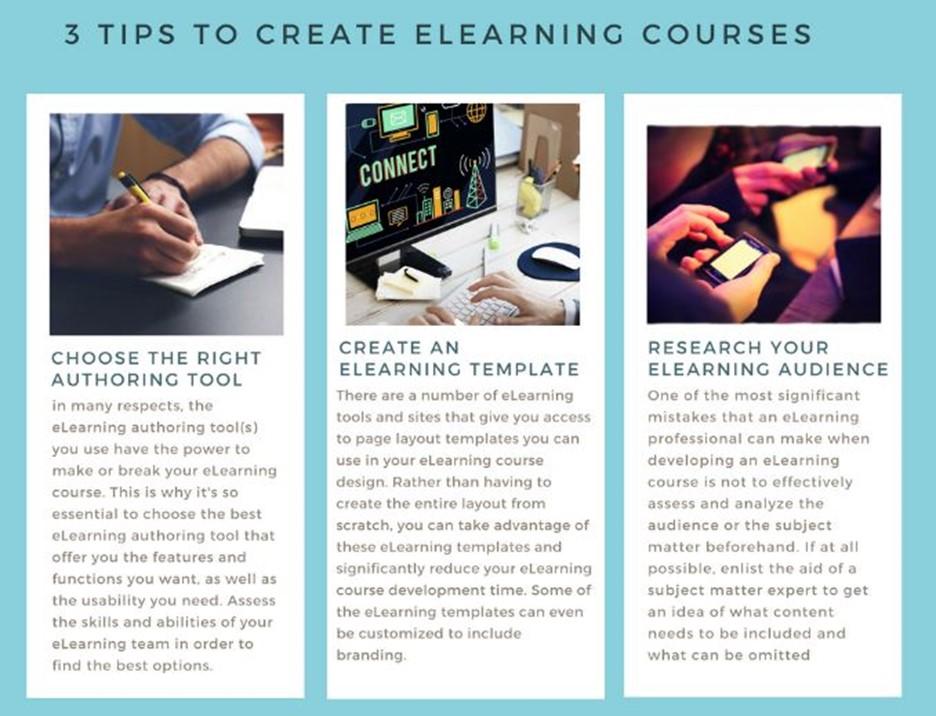
- Create templates for online modules and presentations
- Enhance accessibility and inclusivity through thoughtful visual elements
- ensure brand consistency across all educational materials
- Support multimedia asset creation (videos, interactive simulations)
- Test and refine courses using learner feedback and analytics
Top skills Required for E-Learning Visual Designers
Embarking on a career as a visual designer in e-learning requires a blend of artistic ability, technical know-how, and pedagogical insight. Employers in higher education and K-12 look for candidates with the following key skills:
1. Graphic Design Fundamentals
- Solid grasp of design principles: Color theory, typography, layout, and composition
- Expertise in graphic design tools such as Adobe Creative Suite (Photoshop, Illustrator, InDesign) or similar
- Ability to create custom illustrations and icons
2. UI/UX Design for Learning Platforms
- User Interface (UI) design for Learning Management Systems (LMS) and mobile learning apps
- User Experience (UX) principles to streamline navigation, reduce cognitive load, and promote easy interactivity
- Prototyping and wireframing using tools like Figma, Sketch, or Adobe XD
3. Motion Graphics and Multimedia
- Animating educational content to simplify complex concepts
- Digital storytelling using video, audio, and other media
- Utilizing authoring tools (Articulate Storyline, Adobe Captivate, Camtasia)
4. Understanding of Learning Theories
- Familiarity with cognitive load theory, multimedia learning, and instructional design best practices
- Designing visual elements that support diverse learning styles
5. Accessibility and Inclusion
- Applying accessibility guidelines (WCAG, ADA) to ensure all learners, including those with disabilities, can access content
- Using alt text, proper color contrast, and easy-to-read typefaces
6. Collaboration and Communication
- Working closely with educators, instructional designers, and IT teams
- Receiving and integrating feedback constructively
Benefits of a Career as a Visual Designer in E-Learning
Pursuing a role as a visual designer in the education technology field offers several advantages:
- Meaningful Impact: Your designs help shape how students learn and interact with course content.
- Diverse Work Environment: Collaborate with academics, technologists, and creatives from diverse backgrounds.
- Continuous Learning: Stay at the cutting edge of both educational research and design technology.
- Remote and Flexible Opportunities: Many edtech roles offer hybrid or remote work arrangements.
- Career Advancement: Grow into roles such as Lead Visual Designer, Learning Experience Designer, or EdTech Project Manager.
Strategies for Creating engaging Online Course designs
Standing out as a Visual Designer in E-Learning means more than crafting pretty visuals—it’s about driving engagement and comprehension. Here are proven strategies for designing compelling e-learning experiences:
1. Start with Learner-Centered Design
- Understand the needs and backgrounds of your target audience
- Use personas and scenarios to guide your design decisions
2. Maintain Simplicity and Clarity
- Avoid information overload with concise layouts and uncluttered presentations
- focus on one concept per slide or screen whenever possible
3. Leverage Visual Hierarchy
- Guide attention using size, color, spacing, and contrast
- Highlight essential content to reinforce learning objectives
4. Make Interactivity Intentional
- Use clickable elements such as tabs, hotspots, and branching scenarios to make learning active
- Balance interactive features with clear instructional outcomes
5. Ensure Consistency and Branding
- Apply consistent visual themes, iconography, and typography throughout the course
- Align visual style with the institution’s brand guidelines
6.Optimize for Accessibility
- Test your designs with screen readers, color-blind simulators, and accessibility plugins
- Incorporate captions, transcripts, and accessible interactions
Practical Tips for Aspiring EdTech Visual Designers
Breaking into the world of education technology as a Visual Designer in E-Learning requires intentional skill-building and networking. Here are some practical tips for job seekers:
- Create an Online portfolio:
- Showcase e-learning examples, interactive prototypes, and motion graphics
- Include before-and-after case studies to demonstrate your impact
- Get Certified:
- Pursue courses or certifications in instructional design, UI/UX, or e-learning authoring tools
- Stay Current:
- Follow trends in education technology, accessibility, and digital storytelling
- Experiment with emerging tools like AR/VR in learning design
- Network with Professionals:
- Engage in edtech forums, LinkedIn groups, and industry-specific events
- Attend webinars and virtual conferences to expand your knowledge
- Tailor Your Applications:
- Highlight relevant experiences when applying to universities, colleges, or schools
- Align your cover letter and resume with each institution’s educational mission
Crafting a Standout Resume and Interview Strategy
When applying for visual designer roles in e-learning, your application materials should reflect both your design prowess and understanding of educational needs.Here’s how to make an impression:
- Quantify Achievements: Mention the number of courses improved, feedback scores, or increases in learner engagement.
- Showcase Collaboration: Highlight projects completed in partnership with faculty and IT teams.
- Portfolio Presentation: prepare a selection of projects to discuss during interviews, emphasizing your creative process.
- Research the Institution: Understand their e-learning goals,student demographics,and unique challenges in advance.
Conclusion: empowering Learners Through Visual Design
A career as a Visual Designer in E-Learning is both rewarding and impactful—you have the power to transform educational content, making it accessible, engaging, and effective for diverse learners. by mastering the essential skills and strategies outlined above, and by developing a robust portfolio, you can thrive in the digital classrooms of universities, colleges, and schools. As the edtech landscape evolves, your passion for visual storytelling and commitment to learner success will be your greatest assets. Start building your future in education technology today!