
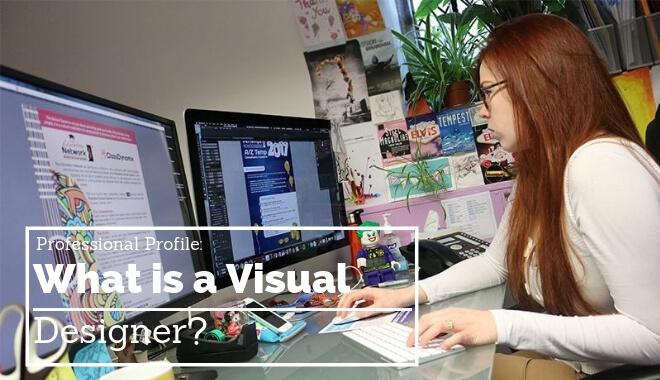
Visual Designer’s Role in E-Learning: Enhancing Digital Education Experiences
As the education sector embraces digital transformation, the demand for talented visual designers in e-learning continues to surge. Universities, colleges, and schools worldwide are seeking creative professionals to enhance their digital education experiences. If you’re a job seeker interested in the intersection of design and education technology, understanding the unique responsibilities and opportunities of a Visual Designer in e-learning can give you a distinct edge.
Introduction: The Growing Importance of Visual Design in E-Learning
The rise of remote and blended learning has fundamentally changed how educational content is delivered and consumed. Educational institutions are turning to e-learning platforms, apps, and digital resources to engage students effectively. In this landscape, visual designers play a vital role by making complex concepts accessible, fostering engagement, and supporting diverse learners through impactful design.
Visual designers in education technology bridge the gap between pedagogy and technology, ensuring that digital learning experiences are intuitive, aesthetically pleasing, and effective. This article explores the multifaceted role of a visual designer in e-learning, key skills required, benefits they bring to educational institutions, and practical tips for building a rewarding career in this dynamic field.
The Role of a visual Designer in E-Learning
Visual designers in e-learning are responsible for creating digital interfaces, instructional graphics, and multimedia elements that support educational objectives. Their work goes beyond aesthetics; it directly impacts student engagement and learning outcomes. Here’s what the position typically involves:
- Designing user Interfaces: Developing intuitive layouts for e-learning platforms, learning management systems (LMS), course modules, and educational websites.
- Creating Instructional Graphics: Producing infographics,diagrams,animations,icons,and other visual assets that help clarify complex concepts for learners of all ages.
- Enhancing User Experience (UX): Applying principles of user-centered design to ensure digital materials are easy to navigate and accessible for students with diverse needs.
- Collaborating with Educators: Working closely with instructional designers,teachers,and subject matter experts to align design elements with learning objectives.
- Maintaining Brand Consistency: Ensuring visual elements adhere to institutional branding guidelines, creating a cohesive and professional look across all educational materials.
- Ensuring Accessibility: Designing with accessibility best practices in mind to make content usable for learners with disabilities, including color contrast, readable fonts, and alternative text for images.
Key Skills for Success as a Visual Designer in E-Learning
Universities, colleges, and schools look for visual designers with a specific skill set tailored to the unique demands of education technology. If you’re aspiring to work in this field, consider strengthening the following competencies:
- Proficiency in Design Software: Expertise in tools such as Adobe Creative Suite (Photoshop, Illustrator, indesign), Sketch, Figma, or similar platforms.
- Understanding of Instructional Design: Awareness of how adults and children learn, and the ability to translate pedagogical concepts into visual formats.
- UX/UI Design: Skills in creating user-centered interfaces that are clear, intuitive, and engaging.
- Web and Mobile Design: Ability to design for various devices, ensuring content is responsive and adapts to different screen sizes.
- Knowledge of Accessibility Standards: Familiarity with WCAG guidelines and best practices for designing inclusive digital learning experiences.
- Collaboration and dialogue: Comfortable working in multidisciplinary teams and conveying design ideas to non-designers, such as educators and administrators.
- Attention to Detail: Precision in typography, color theory, iconography, and layout that enhances comprehension and quality.
- Project Management: Ability to manage multiple projects, meet deadlines, and quickly incorporate feedback from stakeholders.
Benefits of Visual Design in E-Learning Environments
Bringing skilled visual designers into educational technology teams delivers ample benefits to institutions and learners alike:
- Increased Student Engagement: Visually rich content captures attention, motivates learners, and encourages active participation.
- Improved Knowledge Retention: Well-designed visuals help students digest and remember complex facts by linking ideas and presenting material in digestible formats.
- Accessible and Inclusive Learning: Thoughtful design ensures all students, including those with disabilities, can access and benefit from digital education resources.
- Consistency and Brand Identity: Cohesive design reinforces institutional credibility and professionalism across online courses and resources.
- Efficient Learning Pathways: user-amiable interfaces streamline navigation, reducing cognitive load and allowing learners to focus on content rather than finding their way around a platform.
- Support for Diverse Learning Styles: Integrating multimedia, such as videos, animations, and interactive diagrams, accommodates visual, auditory, and kinesthetic learners.
Practical Tips for Aspiring Visual Designers in Education Technology
If you’re eager to build a career as a visual designer in e-learning for schools, colleges, or universities, consider the following tips to stand out in your job search and on the job:
1. Build a Strong Portfolio
- Showcase projects relevant to education technology: redesign course modules, create e-learning prototypes, and develop accessibility-focused materials.
- Highlight collaborative work with educators or instructional designers.
- Include before-and-after examples to demonstrate your impact on user experience and learning outcomes.
2. Stay Informed About EdTech Trends
- Follow the latest developments in e-learning platforms, gamification, and adaptive learning technologies.
- Attend webinars and join online communities focused on education technology and design.
3. Prioritize Accessibility
- Familiarize yourself with accessibility guidelines and tools for testing your designs.
- Always consider color contrast, alternative text, screen reader compatibility, and font size adaptability.
4. Refine Your Communication Skills
- Practice explaining your design decisions in simple terms, especially when working with non-designers.
- Be open to feedback and willing to adapt your designs based on educational needs.
5. Learn the Language of Education
- Understand basic instructional design terminology and concepts.
- Familiarize yourself with common learning theories and curriculum structures to design visuals that support learning goals.
6. Highlight transferable Skills
- If transitioning from another industry, emphasize skills such as collaboration, digital literacy, and design thinking.
career opportunities for Visual Designers in Educational Institutions
As digital education evolves,universities,colleges,and K-12 schools are investing in in-house visual design talent to produce engaging,effective,and inclusive e-learning content. Common roles and career paths include:
- E-Learning Visual Designer: Creating graphics and visual assets for online courses, mobile apps, and LMS interfaces.
- UI/UX Designer for EdTech: Designing user experiences for educational platforms and tools used by students and teachers.
- Instructional Media Designer: Developing multimedia learning materials, animations, and interactive elements in collaboration with instructors.
- Accessibility Specialist: Ensuring e-learning materials conform to accessibility standards and best practices.
- Content Design Lead: Overseeing the visual identity of an institution’s digital learning offerings.
These positions offer opportunities for both onsite and remote work, giving job seekers flexibility and the chance to make a meaningful impact in education. Institutions often value prior experience in education,but a strong design portfolio tailored to e-learning can open doors for those coming from other sectors.
How to Stand Out when Applying for Visual Designer Roles in E-Learning
As competition increases for visual designer positions at schools, colleges, and universities, focus on these strategies to make your application memorable:
- Customize Your Application: Tailor your resume and cover letter to highlight experience directly relevant to education technology and learning environments.
- Demonstrate Measurable Impact: Where possible, cite data or feedback showing how your designs improved engagement or learning outcomes.
- Showcase Technical Flexibility: Highlight your ability to work with different platforms and adapt to new technologies quickly.
- Highlight Your Collaborative Approach: Institutions appreciate designers who can work harmoniously with educators, administrators, and IT teams.
conclusion: Visual Designers as catalysts for Transformative Learning
The role of a visual designer in e-learning is both creatively fulfilling and crucial to the success of modern education technology. By combining artistry with a keen understanding of pedagogy and user experience,you can help universities,colleges,and schools deliver engaging,accessible,and impactful digital learning experiences that empower learners worldwide.
If you’re passionate about design and education, now is an opportune time to pursue a visual designer career in e-learning. Enhance your skills, build a robust portfolio, and immerse yourself in education technology trends to position yourself as a sought-after professional in this exciting and meaningful field.